
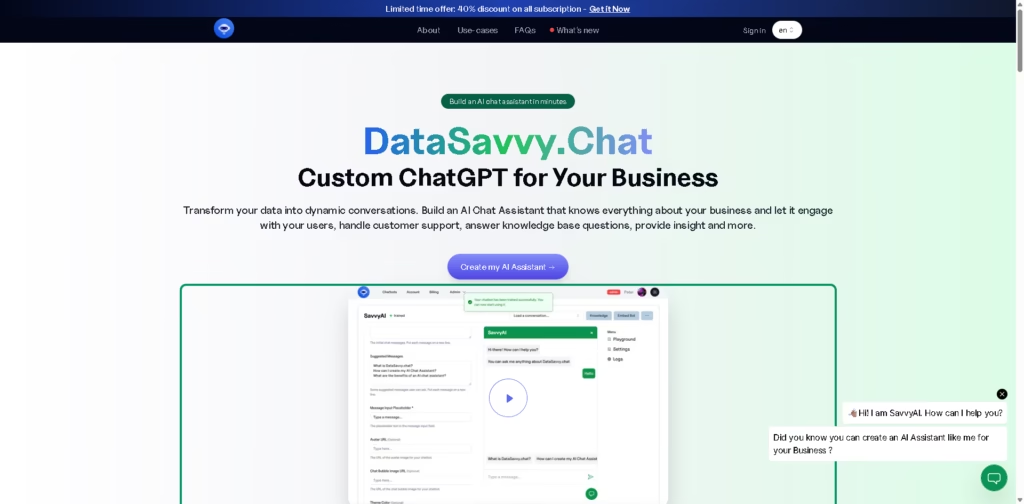
What It Does
DataSavvy.Chat is a no-code platform for creating custom AI chat assistants trained or configured with a business’s own knowledge sources.
It is aimed at businesses, support teams, educators, real estate organizations, and other users who want an AI assistant for knowledge-base questions, customer support, lead generation, data insights, or website sales conversations.
A typical workflow involves creating an assistant, giving it relevant knowledge sources, choosing its appearance, and deploying it for user conversations.
For example, a business could build an assistant around its support documentation so visitors can ask product questions, receive answers based on the supplied information, and use the assistant as a 24/7 support channel.
Quick Verdict
- Best for: Creating custom AI assistants from business knowledge
- Skip if: You need extensive system integrations on a lower-tier plan
- Key Advantage: Custom assistants without coding
- Top Alternative: CustomGPT.ai
At a Glance
| Feature | Details |
|---|---|
| Category | AI chatbot builder |
| Pricing Model | Paid with free tier |
| Free Tier | Yes |
| Platform | Web |
| API | OpenAI API key on Enterprise |
| Primary Strength | Custom AI assistants from business data |
| Message Limits | 25 to 50,000 messages/month depending on plan |
| Customization | Appearance, UI/UX, and training options |
Pricing & Plans
- Free: $0. Includes 1 free chatbot, 25 messages/month, up to 500,000 characters, and customizable appearance. No credit card is required. Free chatbots are deleted after 15 days of inactivity.
- Basic: $19/month on the displayed annual pricing, with 20 million total characters, 2,500 messages/month, unlimited chatbots, conversation export, and appearance customization.
- Standard: $49/month on the displayed annual pricing, with 35 million total characters, 5,000 messages/month, unlimited chatbots, conversation history, conversation export, and appearance customization.
- Advanced: $99/month on the displayed annual pricing, with 80 million total characters, 12,000 messages, conversation history, conversation export, priority support, and custom UI/UX.
- Enterprise: $499/month on the displayed annual pricing, with unlimited characters and chatbots, 50,000 messages/month, an OpenAI API key for additional messages, system integrations, priority support, custom integration, custom training, and custom UI/UX.
- Annual billing: The site states that annual subscriptions provide 2 months free.
- Current promotion: The supplied page advertises a 40% discount on subscriptions as a limited-time offer.
Note: Prices and plan limits may change. Check the official website for current pricing.
Key Features
- Creates custom AI assistants using business knowledge sources without coding.
- Supports knowledge-base chatbots for documentation and information retrieval.
- Provides customer-support assistants for answering questions around the clock.
- Generates insights by allowing users to ask questions about supplied data.
- Supports multilingual conversations for customer-facing AI assistants.
- Provides custom UI/UX options and conversation history on higher plans.
Best For
- Turning business documentation into an interactive knowledge-base assistant
- Automating responses to frequently asked customer-support questions
- Using AI assistants to qualify and engage website leads
- Creating educational assistants based on proprietary curriculum content
- Building property-focused assistants for real estate inquiries
Pros & Cons
Pros:
- No-code setup lowers the technical barrier to creating custom AI assistants.
- The free tier provides 25 monthly messages and 500,000 characters for initial evaluation.
- Higher plans support conversation history, exports, priority support, and UI/UX customization.
- Enterprise includes system integration and custom training options.
Cons:
- Free chatbots are deleted after 15 days of inactivity.
- Monthly message limits vary substantially between plans.
- Advanced customization and integrations are concentrated in higher-priced plans.
Alternatives & Comparisons
| Alternative | Best For | Key Difference vs. This Tool |
|---|---|---|
| CustomGPT.ai | Creating AI assistants from business content | More focused on custom GPT-style knowledge assistants |
| Botsonic | Website AI chatbots and content-based assistants | Offers a broader chatbot-building approach for business websites |
| Chatbase | Building AI agents from company data | More established focus on data-trained AI customer agents |
DataSavvy.Chat occupies the custom AI assistant market with a simple, no-code approach centered on business knowledge and predefined use cases.
Choose it when its character and message allowances, customization options, and Enterprise integration features align with your intended chatbot workload.
Frequently Asked Questions
How much does DataSavvy.Chat cost?
The displayed annual pricing ranges from free to $499/month, with Basic at $19/month, Standard at $49/month, Advanced at $99/month, and Enterprise at $499/month.
Does DataSavvy.Chat have a free plan?
Yes. The free plan includes one chatbot, 25 messages per month, up to 500,000 characters, and a customizable appearance. Free chatbots are deleted after 15 days of inactivity.
Can DataSavvy.Chat integrate with business systems?
The Enterprise plan explicitly includes the ability to integrate with your systems and provides custom integration options.
Does DataSavvy.Chat support multilingual conversations?
Yes. The platform states that its AI assistants can converse and provide solutions in numerous languages.
Which DataSavvy.Chat plan supports custom training?
Custom training is listed as an Enterprise feature. Custom UI/UX is available on the Advanced and Enterprise plans.
ToolsPedia Rating
- Performance & Speed: 4.0/5.0
- Ease of Setup: 4.5/5.0
- Feature Depth: 4.0/5.0
- Value for Price: 4.0/5.0
- ToolsPedia Score: 4.1/5.0
Final Thoughts
DataSavvy.Chat provides a straightforward way to turn business knowledge into custom AI assistants without requiring coding. DataSavvy.
Chat’s free plan makes initial experimentation accessible, while paid tiers increase message and character allowances and add capabilities such as conversation history, custom UI/UX, integrations, and custom training.
Start with the free plan if you want to validate the chatbot workflow before committing to a paid tier.
















