
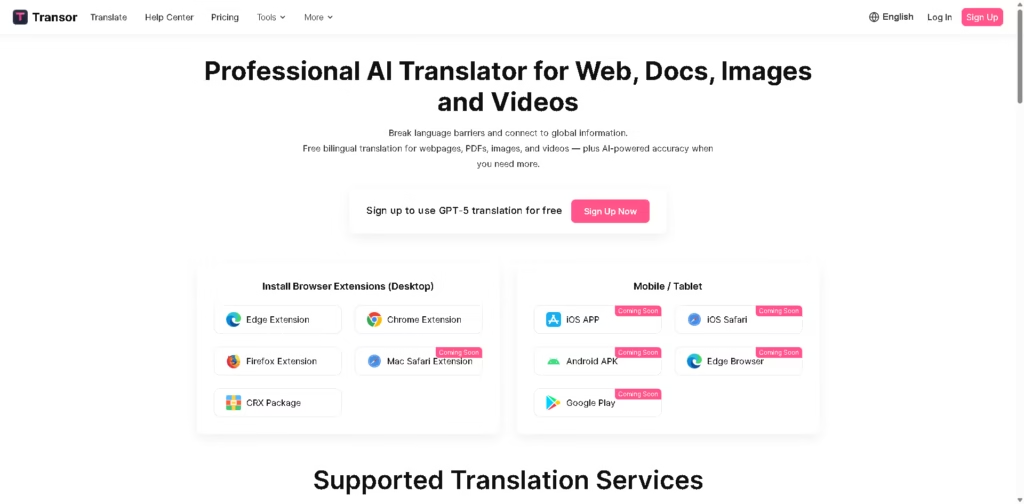
What It Does
Transor is an AI translation platform for translating web pages, PDFs, images, videos, and selected text. It combines multiple translation services, including OpenAI, Gemini, DeepSeek, Google, and Microsoft, and is available through browser extensions for Chrome, Edge, and Firefox.
A typical workflow is to open foreign-language content in a supported browser, translate the webpage or selected text with Transor, and read the original and translated content together. Users can also translate PDFs, translate images through right-click or hover, and view bilingual subtitles on supported video platforms.
Quick Verdict
- Best for: Translating and reading web, document, image, and video content
- Skip if: You need a dedicated professional localization management platform
- Key Advantage: Multiple AI translation services in one tool
- Top Alternative: Google Translate
At a Glance
| Feature | Details |
|---|---|
| Category | AI Translation |
| Pricing Model | Freemium |
| Free Tier | Yes |
| Platform | Web, Chrome, Edge, Firefox |
| API | Not specified |
| Primary Strength | Multi-format AI translation |
| AI Services | OpenAI, Gemini, Claude, DeepSeek, Google, Microsoft |
| Browser Extensions | Chrome, Edge, Firefox |
Transor lists browser extensions for Chrome, Edge, and Firefox, while Safari and mobile applications are marked as coming soon.
Pricing & Plans
- Free: $0. Includes GPT-5 nano after login, Google Translate and Microsoft Translator without registration, unlimited web-page translation, unlimited bilingual subtitles, unlimited input-box translation, unlimited text-selection translation, unlimited translation-center usage, and 100 PDF pages per month.
- Pro: $5/month monthly pricing, or $6 shown as the comparison price. Includes 10 million Pro Tokens/month, 1,000 PDF pages/month, 1,000 basic image translations/month, 5,000 favorites/month, bilingual subtitles, and priority support.
- Max: $10/month monthly pricing, or $12 shown as the comparison price. Includes 20 million Pro Tokens/month, 1 million Max Tokens/month, 5,000 PDF pages/month, 5,000 basic image translations/month, 20,000 favorites/month, bilingual subtitles, and priority support.
- Annual billing: The pricing page states that yearly billing saves 20%, although the supplied pricing data does not provide the resulting annual prices.
- Top-up Pack: Available for users who need additional resources, but the supplied information does not specify its price or allowances.
Note: Prices and plan limits may change. Check the official website for current pricing.
Key Features
- Translates web pages with bilingual reading and core-content detection.
- Provides real-time bilingual subtitles for platforms such as YouTube and Netflix.
- Translates PDFs with dedicated monthly page allowances on paid plans.
- Translates webpage images using OCR and in-painting technology.
- Supports instant translation of selected webpage text.
- Translates text entered into web input fields using a keyboard shortcut.
Transor supports multiple translation services, including Google, Microsoft, OpenAI, DeepSeek, Gemini, and BigModel.
Best For
- Reading foreign-language websites with bilingual translations
- Watching multilingual video content with bilingual subtitles
- Translating academic papers and business PDFs
- Translating text embedded inside online images
- Translating search, writing, and chat input without leaving webpages
Pros & Cons
Pros:
- Supports multiple translation engines within one platform.
- The free plan provides unlimited webpage and bilingual subtitle translation.
- Covers webpages, PDFs, images, videos, selected text, and input fields.
- Chrome, Edge, and Firefox extensions support desktop browser workflows.
Cons:
- Safari and mobile applications are currently listed as coming soon.
- Free PDF translation is limited to 100 pages per month.
- Advanced AI models and higher translation allowances require paid plans.
Alternatives & Comparisons
| Alternative | Best For | Key Difference vs. This Tool |
|---|---|---|
| Google Translate | General-purpose translation | Transor combines Google with several other translation services and reading features |
| DeepL | High-quality text and document translation | Transor offers broader browser-based multimedia translation workflows |
| Microsoft Translator | Text and multilingual translation | Transor combines Microsoft Translator with additional AI providers and bilingual tools |
Transor fits the broader translation market as a multi-service reading and translation layer for web, document, image, and video content.
Choose Transor when you want multiple translation providers and bilingual browser-based workflows rather than a single translation engine.
Frequently Asked Questions
Does Transor offer free translation?
Yes. Its Free plan includes unlimited webpage translation, bilingual subtitles, input-box translation, text-selection translation, and translation-center usage.
Which AI models does Transor support?
The paid plans list GPT-5, Claude 4 Sonnet, Gemini 2.5 Pro, DeepSeek V3, GPT-5 mini, Claude 3.5 Haiku, and Gemini 2.5 Flash. The platform also lists Google Translate and Microsoft Translator among its supported services.
Can Transor translate YouTube and Netflix videos?
Yes. Transor provides real-time bilingual subtitles for major video platforms such as YouTube and Netflix.
Can Transor translate text inside images?
Yes. Its image translation feature uses OCR and inpainting to place translated text into the original image design.
Which browsers support Transor?
Chrome, Edge, and Firefox extensions are available. Safari is listed as coming soon.
ToolsPedia Rating
- Performance & Speed: 4.3/5.0
- Ease of Setup: 4.5/5.0
- Feature Depth: 4.6/5.0
- Value for Price: 4.6/5.0
- ToolsPedia Score: 4.5/5.0
Final Thoughts
Transor is a broad AI translation tool that goes beyond conventional text translation by covering webpages, PDFs, images, video subtitles, selected text, and browser input fields. Its combination of multiple translation providers and a generous free tier makes it relevant for users who regularly consume foreign-language online content. Start with the free plan if your main needs are web reading, subtitles, and occasional document translation.
















