
What It Does
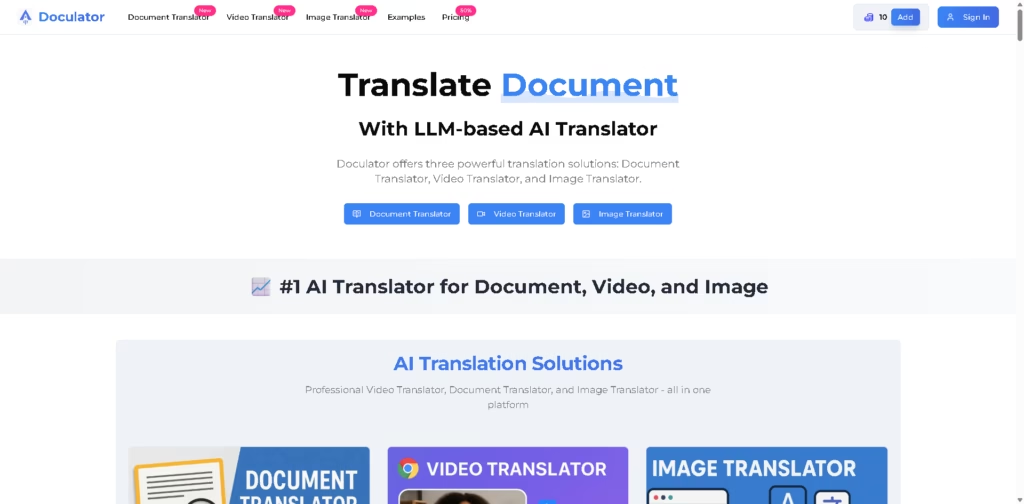
Doculator is an AI-powered translation platform for documents, images, and videos. It supports common business and content formats including PDF, Word, Excel, PowerPoint, EPUB, TXT, and multiple image formats, while offering translation across 100+ languages.
Its main advantage is combining several translation workflows in one platform rather than requiring separate tools for documents, visual content, and video. For example, a business could upload a PowerPoint presentation, select its source and target languages, choose an AI model, and download the translated presentation while retaining its original formatting.
At a Glance
| Field | Details |
|---|---|
| Category | AI translation platform |
| Translation Types | Documents, images, videos |
| Document Languages | 100+ |
| Video Languages | 130+ |
| AI Models | GPT, Gemini, Claude and other listed models |
| Maximum Document Size | Up to 500MB per file |
| Maximum Image Size | Up to 20MB per image |
| Pricing Model | Credit-based plans with annual and other options |
Key Features
- Translates PDF, Word, Excel, PowerPoint, EPUB, TXT, HTML, and Markdown files.
- Preserves document formatting, layout, and styling after translation.
- Supports image translation with OCR for printed and handwritten text.
- Translates videos with AI voices, subtitles, and claimed lip synchronization.
- Supports 100+ document and 130+ video translation languages.
- Provides side-by-side previews for checking translated documents.
- Offers multiple AI translation models for different content types.
Best For
- Translating business documents while retaining their original formatting.
- Localizing product images and e-commerce visual content.
- Creating multilingual versions of educational and academic materials.
- Translating videos with dubbed audio and customizable subtitles.
- Managing document, image, and video translation from one platform.
Pros & Cons
| Pros | Cons |
| Combines document, image, and video translation in one service. | Video and image capabilities may be unnecessary for users needing only document translation. |
| Supports many common business and office file formats. | Translation quality can vary by language, content type, and selected AI model. |
| Offers multiple AI models, including GPT, Gemini, and Claude. | Usage is credit-based, making costs dependent on consumption. |
| Preserves document and image layouts according to the vendor’s stated functionality. | The claimed accuracy figures are vendor-provided and not independently verified here. |
| Supports large documents up to 500MB per file. | API support is listed as coming soon for the Enterprise plan. |
Alternatives & Comparisons
| Alternative | Best For | Key Difference |
| DeepL | High-quality text and document translation | More focused on translation than combining documents, images, and video |
| Google Translate | General-purpose multilingual translation | Broader consumer translation ecosystem and accessibility |
| Smartcat | Professional localization workflows | Stronger focus on translation management and collaborative localization |
| TransGull | Live speech and multimedia translation | More focused on conversations, live interpretation, images, and videos |
Doculator fits users who want a single AI platform for translating multiple content formats while retaining visual structure. Choose it over narrower translation tools when document, image, and video workflows need to coexist.
Frequently Asked Questions
What file formats does Doculator support?
Doculator supports PDF, DOC, DOCX, XLS, XLSX, PPT, PPTX, EPUB, TXT, HTML, Markdown, and several common image formats.
Does Doculator preserve document formatting?
Yes. The platform states that its document translator preserves original formatting, layout, and styling.
Which AI models does Doculator use?
The supplied information lists GPT-4o, GPT-4, GPT-3.5, Google Gemini, and Anthropic Claude among its available models.
Can Doculator translate images and videos?
Yes. Doculator provides separate image and video translation tools alongside its document translator.
Is Doculator suitable for large documents?
It supports individual documents up to 500MB, although the practical cost and processing time can depend on document size and usage.
Overall Rating
| Category | Score |
| Performance | 4.4/5 |
| Ease of Use | 4.3/5 |
| Feature Set | 4.7/5 |
| Workflow Fit | 4.6/5 |
| Overall | 4.5/5 |
Doculator earns a strong overall score for combining multi-format translation, AI model selection, and formatting preservation in one workflow.
Final Verdict
- Best for: Businesses and creators translating documents, images, and videos through one AI-powered platform.
- Avoid if: You only need basic text translation and do not need multi-format workflows.
- Biggest strength: Its combination of document, image, and video translation with formatting preservation.
- Best alternative: DeepL for users prioritizing dedicated document and text translation.
















