
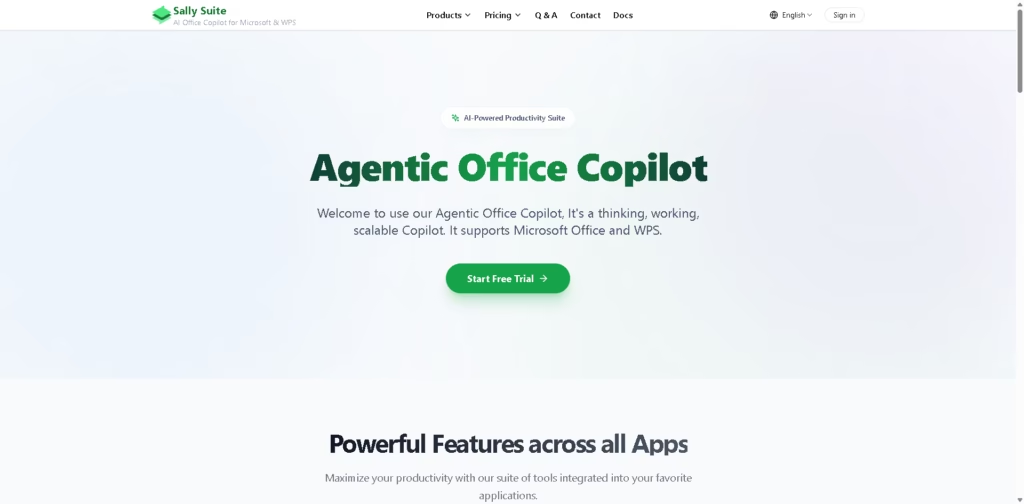
What It Does
Sally Suite is an AI office copilot that brings writing, document editing, data analysis, and presentation assistance into Microsoft Office and WPS applications. It works across Word, Excel, PowerPoint, Outlook, web browsers, and desktop environments instead of operating as a standalone chatbot.
Sally Suite also supports custom AI model providers, including OpenAI, OpenRouter, SiliconFlow, and DeepSeek, allowing users to connect their own API keys for compatible workflows. A typical workflow is opening a Word document, highlighting text, asking Sally to rewrite or comment on it, and continuing editing without leaving the document.
At a Glance
| Feature | Details |
|---|---|
| Category | AI Office Copilot |
| Platforms | Microsoft Office, WPS, Web, Windows, macOS |
| Supported Apps | Word, Excel, PowerPoint, Outlook |
| Browser Support | Chrome and Edge extensions |
| Custom AI Models | OpenAI, OpenRouter, SiliconFlow, DeepSeek |
| Free Trial | Yes |
| Enterprise Deployment | Private deployment supported |
Key Features
- Generate and edit content inside Microsoft Word.
- Chat with documents for contextual assistance.
- Convert LaTeX into Word formatting.
- Review documents using Track Changes.
- Analyze data within Office workflows.
- Connect personal AI models using local API keys.
- Run as Office add-ins and browser extensions.
Best For
- Editing long documents without switching AI tools.
- Reviewing documents with tracked changes.
- Converting LaTeX content into Word.
- Analyzing Office documents with AI assistance.
- Using personal AI models inside Office workflows.
Pros & Cons
| Pros | Cons |
|---|---|
| Works across multiple Office applications. | Some editing actions still require manual adjustments. |
| Supports personal AI model providers. | Feature experience depends on the connected AI model. |
| Local API keys remain stored on the device. | The free trial duration has received mixed user feedback. |
| Offers private enterprise deployment. | Competes with built-in Microsoft Copilot features. |
Alternatives & Comparisons
| Alternative | Best For | Key Difference |
|---|---|---|
| Microsoft Copilot | Native Microsoft 365 workflows | Built directly into Microsoft’s ecosystem. |
| ChatGPT | General AI assistance | Not integrated into Office editing by default. |
| Google Gemini | Google Workspace productivity | Focuses on Google’s productivity ecosystem. |
| Claude | Long-form writing | Primarily operates outside Office applications. |
Sally Suite fits users who want AI assistance embedded inside Office applications while retaining flexibility over model selection. It makes more sense than standalone chatbots when document editing inside Word or WPS is the primary workflow.
Frequently Asked Questions
Can Sally Suite use my own AI model?
Yes. It supports OpenAI, OpenRouter, SiliconFlow, and DeepSeek through locally stored API keys.
Does Sally Suite work with Microsoft Office and WPS?
Yes. It supports Word, Excel, PowerPoint, Outlook, and WPS across Windows, macOS, and web versions.
Can Sally Suite access my local files through Python?
No. The browser-based Python environment cannot access local file paths.
Is Sally suitable for enterprise deployment?
Yes. The vendor states that private deployment is available for enterprise environments.
How does Sally compare with Microsoft Copilot?
Sally focuses on cross-platform Office integration and custom model support, while Microsoft Copilot is tightly integrated into Microsoft 365.
Overall Rating
| Category | Rating |
|---|---|
| Performance | 8.8/10 |
| Ease of Use | 8.7/10 |
| Feature Set | 9.1/10 |
| Workflow Fit | 8.9/10 |
| Overall | 8.9/10 |
Sally Suite offers a strong Office-focused AI workflow, especially for users who value cross-platform support and custom model flexibility.
Final Verdict
- Best for adding AI assistance directly inside Microsoft Office and WPS workflows.
- Avoid if you only need a standalone AI chatbot outside productivity applications.
- The biggest strength is combining Office integration with support for multiple AI model providers.
- The best alternative is Microsoft Copilot for organizations fully invested in Microsoft 365.
















