
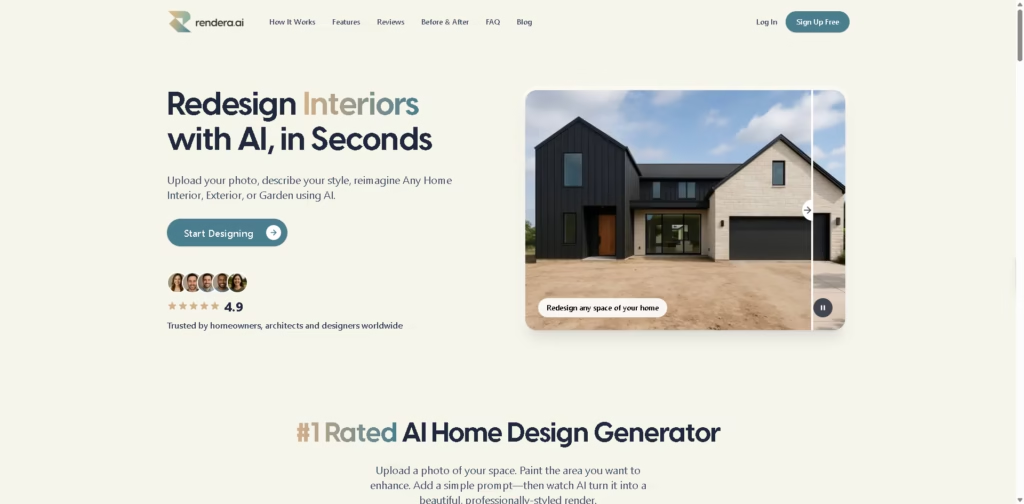
What It Does
Rendera AI is a web-based AI home design tool that generates redesigned interiors, exteriors, and garden concepts from uploaded photos. Instead of creating layouts from scratch, it lets users highlight an area, add a text prompt, and generate a realistic design concept in under 30 seconds.
Rendera AI is aimed at homeowners, designers, architects, landscapers, and real estate professionals who want quick visual mockups without complex design software. A typical workflow is uploading a house or room photo, masking the area to change, describing the desired style, and downloading the AI-generated render.
At a Glance
| Field | Details |
|---|---|
| Category | AI Home & Exterior Design |
| Platform | Web |
| Input Types | Photos, sketches, and basic CAD outputs |
| Design Areas | Interior, exterior, and garden |
| Pricing | Pay-per-image |
| Subscription Required | No |
| Claimed Generation Time | Under 30 seconds |
| Primary Strength | Fast visual redesign concepts |
Key Features
- Generates interior, exterior, and garden redesign concepts from photos.
- Uses masked editing for targeted design changes.
- Converts sketches into high-fidelity renders.
- Accepts custom prompts for styles and materials.
- Produces region-specific design concepts when prompted.
- Allows iterative edits on generated designs.
Best For
- Previewing exterior renovations before construction.
- Creating landscape design concepts from yard photos.
- Visualizing interior style changes quickly.
- Turning sketches into presentation-ready renders.
- Testing multiple design directions for client approvals.
Pros & Cons
| Pros | Cons |
|---|---|
| No monthly subscription required. | Outputs are conceptual, not construction-ready plans. |
| Supports interior, exterior, and garden projects. | Region-specific accuracy depends on prompt quality. |
| Sketch-to-render expands creative workflows. | Limited public details about export formats or integrations. |
| Fast generation suits rapid iteration. | No verified CAD editing workflow beyond sketch rendering. |
Alternatives & Comparisons
| Alternative | Best For | Key Difference |
|---|---|---|
| ReimagineHome | AI room redesign | Stronger focus on interior transformations. |
| Planner 5D | Detailed floor planning | Offers manual 2D and 3D planning tools. |
| HomeDesigns AI | AI home visualization | Similar AI-first redesign workflow. |
| Homestyler | Interior visualization | Includes broader furniture planning tools. |
Rendera AI fits the market as a fast concept-generation tool rather than a professional CAD replacement. Choose Rendera AI when you need realistic visual ideas quickly without committing to a subscription.
Frequently Asked Questions
Does Rendera require a subscription?
No. The platform uses a pay-per-image pricing model instead of monthly subscriptions.
Can Rendera redesign exteriors as well as interiors?
Yes. It supports interior rooms, home exteriors, and gardens.
Can I upload sketches instead of photos?
Yes. The platform accepts rough sketches and basic CAD outputs for high-fidelity rendering.
How fast are the results?
The vendor states that most designs are generated in less than 30 seconds.
Can Rendera generate location-specific designs?
Yes. The platform says prompts can include regional context such as local architectural styles and climate considerations.
Overall Rating
| Category | Score |
|---|---|
| Performance | 4.6/5 |
| Ease of Use | 4.8/5 |
| Feature Set | 4.5/5 |
| Workflow Fit | 4.7/5 |
| Overall | 4.6/5 |
Rendera AI offers a practical balance of speed and creative flexibility, although it is better suited for visual planning than detailed architectural production work.
Final Verdict
- Best for: Quickly visualizing home, exterior, and garden redesign ideas.
- Avoid if: You need technical architectural plans or advanced CAD editing.
- Biggest strength: Fast photo-to-render workflow without subscription commitments.
- Best alternative: Planner 5D for detailed manual planning and 3D layout control.
















