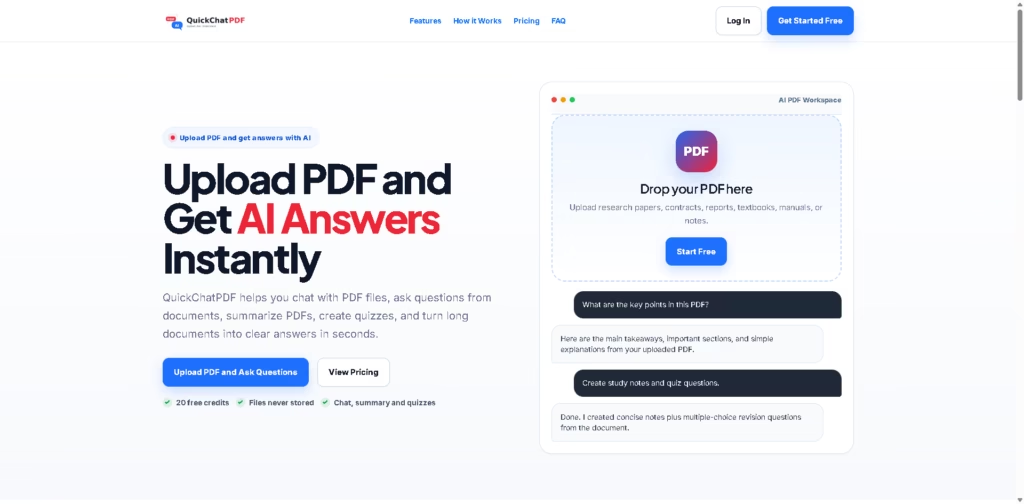
What It Does
QuickChatPDF is an AI-powered PDF assistant that helps users understand documents faster. Instead of scrolling through dozens of pages, you can upload a PDF, ask questions in plain language, generate summaries, create study notes, and even turn document content into quizzes within seconds.
Key Features
- Chat with PDFs – Ask questions naturally and receive answers based on the uploaded document’s content.
- AI-Powered Question Answering – Quickly find specific details, important clauses, findings, or action items without manual searching.
- PDF Summaries – Generate concise overviews, detailed summaries, key takeaways, or simplified explanations.
- Quiz Generator – Convert PDFs into multiple-choice quizzes for revision and self-testing.
- Study Notes Creation – Turn textbooks, lecture notes, and research papers into easy-to-review study material.
- Follow-Up Conversations – Continue asking additional questions to explore documents in greater depth.
- Privacy-Focused Processing – Uploaded PDFs are processed for the requested task and are not stored permanently.
- Free Starter Access – New users receive 20 free credits to test the platform before upgrading.
Who Is QuickChatPDF For?
- Students – Create revision notes, summarize textbooks, and generate practice quizzes from study materials.
- Researchers – Extract key findings from lengthy research papers and academic documents faster.
- Professionals – Review reports, contracts, manuals, and business documents more efficiently.
- Educators – Develop quizzes and learning resources from existing PDF content.
- Knowledge Workers – Save time by finding answers inside large documents without reading every page.
- Anyone Managing Long PDFs – Simplify the process of understanding complex or information-heavy files.
Final Thoughts
QuickChatPDF focuses on solving a simple yet common problem: extracting useful information from PDFs without spending hours manually reading them.
Its combination of AI chat, summarization, quiz generation, and study-note creation makes it particularly valuable for students and busy professionals.
The addition of privacy-focused document handling and a free entry plan also lowers the barrier to trying it out. If you regularly work with lengthy PDFs and want a faster way to understand their contents, QuickChatPDF is worth exploring to see if it fits your workflow.