
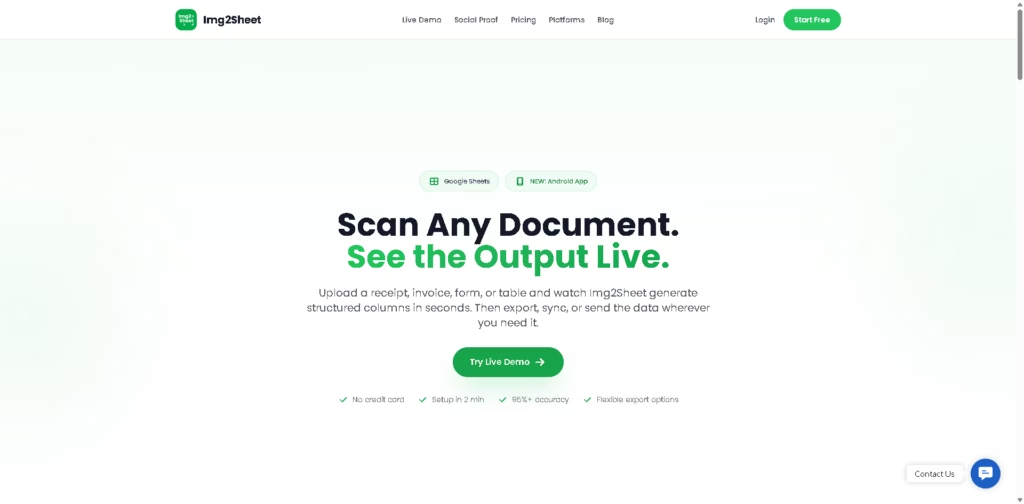
What It Does
Img2Sheet is an AI-powered document data extraction tool that converts receipts, invoices, forms, tables, and PDFs into structured spreadsheet data. It goes beyond basic OCR by organizing extracted information into columns that can be exported or sent directly into business workflows.
The product is designed for people who regularly process documents and want to reduce manual data entry. A typical workflow is uploading a batch of receipts, reviewing the extracted columns, then exporting the results to Excel, Google Sheets, or a webhook destination.
At a Glance
| Field | Details |
|---|---|
| Category | AI document data extraction |
| Platforms | Web app, Google Sheets, Android |
| Supported Documents | Receipts, invoices, forms, tables, PDFs |
| Export Formats | Excel, CSV, JSON, XML, ODS |
| Integration | Webhooks, Google Sheets |
| Deployment Options | Cloud, BYOK, Self-hosted |
| Free Access | Free plan available |
| Primary Strength | Structured extraction with multiple workflow options |
Key Features
- Extract structured data from receipts, invoices, forms, and tables.
- Batch process hundreds of documents simultaneously.
- Split multi-page PDFs automatically before extraction.
- Export data to Excel, CSV, JSON, XML, and ODS.
- Send extracted data through webhooks in real time.
- Access web, Google Sheets, and Android workflows.
Best For
- Processing monthly expense receipts in batches.
- Converting invoices into spreadsheet-ready data.
- Extracting tables from scanned documents.
- Automating document data with webhooks.
- Capturing receipts on mobile while traveling.
Pros & Cons
| Pros | Cons |
|---|---|
| Supports multiple document types | Accuracy may still require verification for critical records |
| Batch processing speeds up repetitive work | Credit-based usage may not suit every high-volume workflow |
| Multiple export formats improve flexibility | Advanced integrations require webhook setup |
| Self-hosted option supports privacy-sensitive businesses | Specialized document AI competitors may offer industry-specific templates |
Alternatives & Comparisons
| Alternative | Best For | Key Difference |
|---|---|---|
| Nanonets | Enterprise document automation | More enterprise-focused workflows |
| Rossum | Invoice processing | Stronger invoice-centric automation |
| Docparser | Template-based extraction | Greater reliance on parsing templates |
| Adobe Acrobat AI | PDF workflows | Broader PDF editing capabilities |
Img2Sheet occupies a practical middle ground between lightweight OCR apps and enterprise document automation platforms. It is the stronger choice when users want flexible exports, Google Sheets integration, and deployment options without committing immediately to enterprise software.
Frequently Asked Questions
What documents can Img2Sheet process?
It supports receipts, invoices, forms, tables, and multi-page PDFs.
Does Img2Sheet require Google Sheets?
No. The web app works independently, while a Google Sheets extension is available separately.
Can it process multiple documents at once?
Yes. Batch processing is one of its advertised capabilities.
What export formats are available?
Excel, CSV, JSON, XML, and ODS exports are supported.
Can businesses self-host Img2Sheet?
Yes. A self-hosted deployment option is available for organizations with stricter privacy requirements.
Overall Rating
| Category | Score |
|---|---|
| Performance | 4.7/5 |
| Ease of Use | 4.8/5 |
| Feature Set | 4.8/5 |
| Workflow Fit | 4.7/5 |
| Overall | 4.8/5 |
Img2Sheet offers a well-rounded document extraction workflow with broad export options, batch processing, and deployment flexibility that make it suitable for both individuals and businesses.
Final Verdict
- Best for: Businesses converting receipts, invoices, and forms into structured spreadsheet data.
- Avoid if: You need guaranteed perfect extraction without reviewing results.
- Biggest strength: Flexible document extraction across web, mobile, Sheets, and webhook workflows.
- Best alternative: Nanonets for enterprise-scale document automation.
















