
What It Does
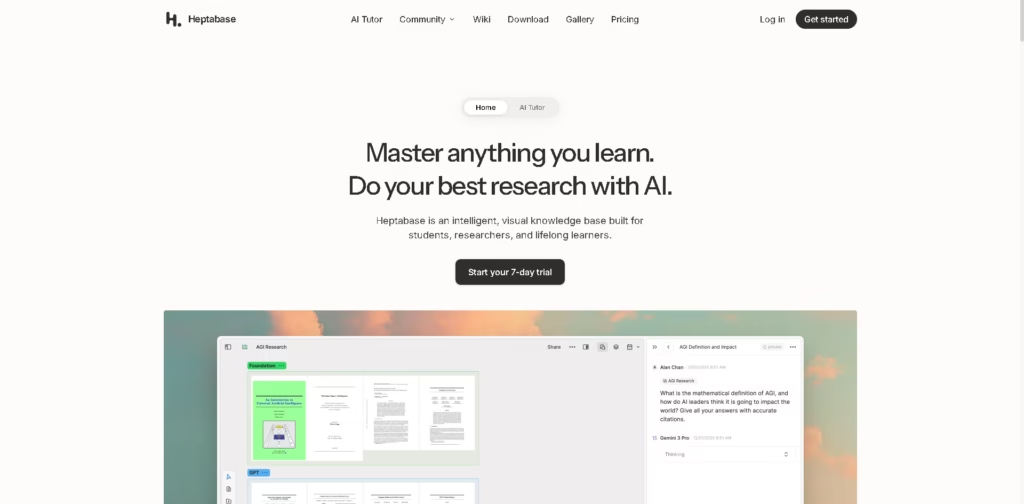
Heptabase is a visual knowledge management and learning platform for students, researchers, and lifelong learners. It combines AI research tools, whiteboards, cards, notes, PDF annotation, connected knowledge bases, and AI-assisted learning in one workspace.
A typical workflow can start with a PDF, YouTube transcript, note, or journal entry. Users can capture highlights and notes, organize them into cards and whiteboards, connect related ideas with bidirectional links, and use AI to explain sources or answer questions. The AI Tutor can also guide users through structured learning sessions based on their learning goals.
Quick Verdict
- Best for: Students, researchers, and knowledge workers who prefer visual knowledge organization.
- Skip if: You only need a simple note-taking app without visual research tools.
- Key Advantage: Combines visual knowledge management, source research, and AI-assisted learning.
- Top Alternative: Obsidian
At a Glance
| Feature | Details |
|---|---|
| Category | Visual Knowledge Management & AI Learning |
| Pricing Model | Paid subscription |
| Free Tier | Not specified |
| Platform | Web, Windows, macOS, Linux, iOS, Android |
| API | Not specified |
| Primary Strength | Visual knowledge organization and AI-assisted learning |
Pricing & Plans
- Pro: $8.99/month. Includes unlimited notes, whiteboards, tags, image uploads, collaborator invites, PDF highlights, YouTube transcripts, Gemini-based AI agent, and 100 AI credits/month.
- Premium: $17.99/month. Adds unlimited PDF uploads and parsing, unlimited Q&A with basic AI models, GPT/Claude/Gemini AI agents, AI Tutor, and 1,800 AI credits/month.
- Premium+: $53.99/month. Includes Premium features, an additional 33% discount on AI credits, and 8,100 AI credits/month.
- Trial: A 7-day trial is offered.
Note: Prices and plan limits may change. Check the official website for current pricing.
Key Features
- AI explains sources and helps users organize research materials.
- Whiteboards and cards support visual note-taking and idea organization.
- Bidirectional links connect related notes and knowledge.
- PDF annotation captures and organizes research highlights.
- AI Tutor creates structured, personalized learning sessions.
- Readwise and Zotero integrations connect external research materials.
Best For
- Students building structured study materials from readings and videos.
- Researchers organizing sources, highlights, notes, and references.
- Lifelong learners developing a long-term personal knowledge base.
- Visual thinkers who prefer whiteboards and connected cards.
- Knowledge workers synthesizing information from multiple sources.
Pros & Cons
Pros
- Combines visual whiteboards with a connected knowledge base.
- Supports PDF annotation, YouTube transcripts, Readwise, and Zotero.
- AI Tutor provides structured learning sessions.
- Available across desktop and mobile platforms.
Cons
- AI usage is limited by monthly credit allocations on paid plans.
- Advanced AI features vary between subscription tiers.
- API availability is not specified in the provided information.
Alternatives & Comparisons
| Alternative | Best For | Key Difference vs. Heptabase |
|---|---|---|
| Obsidian | Flexible knowledge management | More text- and plugin-focused knowledge organization |
| Notion | All-purpose workspace management | Broader databases, documents, and team-workspace features |
| Miro | Visual collaboration | More focused on collaborative whiteboards and visual teamwork |
Heptabase fits users who want visual knowledge organization combined with research and learning workflows.
It is particularly relevant when whiteboards, source annotation, connected notes, and AI-assisted learning are central to the workflow.
Frequently Asked Questions
Is Heptabase suitable for students?
Yes. Heptabase is designed for students and learners and provides visual note-taking, source organization, AI research, and AI Tutor features.
Does Heptabase support PDF research?
Yes. It supports PDF highlights and annotations, while Premium and Premium+ include unlimited PDF uploads and PDF parsing with OCR.
Does Heptabase work with YouTube content?
Yes. The platform supports YouTube transcripts as part of its research and knowledge-management workflow.
Does Heptabase have an AI Tutor?
Yes. The AI Tutor provides structured and personalized learning sessions designed around the user’s learning goals.
What is the difference between Pro and Premium?
Pro includes a Gemini-based AI agent and 100 AI credits per month. Premium adds GPT, Claude, and Gemini agents, AI Tutor, unlimited PDF parsing, and 1,800 AI credits per month.
ToolsPedia Rating
- Performance & Speed: 4.4/5.0
- Ease of Setup: 4.2/5.0
- Feature Depth: 4.7/5.0
- Value for Price: 4.1/5.0
- ToolsPedia Score: 4.4/5.0
Editorial assessment based on the published feature set and pricing information provided, not hands-on testing.
Final Thoughts
Heptabase combines visual knowledge management with research, note-taking, and AI-powered learning tools. Its whiteboards, source annotations, connected notes, and AI Tutor make it suitable for users managing complex learning or research projects. A 7-day trial provides a practical way to evaluate whether its visual workflow fits your needs.
















