
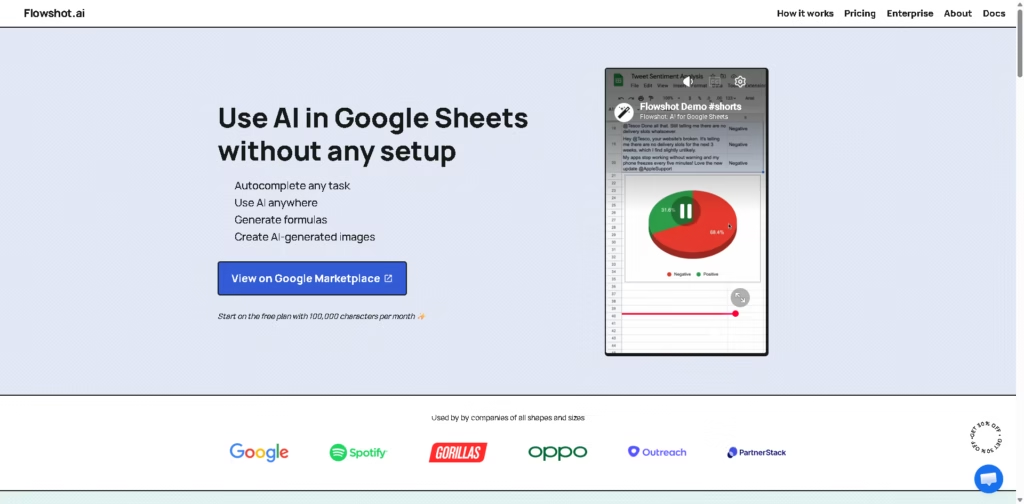
What It Does
Flowshot.ai brings AI features directly into Google Sheets, letting users automate spreadsheet tasks without building custom integrations or switching between apps. Flowshot.ai combines AI-powered cell completion, natural language prompts, formula generation, and image creation inside a familiar spreadsheet workflow.
Flowshot.ai is aimed at Google Sheets users who regularly clean data, classify text, generate formulas, or automate repetitive spreadsheet work. Instead of copying content into a chatbot, most tasks happen through a sidebar or dedicated spreadsheet formulas.
A typical workflow is importing customer feedback into Google Sheets, using =COMPLETE to classify sentiment across hundreds of rows, generating missing formulas with plain English instructions, and summarizing results with =AI.
At a Glance
| Field | Details |
|---|---|
| Category | AI toolkit for Google Sheets |
| Platform | Google Sheets |
| Installation | Google Workspace Marketplace |
| Free Plan | 100,000 characters per month |
| Paid Plan | Starts at $9/month |
| Primary Strength | Native AI formulas inside spreadsheets |
| Image Generation | Yes |
| Support | Live chat and email for Pro |
Key Features
- Complete spreadsheet rows using example-based AI predictions.
- Generate Google Sheets formulas from plain English.
- Run AI prompts directly inside spreadsheet cells.
- Create AI-generated images within Google Sheets.
- Use a sidebar for AI actions without writing formulas.
- Works with native references and named ranges.
Best For
- Classifying large text datasets automatically.
- Generating complex Google Sheets formulas faster.
- Summarizing spreadsheet content with AI prompts.
- Filling repetitive spreadsheet columns from examples.
- Creating spreadsheet-based AI workflows without coding.
Pros & Cons
| Pros | Cons |
|---|---|
| Native Google Sheets integration | Works primarily inside Google Sheets |
| Formula generation saves manual lookup | AI models are not publicly specified |
| Example-based cell completion speeds up repetitive work | Character limits apply on the free plan |
| AI functions work directly in spreadsheet cells | Advanced usage favors experienced Sheets users |
| Image generation expands creative workflows |
Alternatives & Comparisons
| Alternative | Best For | Key Difference |
|---|---|---|
| GPT for Sheets and Docs | General AI writing and spreadsheet tasks | Supports Docs alongside Sheets |
| SheetAI | AI formulas inside Sheets | Focuses more heavily on spreadsheet formulas |
| Coefficient | Business reporting and data syncing | Stronger external data integrations |
| OpenAI ChatGPT | General AI assistance | Not embedded directly into spreadsheet cells |
Flowshot fits users who want AI built into Google Sheets rather than a separate chatbot. Choose it when formula generation, in-cell AI functions, and spreadsheet automation are more important than broader document or reporting integrations.
Frequently Asked Questions
Can Flowshot.ai work without leaving Google Sheets?
Yes. Its AI features operate through a sidebar and spreadsheet formulas inside Google Sheets.
Does Flowshot.ai generate Google Sheets formulas automatically?
Yes. You can describe a formula in plain English and have it generated.
Can Flowshot autocomplete spreadsheet columns?
Yes. The function fills rows using example patterns.
Does Flowshot create AI-generated images?
Yes. It includes a function for generating images within Sheets.
How much does the free plan include?
The free plan includes 100,000 AI characters per month.
Overall Rating
| Category | Score |
|---|---|
| Performance | 9.1/10 |
| Ease of Use | 9.3/10 |
| Feature Set | 9.0/10 |
| Workflow Fit | 9.4/10 |
| Overall | 9.2/10 |
Flowshot.ai stands out as a focused AI productivity layer for Google Sheets, particularly for users who want spreadsheet-native automation instead of switching between multiple AI tools.
Final Verdict
- Best for: Automating Google Sheets workflows with AI formulas and in-cell prompts.
- Avoid if: You primarily work outside Google Sheets.
- Biggest strength: AI features feel native inside spreadsheet workflows.
- Best alternative: GPT for Sheets and Docs for broader Google Workspace coverage.
















