What It Does
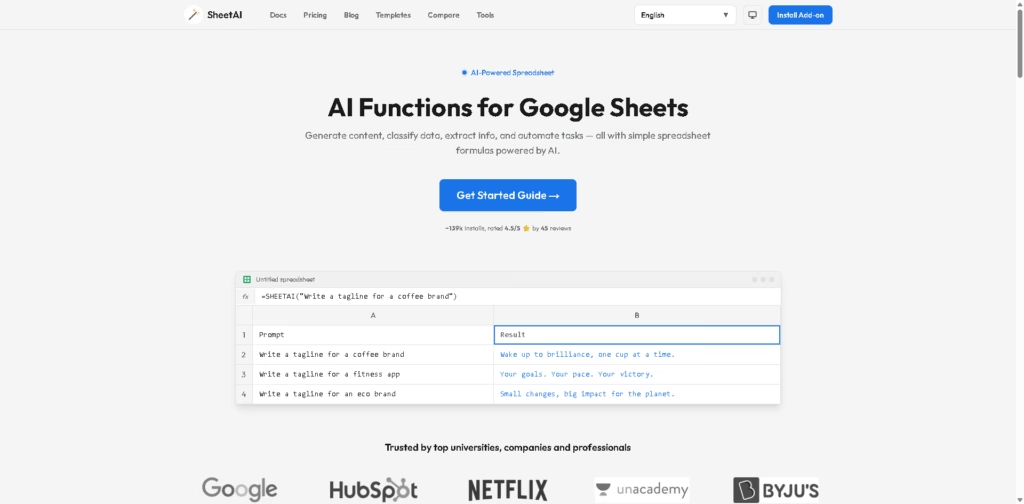
SheetAI is an AI-powered Google Sheets add-on that brings smart functions directly into spreadsheets. It helps users generate content, classify data, extract details, summarize text, and automate repetitive tasks using simple formulas inside Google Sheets.
Instead of switching between apps, users can work with AI right where their data already lives.
Key Features
- AI Functions in Sheets – Use custom formulas like regular spreadsheet functions with AI built in.
- Content Generation – Create taglines, product descriptions, emails, headlines, and more inside cells.
- List Creation – Generate structured lists such as ideas, bullet points, or brainstorming topics quickly.
- Data Extraction – Pull names, companies, numbers, or entities from messy text.
- Classification Tools – Sort feedback, topics, sentiment, or custom categories automatically.
- Smart Auto-Fill – Fill columns with related data like capitals, currencies, or labels.
- Text Summarization – Turn long reports, articles, or notes into quick summaries.
- Team Use Cases – Useful for marketing, HR, sales, research, and analytics teams.
- Google Sheets Integration – Works directly inside Google Sheets as an add-on.
- Beginner Friendly – No coding needed, just use formulas.
Who Is SheetAI For?
- Marketers – Generate ad copy, slogans, and campaign ideas at scale.
- Data Analysts – Clean, classify, and organize large datasets faster.
- Content Creators – Brainstorm blog ideas, titles, and outlines instantly.
- Researchers – Summarize studies and extract key findings.
- Sales Teams – Personalize outreach emails and manage leads.
- HR Professionals – Draft job descriptions and screen candidate data.
- Small Businesses – Save time by automating everyday spreadsheet tasks.
Final Thoughts
SheetAI is a practical tool for anyone who spends time in Google Sheets and wants to work faster. By combining familiar spreadsheet formulas with AI capabilities, it removes a lot of manual effort from writing, sorting, and analyzing data.
If Google Sheets is already part of your workflow, SheetAI is definitely worth testing.