
What It Does
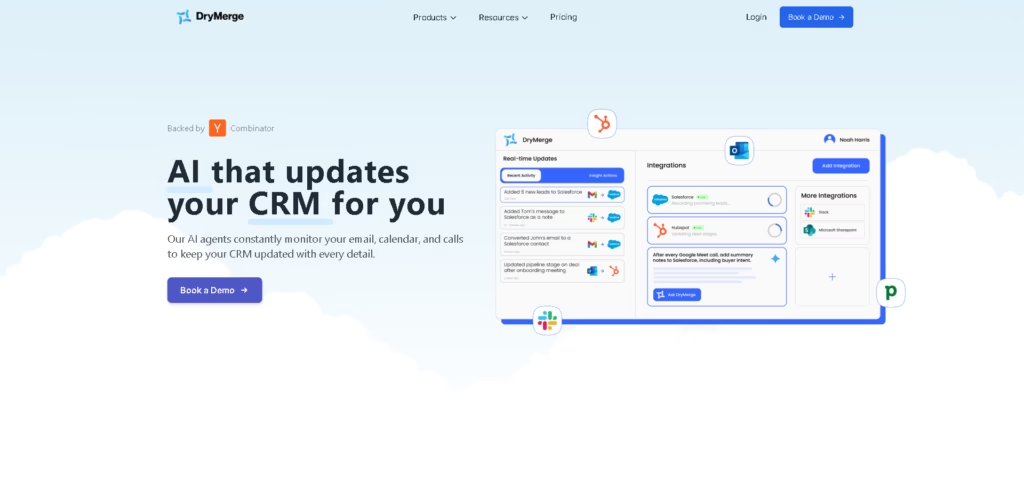
DryMerge is an AI-powered CRM automation platform that keeps CRM records updated by analyzing emails, calendars, calls, messages, and other business activity. It is designed for sales teams, asset managers, operations teams, and startups that want to reduce manual CRM data entry.
The workflow starts by connecting business tools and a CRM. DryMerge’s AI agents monitor communications, extract relevant context and relationship details, and update CRM records, including custom fields and objects, according to the existing deal process.
Quick Verdict
- Best for: Sales and operations teams that need automated CRM data capture across multiple business tools.
- Skip if: You need a simple CRM rather than an automation layer for existing CRM systems.
- Key Advantage: AI agents capture relationship context and update CRM records in the background.
- Top Alternative: Zapier
At a Glance
| Feature | Details |
|---|---|
| Category | CRM Automation |
| Pricing Model | Quote-based subscription |
| Free Tier | Not specified |
| Platform | Not specified |
| API | Not specified |
| Primary Strength | Automated CRM updates from business communications |
| Integrations | 50+ business apps |
Pricing & Plans
- Basic: Request a quote. Includes 1 email inbox integration, 1 calendar integration, 100 CRM updates/month, standard AI models, 5 user licenses, and basic Salesforce and HubSpot integrations.
- Professional: Request a quote. Includes 5 email inbox integrations, 5 calendar integrations, 5,000 CRM updates/month, advanced AI models, 20 user licenses, call transcript integration, advanced CRM integrations, and 50+ additional app integrations.
- Enterprise: Custom pricing. Includes unlimited email inbox and calendar integrations, unlimited CRM updates, enterprise-grade AI models, self-hosted deployment, custom integrations, unlimited user licenses, HIPAA and GDPR compliance options, service level agreements, and a dedicated account manager.
Note: Prices and plan limits may change. Check the official website for current pricing.
Key Features
- Monitors emails, meetings, messages, and calls for CRM-relevant information.
- Updates CRM records without requiring users to manually enter activity.
- Captures context, relationship dynamics, next steps, and deal information.
- Supports custom CRM objects, fields, and existing deal workflows.
- Connects more than 50 business applications to CRM systems.
- Provides background automation without requiring a new interface.
Best For
- Sales teams automating notes, contacts, accounts, and deal information after calls.
- Operations teams consolidating relationship data from multiple business applications.
- Asset managers maintaining investment and due diligence records automatically.
- Startups reducing repetitive CRM data entry as business activity grows.
- Organizations requiring custom CRM workflows across multiple data sources.
Pros & Cons
Pros
- Supports more than 50 business app integrations.
- Works with CRM custom objects and fields.
- Processes email, calendar, call transcript, and other activity data.
- Enterprise plans offer self-hosted deployment and custom integrations.
Cons
- Pricing is quote-based across all listed plans.
- Basic limits CRM updates to 100 per month.
- Advanced integrations and larger automation capacity require higher-tier plans.
Alternatives & Comparisons
| Alternative | Best For | Key Difference vs. DryMerge |
|---|---|---|
| Zapier | General business automation | Uses workflow-based automation across apps rather than focusing specifically on AI-driven CRM data capture. |
| HubSpot CRM | CRM and sales management | Provides a broader CRM platform rather than primarily automating updates to an existing CRM. |
| Salesforce | Enterprise CRM management | Offers a full enterprise CRM ecosystem, while DryMerge focuses on automating data capture into CRM systems. |
DryMerge fits the CRM automation market by using AI to turn communication and business activity into structured CRM data. Choose it when your team already uses a CRM and wants automated activity capture without changing how employees work.
Frequently Asked Questions
How does DryMerge automate CRM updates?
DryMerge connects business data sources and uses AI agents to analyze communications and extract information that can be added to CRM records.
Which CRMs does DryMerge support?
The provided information specifically identifies Salesforce and HubSpot integrations, while the platform also lists additional CRM integrations such as Pipedrive, Zoho CRM, Close, Attio, and Affinity.
Can DryMerge update custom CRM fields?
Yes. DryMerge states that its agents can update custom objects and fields according to a company’s specific deal process.
Does DryMerge support call data?
Yes. Call transcript integration is included in the Professional plan and is listed as a supported integration capability across the platform.
Is DryMerge suitable for enterprise deployments?
Yes. The Enterprise plan includes self-hosted deployment, custom integrations, unlimited users, CRM updates, compliance options, service level agreements, and a dedicated account manager.
ToolsPedia Rating
- Performance & Speed: 4.3/5.0
- Ease of Setup: 4.2/5.0
- Feature Depth: 4.6/5.0
- Value for Price: 3.9/5.0
- ToolsPedia Score: 4.3/5.0
Final Thoughts
DryMerge is aimed at teams that want CRM records to stay current without relying on employees to manually log every interaction. Its combination of AI activity capture, custom CRM updates, relationship context, and broad integrations makes it particularly relevant for sales and operations workflows.
Teams considering it should request a quote and confirm the integrations, CRM workflows, and update volume they need before choosing a plan.
















