
What It Does
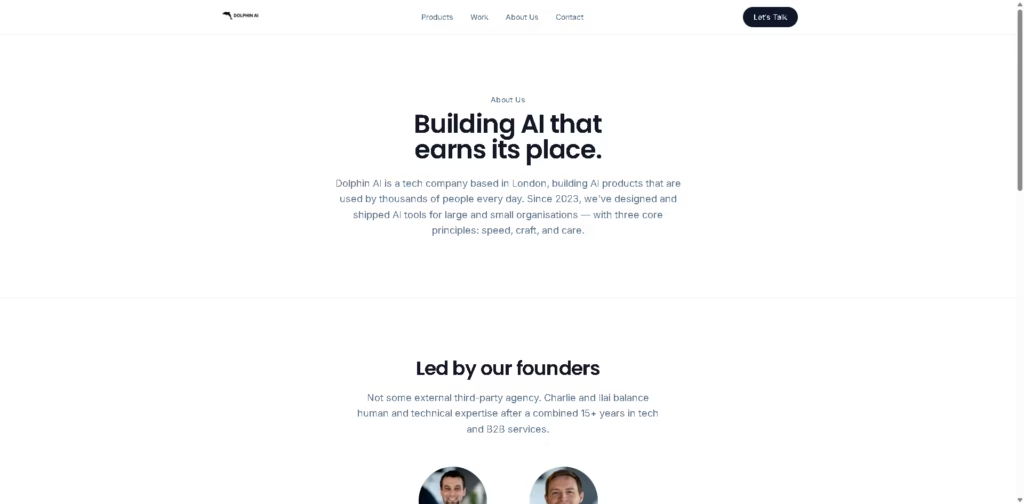
Dolphin AI is a portfolio of AI products designed for customer feedback, prompt writing, product screenshots, AI usage monitoring, task management, and Chrome extension development. Its products are aimed at individual professionals and business teams that need focused tools for different parts of their daily workflows.
The portfolio includes Dolphin AI for customer feedback, Pretty Prompt for prompt rewriting, PrettyShots for product screenshots, TokenView for AI usage and cost tracking, Pretty Prompt MCP for connecting MCP clients, Quest Log for voice-based task management, and Chromy for creating Chrome extensions with plain language.
Quick Verdict
- Best for: Teams and professionals needing focused AI productivity tools
- Skip if: You need one unified AI application for every workflow
- Key Advantage: Multiple specialized AI tools in one portfolio
- Top Alternative: Notion
At a Glance
| Feature | Details |
|---|---|
| Category | AI Productivity and Business Tools |
| Pricing Model | Not specified |
| Free Tier | Not specified |
| Platform | Web, Mac, Chrome Extension, MCP |
| API | Not specified |
| Primary Strength | Specialized AI workflow tools |
| Product Count | 7 products |
| User Base | 40,000+ users |
Key Features
- Customer Feedback Repository: Combines feedback into a unified inbox with theme detection and team workflows.
- Prompt Rewriting: Rewrites prompts instantly with tone controls and cross-tool support.
- Screenshot Creation: Frames product screenshots and applies brand presets before export.
- AI Cost Tracking: Provides dashboards, usage alerts, and team-level AI usage breakdowns.
- MCP Integration: Connects Pretty Prompt with Cursor, Claude, and other MCP clients.
- Voice Task Management: Creates daily tasks through natural-language voice capture.
- Chrome Extension Creation: Builds Chrome extensions from plain-language instructions and supports chat-based iteration.
Best For
- Product teams organizing and analyzing customer feedback
- AI users improving prompts across multiple tools
- Designers creating consistent product screenshots
- Teams monitoring AI usage and costs
- Developers creating Chrome extensions with natural-language instructions
Pros & Cons
Pros
- Covers several distinct AI and productivity workflows
- Offers web, Mac, Chrome Extension, and MCP-based products
- Includes both individual productivity and team-focused tools
- Customer feedback tool combines inbox, themes, and workflows
- TokenView provides team-level AI cost and usage visibility
Cons
- Pricing information is not provided in the supplied content
- Individual products have different platform availability
- API availability is not specified
- The portfolio requires choosing separate products for different workflows
Alternatives & Comparisons
| Alternative | Best For | Key Difference vs. Dolphin AI |
|---|---|---|
| Notion | Workspace and knowledge management | Provides a broader unified workspace |
| Grammarly | Writing and prompt-related assistance | More focused on writing and editing |
| Productboard | Product feedback and management | More focused on product management workflows |
Dolphin AI takes a portfolio approach, offering separate tools for specific work tasks rather than one broad workspace. It is a better fit when users want specialized tools for prompts, feedback, screenshots, AI monitoring, tasks, or Chrome extensions.
Frequently Asked Questions
What is Dolphin AI?
Dolphin AI is a portfolio of AI products covering customer feedback, prompt improvement, screenshots, AI observability, task management, and Chrome extension creation.
What products does Dolphin AI offer?
The portfolio includes Dolphin AI, Pretty Prompt, PrettyShots, TokenView, Pretty Prompt MCP, Quest Log, and Chromy.
Does Dolphin AI include a customer feedback tool?
Yes. Dolphin AI provides a customer feedback repository with a unified inbox, theme detection, and team workflows.
Can Dolphin AI help create Chrome extensions?
Yes. Chromy allows users to create Chrome extensions using plain-language instructions and iterate through conversation.
Does Dolphin AI support MCP?
Yes. Pretty Prompt MCP provides an MCP server that connects Pretty Prompt with Cursor, Claude, and other MCP clients.
Which platforms does Dolphin AI support?
Its products are available across different platforms, including Web App, Mac App, Chrome Extension, and MCP. Availability depends on the specific product.
ToolsPedia Rating
- Performance & Speed: 4.2/5.0
- Ease of Setup: 4.3/5.0
- Feature Depth: 4.4/5.0
- Value for Price: 3.8/5.0
- ToolsPedia Score: 4.2/5.0
Final Thoughts
Dolphin AI stands out as a collection of focused AI products rather than a single all-purpose application. Its portfolio covers several practical workflows, including customer feedback, prompt improvement, AI cost tracking, task management, screenshots, and Chrome extension creation. Users should evaluate each product separately because features and platform availability vary across the portfolio.
















