
What It Does
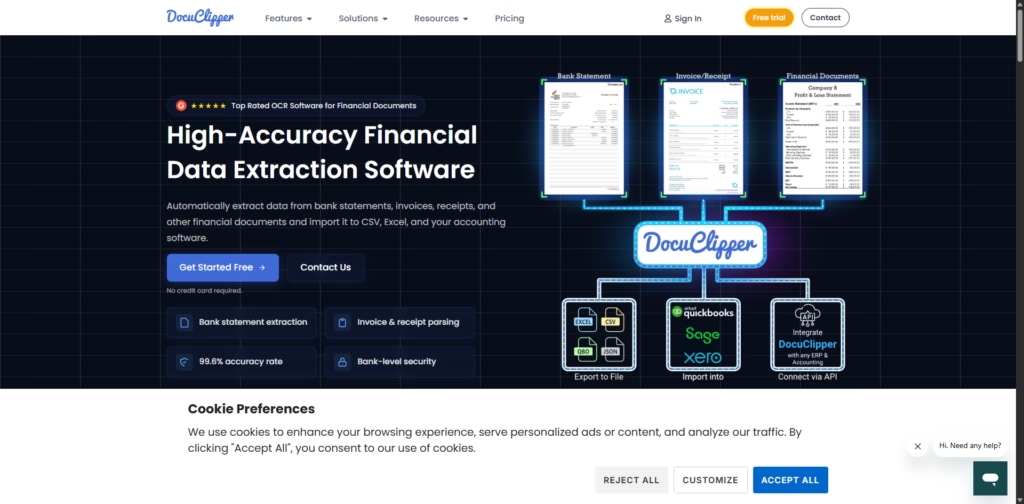
DocuClipper is an AI-powered OCR (Optical Character Recognition) tool designed to quickly and accurately turn financial documents like bank statements, invoices, receipts, and tax forms into editable, usable data.
Say goodbye to manual data entry and hello to seamless integration with Excel, accounting software, and ERPs.
Key Features
- Bank Statement OCR: Converts PDFs (scanned or digital) into Excel, CSV, or accounting-ready formats.
- Invoice & Receipt OCR: Extracts unlimited line items automatically and applies rules for faster processing.
- High Accuracy: 99.6% precision ensures your financial data is reliable.
- Automatic Reconciliation: Detects multiple accounts and ensures data matches your records.
- Secure Data Handling: SOC 2 compliant, AES 256-bit encryption, hosted on Amazon servers.
- Easy Integration: Works with QuickBooks, Xero, NetSuite, SAP, Dynamics 365, and more.
- APIs for Automation: Invoice, Receipt, and Bank Statement OCR APIs for seamless workflow integration.
- Supports All Financial Docs: From tax forms to P&L statements and balance sheets.
Who Is DocuClipper For?
- Accountants & Bookkeepers: Speeds up data entry and reconciliation tasks.
- Finance Teams in Businesses: Automates invoice, receipt, and bank statement processing.
- Small Business Owners: Simplifies accounting by importing financial data directly into software.
- ERP & CRM Managers: Enables smooth integration of financial data into enterprise systems.
- Finance Automation Enthusiasts: Anyone looking to reduce manual work and errors in financial workflows.
Final Thoughts
DocuClipper is a reliable, high-accuracy tool that transforms financial document processing from tedious to effortless.
Its automation, strong security, and seamless integrations make it a must-have for accountants, finance teams, and businesses looking to save time and reduce errors.
Start a free trial today and see your documents turn into actionable data in seconds.















