
What It Does
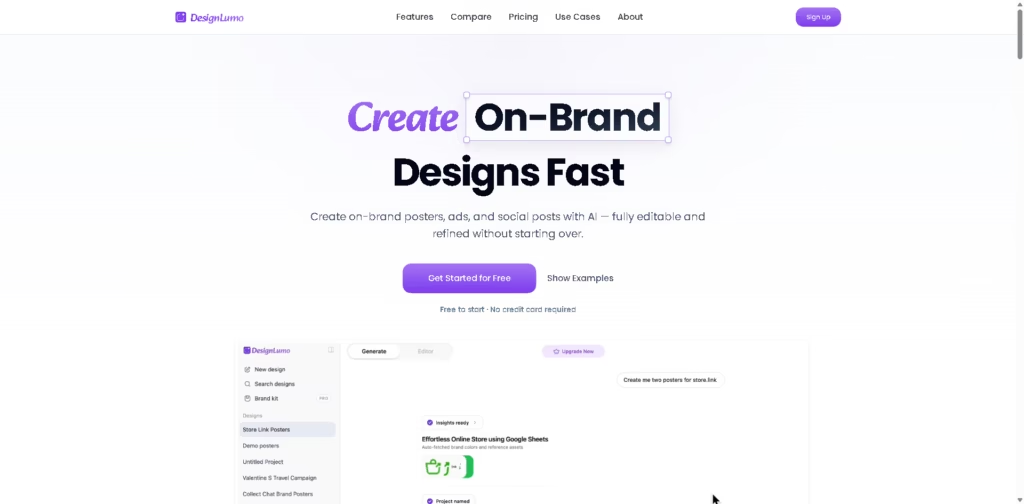
DesignLumo is an AI-powered graphic design tool for creating editable posters, advertisements, social posts, banners, and other branded visuals. It targets marketers, agencies, founders, and creators who want to generate designs from descriptions while retaining editable layers, text, images, colors, and shapes.
A typical workflow starts by pasting a website URL so DesignLumo can extract brand information, or by uploading an image and describing the desired design. The user can generate a poster, ad, or social post, request AI-driven changes, edit individual elements, resize the canvas, and export the finished design in supported formats.
Quick Verdict
- Best for: Generating editable branded marketing graphics from prompts or website context
- Skip if: You need a paid plan below $10/month
- Key Advantage: AI-generated designs remain fully editable
- Top Alternative: Canva
At a Glance
| Feature | Details |
|---|---|
| Category | AI Graphic Design |
| Pricing Model | Freemium / Paid |
| Free Tier | Yes |
| Platform | Web |
| API | Not specified |
| Primary Strength | Editable AI-generated designs |
| AI Models | All AI models available on Pro and Business |
| Export Formats | SVG, PNG, PDF |
Pricing & Plans
- Lite: $10/month, or $120 billed annually excluding tax. Includes up to 30 designs and 300 monthly credits, plus commercial use, editable designs, AI image generation, background removal, high-quality exports, and unlimited exports.
- Pro: $16/month, or $192 billed annually excluding tax. Includes up to 60 designs and 600 monthly credits, one brand kit, website-based brand style import, SVG and PDF exports, access to all AI models, advanced export controls, and 15% monthly credit rollover.
- Business: $39/month, or $468 billed annually excluding tax. Includes up to 250 designs and 2,000 monthly credits, multiple brand kits, 100GB+ storage, priority generation speed, priority support, 30% credit rollover, and access to the latest features.
- Free start: DesignLumo states that users can get started for free without a credit card. Specific free-plan credit or design limits are not specified in the provided information.
- Annual billing: The pricing page states that yearly billing provides two months free.
Note: Prices and plan limits may change. Check the official website for current pricing.
Key Features
- Generates editable posters, ads, social posts, banners, and promotional graphics from descriptions.
- Extracts brand information from a pasted website URL for design context.
- Uses AI controls to edit uploaded or generated images.
- Lets users request design changes without restarting the entire creation process.
- Supports custom canvas sizes and editable design layers.
- Exports designs in SVG, PNG, and PDF formats.
Best For
- Creating branded social media graphics without starting from templates.
- Producing advertising creatives for products, promotions, and launches.
- Turning website branding into new marketing visuals.
- Creating recruitment posters, event flyers, and promotional banners.
- Producing recurring client creatives across multiple brand kits.
Pros & Cons
Pros:
- AI-generated designs retain editable layers and text.
- Website URL import can provide brand context for new designs.
- Pro and Business plans support brand kits for recurring branded work.
- Custom sizes and SVG, PNG, and PDF exports support varied design workflows.
Cons:
- Paid plans start at $10/month after the free starting option.
- Specific free-tier limits are not provided in the supplied pricing information.
- API availability is not specified in the provided product information.
Alternatives & Comparisons
| Alternative | Best For | Key Difference vs. This Tool |
|---|---|---|
| Canva | Template-based graphic design and general visual content | Canva is the established general-purpose design alternative, while DesignLumo emphasizes AI-generated editable designs. |
| Midjourney | AI image generation and visual ideation | Midjourney is positioned as an AI generator rather than an editable layered design editor. |
| AI image generators | Generating standalone visual assets | DesignLumo focuses on complete editable graphic designs rather than only flat generated images. |
DesignLumo sits between traditional online design editors and standalone AI image generators by combining prompt-based generation with editable design layers. Choose it over these alternatives when your workflow requires AI-generated marketing layouts that can subsequently be edited as individual design elements.
Frequently Asked Questions
Is DesignLumo an alternative to Canva?
DesignLumo is positioned as an alternative to Canva for users who want AI-generated designs with editable layers. Its documented workflow emphasizes generating designs from prompts or website context rather than relying primarily on template hunting.
Can DesignLumo create designs from a website?
Yes. DesignLumo has a “Paste Any URL” feature that extracts brand information and uses it as context for creating designs.
Are DesignLumo’s AI-generated designs editable?
Yes. DesignLumo states that generated designs contain editable layers, text, colors, images, and shapes rather than being delivered only as flat images.
Does DesignLumo support custom design sizes?
Yes. The product lists “Any Size” as a feature, allowing designs to be created on custom canvas sizes.
Does DesignLumo have an API?
API availability is not specified in the provided product information, so businesses requiring API-based generation should verify this directly with DesignLumo.
ToolsPedia Rating
Ratings are based on the documented product capabilities, pricing, and feature information provided by the vendor, not hands-on testing.
- Performance & Speed: 3.5/5.0
- Ease of Setup: 4.0/5.0
- Feature Depth: 4.2/5.0
- Value for Price: 4.0/5.0
- ToolsPedia Score: 4.0/5.0
Final Thoughts
DesignLumo is most relevant for marketers, agencies, and creators who need AI-assisted production of editable marketing graphics rather than standalone AI-generated images. Its combination of website-based brand context, editable layers, AI revisions, custom sizing, and multiple export formats gives it a clear position between template-driven design platforms and image generators.
Users should start with its free option to evaluate the workflow before choosing Lite, Pro, or Business based on design volume and brand-management needs.
















