
What It Does
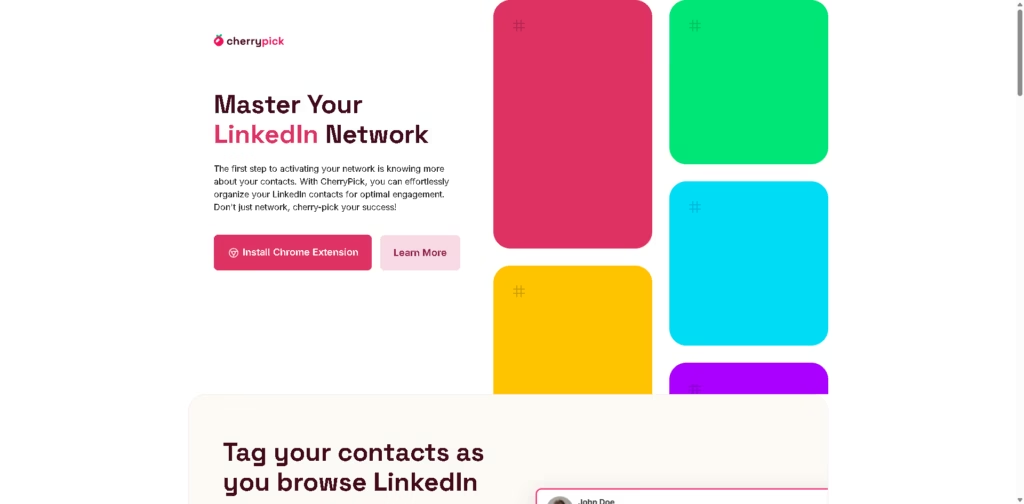
CherryPick is a LinkedIn contact management tool that lets users create and assign custom tags to LinkedIn contacts while browsing the platform. It is designed for professionals who need a simple way to organize contacts for recruiting, sales, networking, outreach, or career development.
The tool works through a Chrome extension that adds controls to LinkedIn. Users can browse LinkedIn normally, tag contacts as they find them, manage tagged contacts from the dashboard, and export contact lists for use in other systems.
Quick Verdict
- Best for: Professionals who need lightweight LinkedIn contact organization and tagging.
- Skip if: You need a full CRM or advanced LinkedIn automation platform.
- Key Advantage: Lets users tag LinkedIn contacts directly while browsing.
- Top Alternative: A dedicated CRM is more suitable for broader contact management and sales workflows.
At a Glance
| Feature | Details |
|---|---|
| Category | LinkedIn Contact Management |
| Pricing Model | Not specified in the provided information |
| Free Tier | Not specified |
| Platform | Google Chrome extension and web dashboard |
| API | Not specified |
| Primary Strength | Tagging and organizing LinkedIn contacts |
Key Features
- Create custom tags for LinkedIn contacts.
- Assign tags directly while browsing LinkedIn.
- Review tagged contacts through a central dashboard.
- Manage contacts according to created tags.
- Export tagged contact lists.
- Supports workflows for recruiting, sales, networking, and outreach.
Best For
- Recruiters: Organize potential candidates by hiring needs.
- Sales teams: Categorize LinkedIn leads for follow-up.
- Freelancers: Group potential clients for future outreach.
- Marketers: Segment contacts according to interests.
- Job seekers: Track useful professional contacts and mentors.
Pros & Cons
Pros
- Works directly within LinkedIn through a Chrome extension.
- Allows custom tagging of contacts.
- Provides a separate dashboard for managing tagged contacts.
- Supports exporting curated contact lists.
Cons
- Requires Google Chrome for the LinkedIn extension.
- The provided information does not specify advanced CRM capabilities.
- Pricing and free-plan details are not provided.
Alternatives & Comparisons
| Alternative | Best For | Key Difference vs. CherryPick |
|---|---|---|
| HubSpot CRM | Sales and customer relationship management | Provides broader CRM features beyond LinkedIn contact tagging. |
| Salesforce | Enterprise sales and customer management | Offers extensive CRM and workflow capabilities for larger organizations. |
| Airtable | Flexible contact and workflow databases | Provides customizable databases rather than direct LinkedIn tagging. |
CherryPick occupies a lightweight position focused specifically on organizing LinkedIn contacts rather than replacing a full CRM. Choose CherryPick when direct LinkedIn tagging and simple contact exports are more important than advanced CRM functionality.
Frequently Asked Questions
What is CherryPick?
It is a LinkedIn contact organization tool that allows users to tag and manage contacts while browsing LinkedIn.
How does CherryPick work?
Users install the Chrome extension, create an account, browse LinkedIn, and use it controls to create and assign tags to contacts.
Can CherryPick export tagged contacts?
Yes. CherryPick provides an export feature for transferring tagged contact lists into other systems.
Who can use CherryPick?
The tool is intended for recruiters, freelancers, sales professionals, founders, marketers, consultants, students, and job seekers.
Does CherryPick work with a CRM?
The provided information includes a FAQ about CRM compatibility, but does not provide enough details to confirm specific CRM integrations.
ToolsPedia Rating
- Performance & Speed: 4.1/5.0
- Ease of Setup: 4.4/5.0
- Feature Depth: 3.4/5.0
- Value for Price: 3.8/5.0
- ToolsPedia Score: 3.9/5.0
Final Thoughts
CherryPick is a focused LinkedIn contact organization tool for users who want to categorize contacts without adopting a full CRM. Its main value comes from combining in-browser tagging with dashboard management and contact exports. Users needing deeper sales, customer management, or automation features may need a more comprehensive CRM.
















