
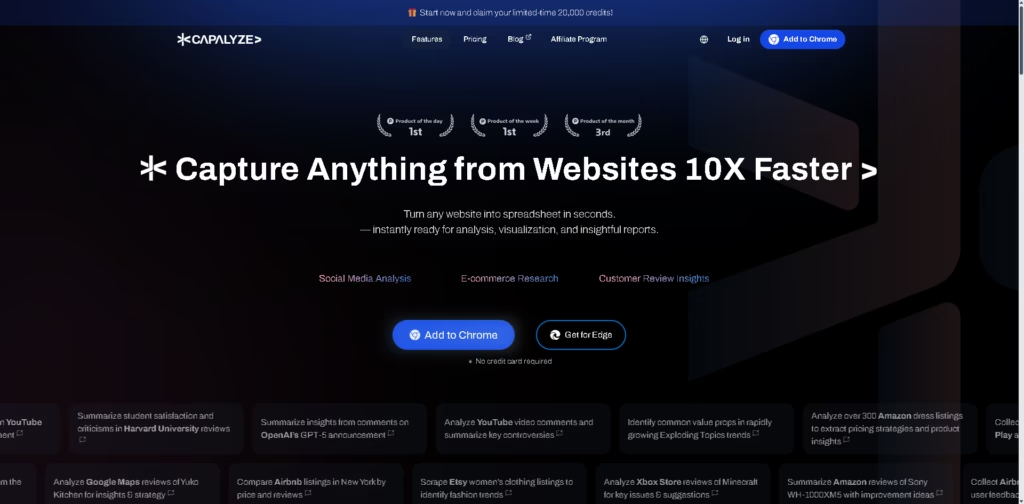
What It Does
Capalyze is an AI-powered web data extraction and spreadsheet analysis platform that converts website content into structured spreadsheets within seconds. It combines browser-based data collection with AI analysis, allowing users to gather information from websites, enrich datasets, and create visual reports without manually copying data.
The platform is designed for researchers, marketers, e-commerce analysts, and anyone who frequently works with online data. Instead of stopping at data collection, Capalyze lets users clean, analyze, and visualize the extracted information inside its built-in spreadsheet environment. A typical workflow is collecting hundreds of Amazon product listings, asking Capalyze to identify pricing patterns, and generating a shareable dashboard from the results.
At a Glance
| Field | Details |
|---|---|
| Category | AI web data extraction and analytics |
| Platform | Chrome extension and Edge extension |
| Primary Use | Website-to-spreadsheet conversion |
| Built-in Spreadsheet | Powered by Univer |
| Data Sources | Websites, CSV files, Excel files |
| Output | Reports, dashboards, and shareable analyses |
| Free Start | Yes |
| Company | DreamNum Co., Ltd. |
Key Features
- Extracts website content into structured spreadsheets.
- Collects data across multiple pages, including reviews.
- Analyzes CSV and Excel files with AI.
- Creates dashboards and visual reports from conversations.
- Edits and enriches spreadsheet data with AI.
- Runs inside Chrome and Edge through browser extensions.
Best For
- Comparing e-commerce product listings.
- Summarizing customer reviews at scale.
- Analyzing social media sentiment.
- Researching competitors across websites.
- Turning web data into presentation-ready reports.
Pros & Cons
| Pros | Cons |
|---|---|
| Website-to-spreadsheet workflow is fast | Best experience depends on browser extensions |
| Built-in AI analysis after extraction | Pricing details are not fully visible from the homepage |
| Supports CSV and Excel analysis | Public technical documentation is limited |
| Generates shareable dashboards and reports | Advanced enterprise capabilities are not clearly explained |
The reliance on browser extensions may be a limitation for teams that prefer fully web-based or desktop-native data collection workflows.
Alternatives & Comparisons
| Alternative | Best For | Key Difference |
|---|---|---|
| Browse AI | No-code web scraping | Focuses primarily on automated extraction |
| Octoparse | Complex web scraping | More advanced scraping workflows |
| Apify | Developer automation | Strong API and automation ecosystem |
| ChatGPT | General AI assistance | Does not natively convert websites into structured spreadsheets |
Capalyze occupies the middle ground between web scraping tools and spreadsheet analytics software. Choose it when you want data collection and AI-powered analysis inside a single workflow rather than combining multiple tools.
Frequently Asked Questions
Can Capalyze collect data from multiple pages?
Yes. According to the vendor, it supports multi-page collection, including product reviews.
Does Capalyze work with my own spreadsheets?
Yes. It can analyze CSV and Excel files.
Is Capalyze only for e-commerce research?
No. The platform also supports social media analysis, customer reviews, and general web research.
Do I need to install an extension?
The primary workflow uses Chrome or Edge extensions.
Can I share reports with my team?
Yes. The platform supports shareable reports and conversations.
Overall Rating
| Category | Score |
|---|---|
| Performance | 4.7/5 |
| Ease of Use | 4.6/5 |
| Feature Set | 4.8/5 |
| Workflow Fit | 4.8/5 |
| Overall | 4.7/5 |
Capalyze stands out by combining web data extraction, spreadsheet editing, AI analysis, and reporting into one workflow, making it especially useful for research-heavy tasks.
Final Verdict
- Best for: Researchers and marketers turning web content into structured datasets quickly.
- Avoid if: You need advanced developer-focused web scraping infrastructure.
- Biggest strength: Seamless website-to-spreadsheet workflow with built-in AI analysis.
- Best alternative: Browse AI for no-code automated web extraction.
















