
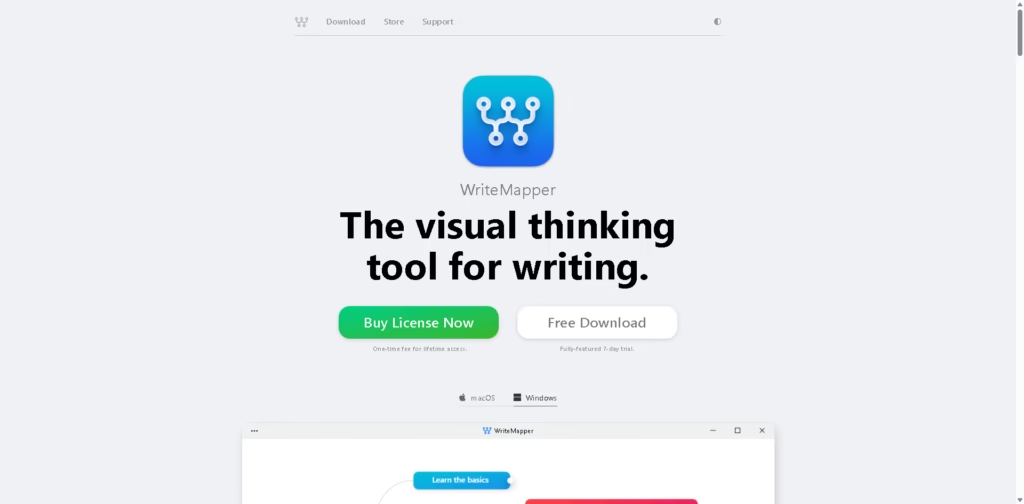
What It Does
WriteMapper is a desktop writing application that combines mind mapping with document outlining. Instead of starting with a blank page, users organize ideas visually and gradually expand each branch into a structured draft.
The software targets writers who prefer planning before drafting, including people creating long-form articles, essays, reports, and documentation. It also includes optional AI assistance for brainstorming while keeping the mind map as the central workspace.
A typical workflow is creating a mind map, expanding branches into sections, writing within each node, and exporting the finished document.
At a Glance
| Field | Details |
|---|---|
| Category | Mind mapping and writing software |
| Platforms | Windows, macOS |
| AI Features | Optional AI-assisted brainstorming |
| Pricing | One-time lifetime license |
| Trial | Fully featured 7-day trial |
| Primary Strength | Visual outlining linked directly to drafting |
| Export | Multiple document export formats and clipboard export |
Key Features
- Converts mind maps into structured writing outlines automatically.
- Edit content directly inside individual mind map nodes.
- Exports finished drafts to multiple document formats.
- Imports existing files as starting points.
- Rearrange sections using drag-and-drop mind map editing.
- Includes optional AI-assisted idea generation.
- Provides a distraction-focused desktop writing environment.
Best For
- Planning long-form articles before drafting.
- Turning brainstorming sessions into organized outlines.
- Writing reports with clearly structured sections.
- Rearranging document flow visually.
- Drafting content without switching between outlining tools.
Pros & Cons
| Pros | Cons |
|---|---|
| Mind maps convert naturally into writing outlines. | Desktop-only with no web version mentioned. |
| One-time purchase avoids recurring subscriptions. | AI features appear focused on brainstorming rather than full document generation. |
| Multiple export options support different writing workflows. | Collaboration features are not emphasized. |
| Drag-and-drop editing simplifies restructuring. |
Alternatives & Comparisons
| Alternative | Best For | Key Difference |
|---|---|---|
| XMind | General mind mapping | Stronger for brainstorming than writing-focused outlining. |
| MindNode | Apple ecosystem planning | More general-purpose mind mapping workflow. |
| Scrivener | Long-form manuscript writing | More advanced manuscript management with less visual mind mapping. |
| Obsidian | Connected note-taking | Knowledge management instead of dedicated writing-first mind maps. |
WriteMapper occupies a niche between mind mapping software and long-form writing tools by keeping visual planning connected to drafting. Choose it if your writing process starts with organizing ideas rather than writing immediately.
Frequently Asked Questions
Does WriteMapper work on Windows and Mac?
Yes. It is available for both Windows and macOS as a desktop application.
Can WriteMapper export finished documents?
Yes. It exports drafts to multiple document formats and can also copy content directly to the clipboard.
Does WriteMapper include AI writing features?
Yes. It offers optional AI assistance for brainstorming and idea generation during planning.
Is WriteMapper subscription-based?
No. It uses a one-time payment for lifetime access.
Can I try WriteMapper before buying?
Yes. A fully featured 7-day trial is available.
Overall Rating
| Category | Score |
|---|---|
| Performance | 4.6/5 |
| Ease of Use | 4.5/5 |
| Feature Set | 4.4/5 |
| Workflow Fit | 4.8/5 |
| Overall | 4.6/5 |
WriteMapper earns its highest score for writers who naturally think in outlines, offering a focused workflow that connects planning directly to drafting.
Final Verdict
- Best for writers who outline visually before drafting long-form content.
- Avoid if you need cloud collaboration or a browser-based editor.
- The biggest strength is turning mind maps into structured documents with minimal friction.
- The best alternative is Scrivener for complex manuscript organization.
















