What It Does
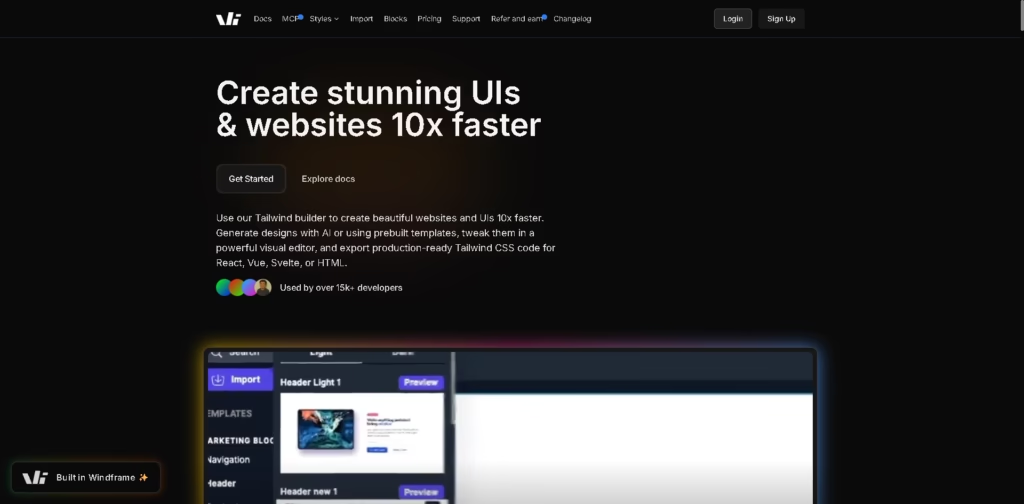
Windframe is a visual web design and development tool that helps you create modern websites and UI components using Tailwind CSS.
It combines AI generation, drag-and-drop editing, and ready-made templates so you can quickly turn ideas into clean, production-ready code for popular frameworks like React and Vue.
Key Features
- AI Website Generation – Create layouts instantly using simple text prompts
- Visual Drag-and-Drop Editor – Customize UI elements without writing code
- 1,000+ Templates – Ready-made designs for landing pages, dashboards, and apps
- Clean Code Export – Generate production-ready Tailwind CSS code for React, Vue, Angular, Svelte, and HTML
- Component Library Support – Works with Tailwind UI, DaisyUI, Flowbite, and more
- Import Existing Projects – Bring in your own Tailwind designs and edit visually
- Responsive by Default – Designs automatically adjust for mobile, tablet, and desktop
- Team Collaboration – Share projects and work with teammates in real time
- API Access – Automate design-to-code workflows using Windframe’s API
Who Is Windframe For?
- Frontend developers who want to build UI faster with less manual coding
- Designers who prefer visual editing but still need clean developer-ready code
- Freelancers building landing pages and client websites quickly
- Startup teams that need fast prototyping and collaboration tools
- Beginners learning Tailwind CSS through visual, hands-on practice
Final Thoughts
Windframe stands out as a bridge between design and development. It removes a lot of repetitive frontend work by combining AI, templates, and a powerful visual editor-while still giving you clean, usable code at the end.
If your goal is to build websites faster without losing control over code quality, this is a strong tool to try, especially for Tailwind CSS users and rapid prototyping workflows.