
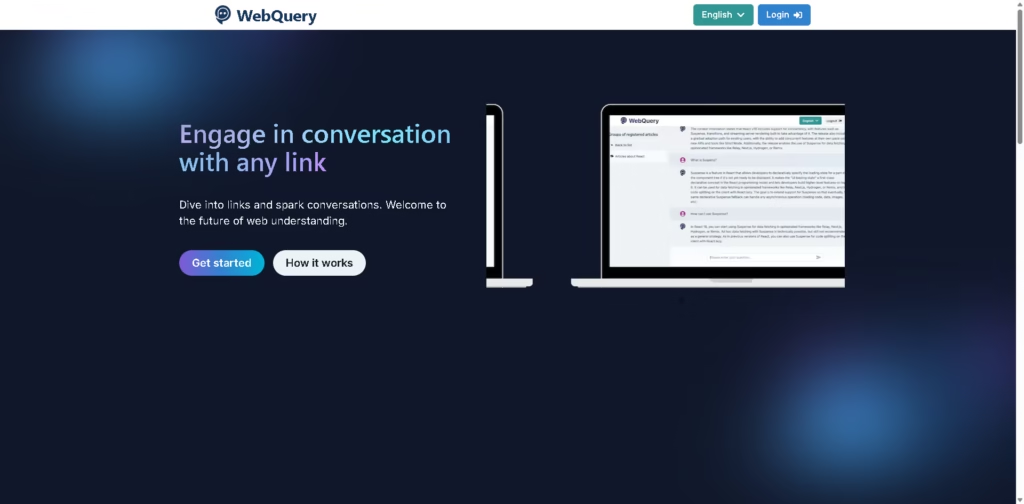
What It Does
WebQuery is an AI-powered web research tool that lets users upload one or more article links, process their content, and then ask questions about the registered articles. Its main purpose is to turn static web pages into conversational sources of information.
After an article is registered, users can ask questions repeatedly and receive answers based on the article content. For example, a researcher could register several related articles and question them to quickly find specific information without reading each article in full.
At a Glance
| Field | Details |
|---|---|
| Category | AI Web Research and Article Q&A |
| Input | Article links |
| Multiple Links | Yes |
| AI | ChatGPT |
| Free Plan | Yes |
| Free Article Groups | Up to 5 |
| Free Questions | Up to 300/month |
| Premium | $10/month |
Key Features
- Registers multiple article links for conversational analysis.
- Answers questions based on registered article content.
- Supports up to 10 links in a single upload on Basic.
- Allows unlimited article registrations with Premium.
- Provides access to previous conversation history.
- Supports up to 2,000 questions monthly on Premium.
Best For
- Asking specific questions about lengthy online articles.
- Comparing information across multiple registered articles.
- Extracting details without reading entire articles.
- Returning to previously analyzed articles through conversation history.
- Conducting focused research from a collection of web sources.
Pros & Cons
| Pros | Cons |
| Supports multiple article links | Articles must first be registered and processed |
| Enables repeated questions about registered content | Basic plan is limited to five article groups |
| Premium supports unlimited article registrations | Processing can take some time before questioning |
| Provides substantial monthly question limits | The supplied information does not describe export or citation features |
Alternatives & Comparisons
| Alternative | Best For | Key Difference |
| ChatGPT | Interactive analysis | More general-purpose conversational analysis |
| Linfo.ai | Structured article insights | Focuses on takeaways, source references, and mind maps |
| TextSummarizer | Quick summaries | Supports text, URLs, files, and different summary formats |
| SkimIt.ai | Simple email summaries | Uses an email-based workflow instead of interactive article Q&A |
WebQuery fits users who want to interrogate specific web articles rather than simply receive a one-time summary. Choose it when repeated questions and multi-article analysis are more useful than basic summarization.
Frequently Asked Questions
Can WebQuery analyze multiple articles?
Yes. Users can upload multiple article links, with Basic supporting up to 10 links at once and Premium up to 50.
How does WebQuery answer questions?
The supplied information states that ChatGPT answers questions based on the content of registered articles.
How many articles can I register on the free plan?
The Basic plan allows users to register up to five groups of articles.
How many questions can Premium users ask?
Premium allows up to 2,000 questions per month.
Does WebQuery provide article summaries?
Its main workflow is conversational question answering based on registered articles. The supplied information does not specifically describe a separate one-click summary feature.
Overall Rating
| Category | Score |
| Performance | 8/10 |
| Ease of Use | 8/10 |
| Feature Set | 7.5/10 |
| Workflow Fit | 8.5/10 |
| Overall | 8.0/10 |
WebQuery is a practical choice for conversational article research, although users seeking broader document features may need a more comprehensive platform.
Final Verdict
- Best for: Users who want to ask repeated questions about one or more online articles.
- Avoid if: You only need quick summaries without article registration or conversational analysis.
- Biggest strength: Turns registered web articles into reusable conversational information sources.
- Best alternative: Linfo.ai for structured takeaways, source references, and visual mind maps.
















