
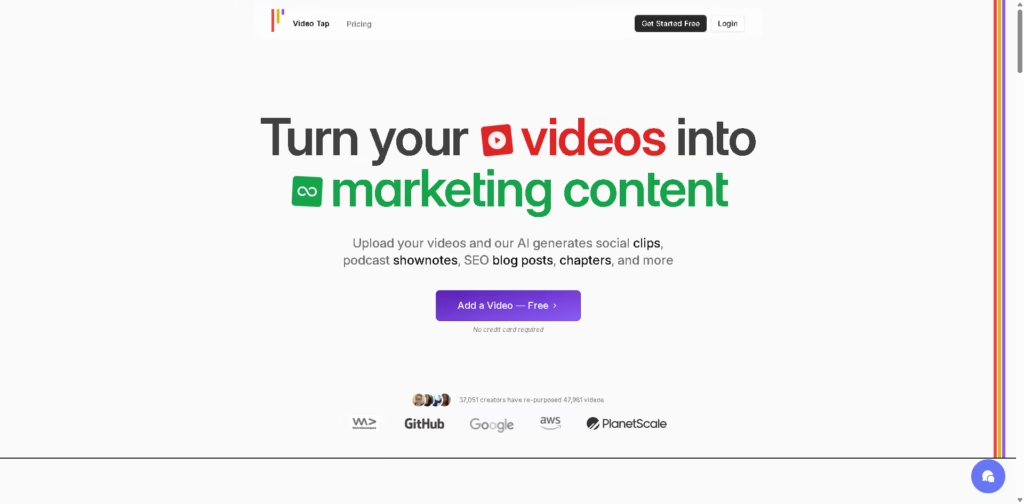
What It Does
Video Tap is an AI-powered video repurposing platform that turns uploaded videos into multiple marketing assets. Its outputs include social clips, SEO blog posts, podcast notes, transcripts, subtitles, chapters, emails, LinkedIn posts, tweets, translations, and summaries.
It is designed for creators, marketing teams, podcasters, YouTubers, DevRel teams, sales teams, and other groups that want to distribute existing video content across multiple channels. A typical workflow is uploading a long-form video, letting Video Tap analyze it, then exporting clips, a blog post, social posts, subtitles, and other supporting content.
At a Glance
| Field | Details |
|---|---|
| Category | AI video repurposing and content marketing |
| Primary Input | Video |
| Social Outputs | Clips, Reels, Shorts, tweets, LinkedIn posts |
| SEO Outputs | Blog posts, transcripts, titles, descriptions |
| Other Outputs | Podcast notes, emails, translations, subtitles, summaries |
| Collaboration | Team collaboration and shared content creation |
| Free Access | 3 free videos |
| Reported Usage | 37,051 creators and 47,981 videos |
Key Features
- Generates short-form clips from uploaded videos.
- Converts videos into SEO-focused blog posts.
- Creates YouTube chapters, tags, descriptions, and Shorts.
- Produces podcast notes, transcripts, summaries, and timestamps.
- Generates social posts for LinkedIn, X, and other channels.
- Creates multilingual subtitles and translated content.
- Provides customizable outputs for different publishing channels.
Best For
- Repurposing long-form videos into short social clips.
- Turning video content into SEO blog articles.
- Creating supporting marketing copy from existing recordings.
- Translating video content for international audiences.
- Producing multiple channel-specific assets from one video.
Pros & Cons
| Pros | Cons |
|---|---|
| Broad repurposing ranges from one video | Some customization capabilities are still marked as coming soon |
| Strong SEO workflow for converting videos into articles | Automated outputs may still require editorial review |
| Multilingual content support for subtitles and posts | The platform’s primary workflow depends on having video content |
| Multiple team workflows across marketing, sales, social, and content | Scheduling and collaboration add complexity for users seeking only simple clipping |
| Free starting option with three videos | Advanced output quality can vary depending on the source video |
Alternatives & Comparisons
| Alternative | Best For | Key Difference |
|---|---|---|
| OpusClip | Automated short-form video clipping | More focused on extracting social clips |
| Descript | Video editing and content production | Combines editing with transcription and AI tools |
| Repurpose.io | Multi-platform publishing automation | Emphasizes distribution and workflow automation |
| Riverside | Recording and repurposing podcasts/videos | Stronger focus on recording alongside repurposing |
Video Tap fits users who want a one-video-to-many-content workflow rather than a tool dedicated solely to video editing or clipping. Choose it when blog posts, social copy, translations, transcripts, and clips all need to come from the same source video.
Frequently Asked Questions
What can Video Tap generate from a video?
It can generate clips, blog posts, podcast notes, chapters, subtitles, transcripts, summaries, timestamps, emails, social posts, translations, and other assets.
Is Video Tap mainly a video editor?
No. Its primary positioning is video repurposing and marketing automation, with generated text and social content alongside video clips.
Can Video Tap create SEO blog posts?
Yes. The platform specifically offers SEO-focused blog article generation from uploaded videos.
Does Video Tap support multiple languages?
Yes. It provides multilingual subtitles and translated blog and marketing content.
Can teams use Video Tap together?
Yes. The platform supports inviting team members to collaborate on content creation and describes workflows for content, social, sales, email, and DevRel teams.
Is Video Tap free?
The supplied information says users can get three free videos without requiring a credit card. Paid plans are also available.
Overall Rating
| Category | Score |
|---|---|
| Performance | 8.5/10 |
| Ease of Use | 8.5/10 |
| Feature Set | 9/10 |
| Workflow Fit | 9/10 |
| Overall | 8.8/10 |
Video Tap is a strong fit for content teams that want to turn existing videos into a broad set of marketing assets without handling each format manually.
Final Verdict
- Best for: Creators and teams repurposing long-form videos across social, SEO, email, and publishing channels.
- Avoid if you only need a dedicated professional video editor or a simple clip generator.
- Biggest strength: One video can produce a wide range of channel-specific marketing content.
- Best alternative: OpusClip for users primarily focused on automated short-form video clipping.
















