
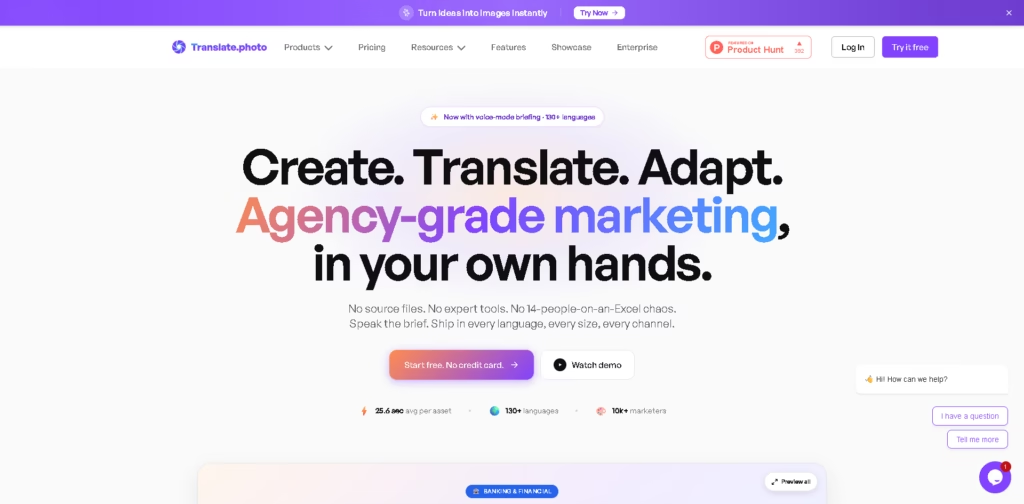
What It Does
Translate.Photo is a creative production platform for generating, translating, and adapting marketing images across languages and channels. It combines AI image creation, image translation, and automated resizing in one workflow, with features such as brand guidelines, review controls, and support for 130+ languages.
A typical workflow starts with a campaign brief, followed by AI-generated creative, localized image translation, and channel-specific resizing. For example, a marketer can describe a Black Friday sneaker campaign by voice, request Spanish, Japanese, and Arabic versions, then create square and Story formats before approving the resulting assets.
Quick Verdict
- Best for: Creating and localizing marketing creatives across multiple languages and channels
- Skip if: You need a pixel-perfect manual design editor
- Key Advantage: One workflow for creation, translation, and adaptation
- Top Alternative: Canva
At a Glance
| Feature | Details |
|---|---|
| Category | AI Marketing Creative Platform |
| Pricing Model | Credit-Based |
| Free Tier | Yes |
| Platform | Web |
| API | Yes |
| Primary Strength | Multilingual creative production |
| Languages | 130+ |
| Key Integrations | Photoshop, Illustrator, InDesign, Figma, Word |
The platform’s pricing page lists a free plan with 500 credits and 500 MB of storage, while API access is included across the listed plans.
Pricing & Plans
- Free: $0/month with 500 credits and 500 MB of storage. It includes AI translation, proofreading, translation suggestions, back translation, QC reports, image translation, adaptive image resizing, image creation, transliteration support, compliance features, and API access.
- Standard: $9.50/month promotional price, regularly $19/month, with 5,000 credits and 2 GB storage. Email support is included.
- Pro: $59/month with 40,000 credits and 5 GB storage. Email and chat support are included.
- Enterprise: $199/month with 200,000 credits and 20 GB storage. Support is listed as custom.
- Credits reset each monthly cycle and do not roll over. Creation uses 500 credits, translation uses 250 credits, and adaptation uses 150 credits.
Note: Prices and plan limits may change. Check the official website for current pricing.
Key Features
- Generates marketing images from voice-based campaign briefs.
- Applies brand guidelines automatically during image creation.
- Translates image text across 130+ languages while preserving layouts.
- Uses regional context for localized creative variations.
- Re-composes assets for extreme aspect ratios and channel presets.
- Provides review and approval gates before localized assets are finalized.
The image creation workflow includes voice briefing, automatic brand-kit use, follow-up questions, and PNG output. The image translation workflow supports RTL and CJK scripts, regional context, review controls, and brand glossaries.
Best For
- Creating multilingual campaign assets from a single marketing brief
- Localizing promotional images for different regional markets
- Producing multiple social-media aspect ratios from one asset
- Translating existing creative without requiring original source files
- Managing localized creative through review and approval stages
Pros & Cons
Pros:
- Combines image creation, translation, and adaptation in one workflow.
- Supports 130+ languages and multiple writing directions.
- Brand glossaries can preserve product names, taglines, and trademarks.
- Integrates with Photoshop, Illustrator, InDesign, Figma, Word, and other listed tools.
Cons:
- Credits reset monthly instead of rolling over.
- Manual pixel-level editing is not its primary focus.
- Some advanced workflow capabilities are tied to higher credit allowances.
Alternatives & Comparisons
| Alternative | Best For | Key Difference vs. This Tool |
|---|---|---|
| Canva | Template-based visual content creation | More focused on general design and manual creative workflows |
| Adobe Firefly | AI-assisted image generation | More focused on generative creative capabilities within Adobe’s ecosystem |
| Midjourney | AI image ideation and visual generation | More focused on image generation than multilingual campaign production |
The vendor positions Translate.Photo as a marketing production layer connecting creation, localization, and channel adaptation rather than as a general-purpose image generator or design suite.
Choose Translate.Photo when your workflow specifically requires repeated multilingual localization and resizing of marketing creatives alongside image creation.
Frequently Asked Questions
Is Translate.Photo suitable for multilingual marketing campaigns?
Yes. The platform supports 130+ languages and provides image translation with regional context, RTL support, CJK support, and brand glossary controls.
Does Translate.Photo require original design source files?
The vendor states that its workflow does not require source files.
Can Translate.Photo resize images for different platforms?
Yes. Its Image Adaptor supports platform presets and aspect ratios ranging from 1:10 to 10:1.
Which design applications does Translate.Photo integrate with?
The listed integrations include Photoshop, Illustrator, InDesign, Figma, Microsoft Word, Microsoft Excel, PowerPoint, and Adobe XD.
Does Translate.Photo have a free plan?
Yes. The Free plan costs $0 and provides 500 credits and 500 MB of storage.
ToolsPedia Rating
- Performance & Speed: 4.2/5.0
- Ease of Setup: 4.3/5.0
- Feature Depth: 4.6/5.0
- Value for Price: 4.2/5.0
- ToolsPedia Score: 4.3/5.0
Final Thoughts
Translate.Photo is designed for marketing teams that need to turn one creative brief into localized, channel-ready assets without maintaining separate workflows for creation, translation, and resizing. Its combination of 130+ language support, brand controls, integrations, and credit-based plans makes it particularly relevant to recurring multilingual campaigns. Start with the free plan to assess whether its creation and localization workflow fits your production process before moving to a paid tier.
















