
What It Does
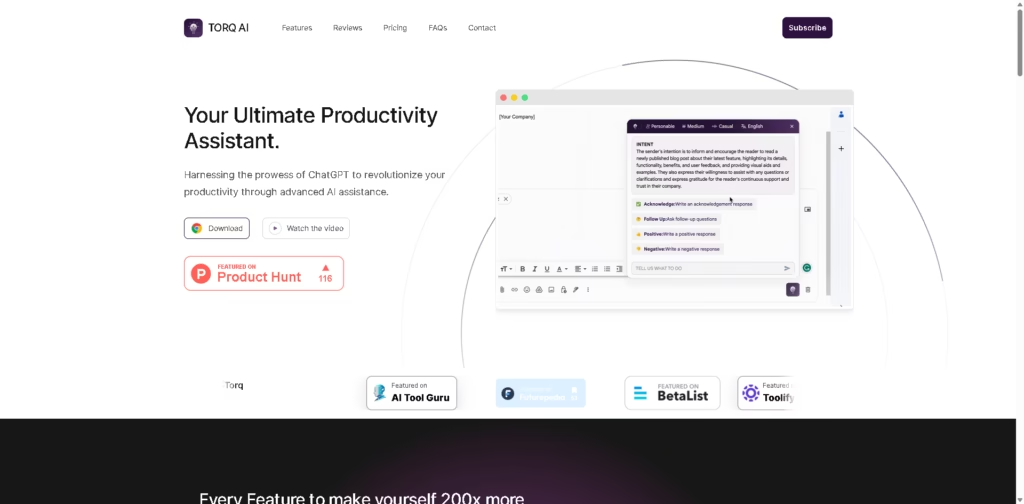
TORQ AI is a Chrome extension that brings multiple AI-powered productivity tools into a single browser interface. It focuses on reducing repetitive work by combining ChatGPT-assisted writing, email generation, text processing, translation, and Google Search integration without requiring users to switch between multiple applications.
The tool is intended for individuals and teams that spend significant time writing emails, researching online, or processing web content. Rather than acting as a standalone chatbot, TORQ AI functions as a browser companion that adds AI assistance directly to everyday workflows.
Example workflow: A user researching a topic can translate a foreign-language webpage, summarize its content, search Google for additional information, and draft a follow-up email without leaving the browser.
At a Glance
| Field | Details |
|---|---|
| Category | AI Productivity Assistant |
| Platform | Chrome Extension |
| AI Technology | ChatGPT integration |
| Primary Functions | Email writing, text processing, translation, AI chat |
| Search Integration | Google Search |
| Free Plan | Yes |
| Primary Strength | Multiple productivity tools in one browser extension |
| Best For | Everyday browser-based productivity tasks |
Key Features
- Generate emails with one-click AI assistance.
- Create AI-generated email replies.
- Analyze and process selected webpage text.
- Translate website content into preferred languages.
- Combine ChatGPT conversations with Google Search.
- Control search behavior with automatic or manual search modes.
Best For
- Drafting and replying to emails more quickly.
- Summarizing online articles while researching.
- Translating foreign-language web content.
- Finding information without switching browser tabs.
- Using AI assistance directly during web browsing.
Pros & Cons
| Pros | Cons |
|---|---|
| Combines multiple AI tools in one extension | Chrome-focused platform |
| Includes ChatGPT with Google Search integration | No advanced workflow automation described |
| Free plan available | Limited information about enterprise capabilities |
| Built-in translation and email generation | Public feature details remain relatively basic |
Alternatives & Comparisons
| Alternative | Best For | Key Difference |
|---|---|---|
| ChatGPT | General AI conversations | TORQ AI combines browser productivity with Google Search integration. |
| Merlin AI | AI assistance across websites | Merlin supports more AI models and browser features. |
| Monica AI | Daily browser productivity | Monica offers broader writing and productivity utilities. |
| Sider AI | AI-assisted web research | Sider focuses more heavily on document and webpage analysis. |
TORQ AI fits users who primarily want browser-based AI assistance instead of a standalone chatbot. Choose it if integrated email generation, translation, and Google Search inside Chrome are more valuable than broader AI model support.
Frequently Asked Questions
Does TORQ AI require Google Chrome?
Based on the provided information, TORQ AI is offered as a Chrome extension.
Can TORQ AI generate email replies?
Yes. It supports both email generation and AI-generated replies.
Does TORQ AI include translation?
Yes. It can translate selected website text into another language.
Does TORQ AI combine AI with web search?
Yes. It integrates ChatGPT conversations with Google Search results.
Is TORQ AI free?
A free plan is available with core productivity features.
Overall Rating
| Category | Rating |
|---|---|
| Performance | 8.5/10 |
| Ease of Use | 9.1/10 |
| Feature Set | 8.2/10 |
| Workflow Fit | 8.6/10 |
| Overall | 8.6/10 |
TORQ AI provides a practical set of browser-based AI productivity features, though publicly available information suggests a narrower feature scope than some broader AI productivity platforms.
Final Verdict
- Best for users wanting AI assistance directly inside Chrome.
- Avoid if you need advanced workflow automation or enterprise collaboration.
- Biggest strength is combining writing, translation, search, and email tools in one extension.
- Best alternative is Monica AI for broader browser productivity capabilities.
















