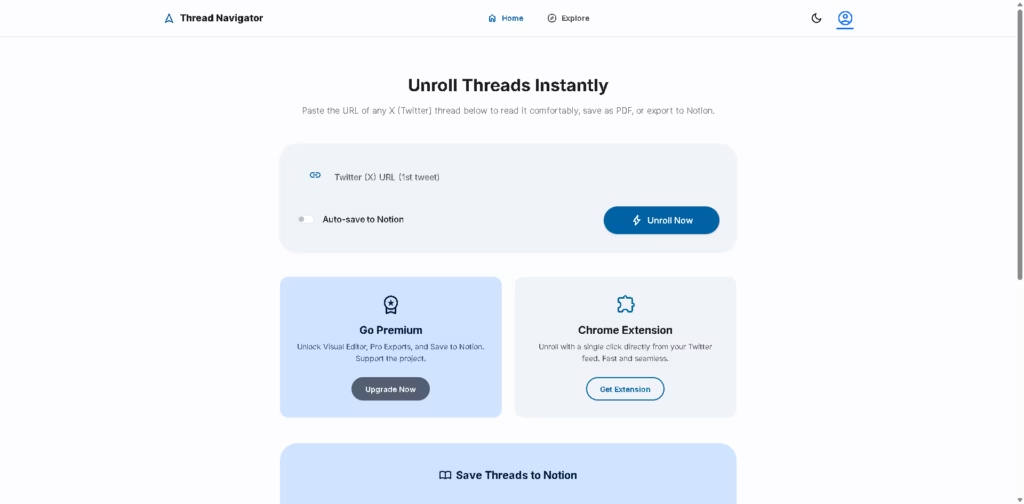
What It Does:
Thread Navigator is a simple web tool that helps you “unroll” X (Twitter) threads into a clean, readable format. Instead of clicking through multiple tweets, it shows the full conversation in one place and also lets you save or export it for later use.
Key Features:
- Unroll Threads Instantly: Paste any X (Twitter) thread link and view it in a smooth, readable format.
- PDF Export: Save full threads as PDF files for offline reading or archiving.
- Notion Integration: Automatically save unrolled threads directly into your Notion workspace.
- Chrome Extension Support: Unroll threads instantly while browsing Twitter without copying links manually.
- Simple Setup Process: Connect your email, link Notion, and start saving threads in a few clicks.
- Auto-Save Feature: Automatically stores threads in your selected Notion page for easy organization.
- Premium Upgrade Option: Unlocks advanced features like visual editor and pro-level exports.
- Clean Reading Experience: Removes clutter from Twitter threads for distraction-free reading.
Who Is Thread Navigator For?
- Researchers & students who want to save useful Twitter/X threads for study or reference.
- Content creators collect ideas, insights, or viral posts from social media.
- Marketers tracking trends, strategies, and industry discussions on X.
- Productivity users who prefer saving social content into Notion or PDF format.
- Casual readers who want a clean, easy way to read long threads without distractions.
Final Thoughts:
Thread Navigator is a lightweight but useful productivity tool for anyone who frequently reads or collects Twitter/X threads.
Its biggest strength is simplicity-just paste a link and get a clean, readable version instantly, with options to save or organize it in Notion or PDF.
If you often come across valuable threads and want to keep them organized, this tool is worth trying.