
What It Does
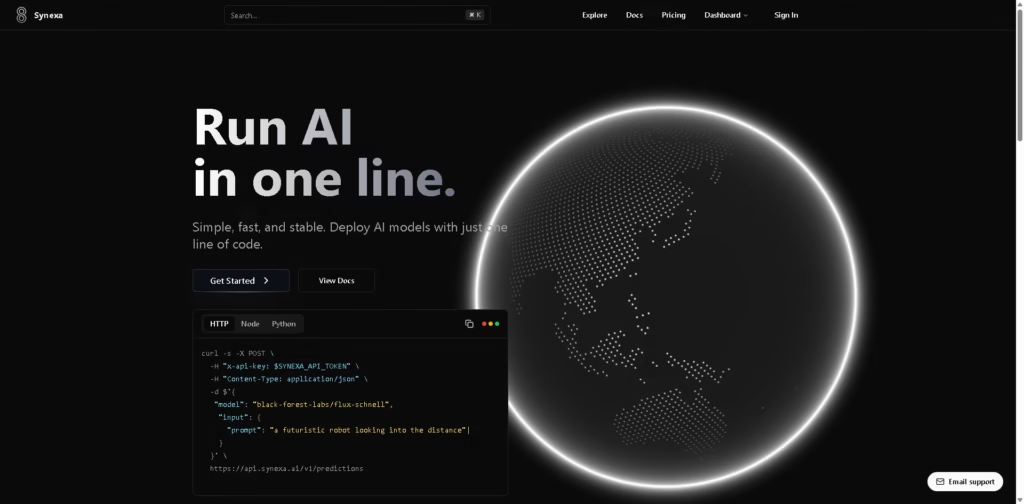
Synexa is a serverless AI inference platform that lets developers deploy and run production-ready AI models through an API. It is designed for developers and teams that need image, video, speech, image restoration, image captioning, 3D, or fine-tuning capabilities without managing their own GPU infrastructure.
A typical workflow starts by selecting a model from Synexa’s model gallery, such as FLUX.1 for image generation or Veo 3.1 for video generation. The developer sends the model name and input through Synexa’s REST API or SDK; Synexa provisions the required compute automatically, processes the request, and charges based on model output or GPU usage.
Quick Verdict
- Best for: Deploying AI models through usage-based APIs
- Skip if: You need a general-purpose AI application rather than developer infrastructure
- Key Advantage: Serverless access to 100+ AI models
- Top Alternative: Replicate
At a Glance
| Feature | Details |
|---|---|
| Category | AI Model Inference API |
| Pricing Model | Usage-Based |
| Free Tier | Not specified |
| Platform | Web, API |
| API | Yes |
| Primary Strength | Serverless AI model deployment |
| AI Models | 100+ production-ready models |
| SDKs | Python, JavaScript, REST API |
Pricing & Plans
Synexa uses usage-based pricing rather than fixed subscription plans.
- FLUX.1 [dev]: $0.0125 per image.
- FLUX.1 [schnell]: $0.0015 per image.
- FLUX.1 [pro]: $0.02 per image.
- Stable Diffusion XL: $0.002 per image.
- Wan 2.1 Video: $0.20 per video.
- Hunyuan 3D: $0.025 per 3D model.
- Nvidia H100: $0.00083 per second.
- Nvidia A100 80GB: $0.00069 per second.
- Nvidia A6000: $0.000414 per second.
- Nvidia RTX 4090: $0.000192 per second.
- Nvidia RTX 3090: $0.000119 per second.
- Scaling: Synexa states that workloads scale to zero when idle, so inactive compute does not incur usage charges.
Note: Prices and plan limits may change. Check the official website for current pricing.
Key Features
- Deploys AI models through REST API, Python, and JavaScript interfaces.
- Provides access to 100+ production-ready AI models.
- Supports image, video, speech, 3D, and image-processing workloads.
- Automatically scales compute resources based on workload demand.
- Provides A100 and H100 GPU infrastructure across three continents.
- Offers model-specific output billing alongside per-second GPU pricing.
Best For
- Integrating AI image generation into applications
- Running video generation through production APIs
- Deploying multiple AI models without managing GPU servers
- Scaling AI inference workloads according to demand
- Building applications around specialized open AI models
Pros & Cons
Pros:
- Provides a broad collection of 100+ AI models through one API.
- Supports several developer interfaces, including Python, JavaScript, and REST.
- Offers serverless scaling with scale-to-zero behavior when workloads are inactive.
- Provides both model-output pricing and GPU-based billing options.
Cons:
- Pricing varies by model and hardware, requiring usage-based cost management.
- The platform is primarily developer infrastructure rather than a ready-made consumer AI application.
- A free tier is not specified in the provided pricing information.
Alternatives & Comparisons
| Alternative | Best For | Key Difference vs. This Tool |
|---|---|---|
| Replicate | Running and integrating AI models | Offers a broad model-hosting ecosystem and API-based inference. |
| Fal.ai | Fast generative AI inference | Focuses heavily on fast generative media inference and model APIs. |
| Hugging Face Inference | Accessing open-source AI models | Provides a broader open-source model ecosystem alongside inference services. |
Synexa fits the market as a serverless infrastructure layer for developers who want API access to multiple AI models and GPU resources. Choose it when usage-based model execution, automatic scaling, and access to specialized models are more important than a consumer-facing AI interface.
Frequently Asked Questions
What can Synexa be used for?
Synexa supports AI workloads including image generation, video generation, image restoration, image captioning, speech generation, and model fine-tuning.
Does Synexa provide an API?
Yes. Synexa provides REST API access and SDK support for Python and JavaScript.
How does Synexa charge for AI workloads?
Synexa uses model-output pricing for selected models and per-second hardware pricing for GPU workloads.
Does Synexa support automatic scaling?
Yes. Synexa states that its infrastructure can scale to zero when idle and scale up when workloads increase.
How many AI models are available?
Synexa states that its platform provides access to more than 100 production-ready AI models, with new models added weekly.
ToolsPedia Rating
- Performance & Speed: 4.5/5.0
- Ease of Setup: 4.5/5.0
- Feature Depth: 4.4/5.0
- Value for Price: 4.5/5.0
- ToolsPedia Score: 4.5/5.0
Final Thoughts
Synexa is built for developers who need API-based access to a broad range of AI models without maintaining GPU infrastructure themselves. Its usage-based billing, automatic scaling, and support for image, video, speech, and 3D workloads make it suitable for applications that need flexible AI inference. Developers should start by reviewing the model gallery and calculating expected per-request or GPU costs for their workload.
















