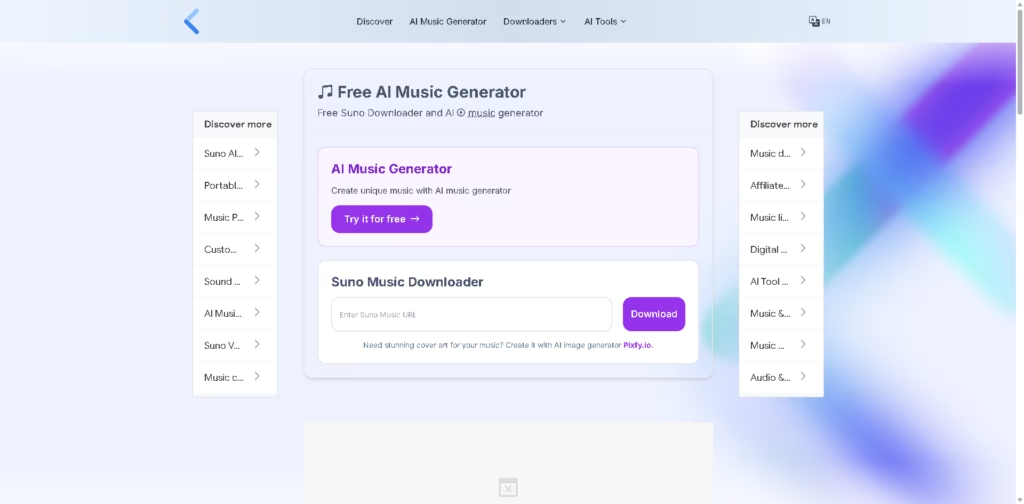
What It Does:
Suno Downloader is a tool designed to let users download AI-generated songs from Suno AI by pasting a shared song link.
It works as a third-party downloader that helps users save AI-created music directly to their devices.
Key Features:
- Suno Song Downloading – Save AI-generated songs from Suno AI using a share link.
- Simple Link-Based Process – Paste URL → Generate download → Save file.
- Cross-Device Support – Works on mobile, Windows, Mac, and Linux browsers.
- No Download Limits (Claimed) – Allows multiple song downloads without restrictions.
- Fast Processing – Generates download links in seconds, depending on internet speed.
- AI Music Access – Lets users store and reuse Suno-generated tracks offline.
- Basic Web Tool – No installation or software required.
Who Is Suno Downloader For?
- Suno AI Users – People who generate music on Suno and want offline access.
- Content Creators – Users needing AI music for videos or projects.
- Music Explorers – Anyone testing AI-generated songs and saving favorites.
- Casual Users – Those who want easy downloads without technical steps.
- Researchers/Reviewers – People analyzing AI-generated music outputs.
Final Thoughts:
Suno Downloader is a simple utility tool built around Suno AI content, focusing mainly on downloading AI-generated songs via shared links.
It’s not a music creator itself but a convenience tool for saving tracks. If you already use Suno AI and want quick offline access to your creations, this tool is easy to use.