
What It Does
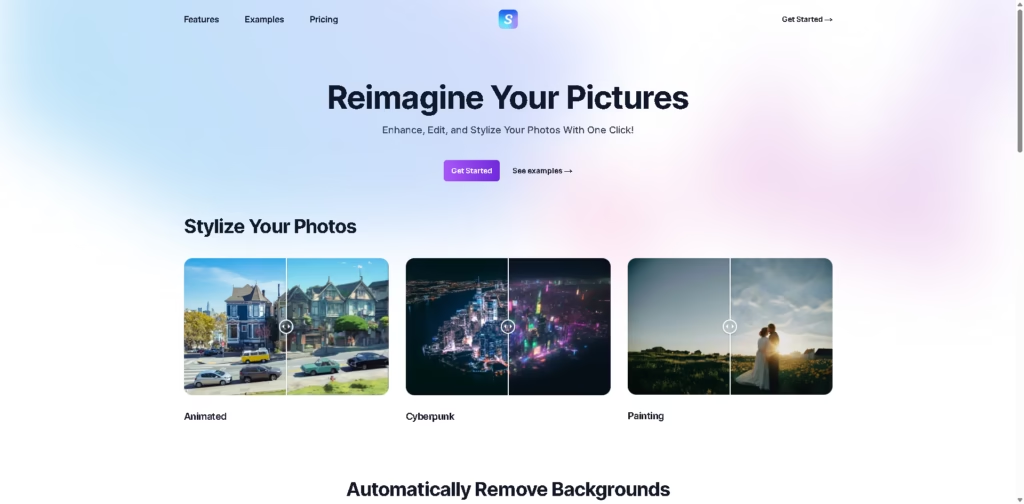
Stylize is a simple AI photo editing tool that lets you enhance, edit, and transform your images with just one click.
Whether you want to change the style, remove backgrounds, or improve quality, it makes photo editing fast and beginner-friendly.
Key Features
- One-Click Photo Stylizing: Instantly apply styles like painting, cyberpunk, or animated looks.
- Prompt-Based Editing: Edit photos using simple text like “make it sunset.”
- Background Removal: Automatically remove backgrounds in seconds.
- AI Upscaling: Increase image resolution up to 4x while keeping quality sharp.
- Photo Colorization: Add color to old black-and-white photos بسهولة.
- Fast Processing: Quick results without complicated tools or setup.
- Beginner-Friendly Interface: Designed for easy use with minimal effort.
Who Is Stylize For?
- Casual Users: Perfect for quick edits without learning complex software.
- Social Media Creators: Create eye-catching visuals in seconds.
- Photographers: Enhance and upscale images quickly.
- Design Beginners: Great starting point for experimenting with AI editing.
- Anyone with Old Photos: Easily restore and colorize memories.
Final Thoughts
Stylize focuses on simplicity, and it does it well. Instead of overwhelming users with too many features, it delivers the essentials in a fast, easy-to-use package.
The one-click styling and prompt-based editing make it especially appealing for beginners or anyone who wants quick results.
If you’re looking for a lightweight AI photo editor that gets the job done without complexity, Stylize is a solid choice to try.















