
What It Does
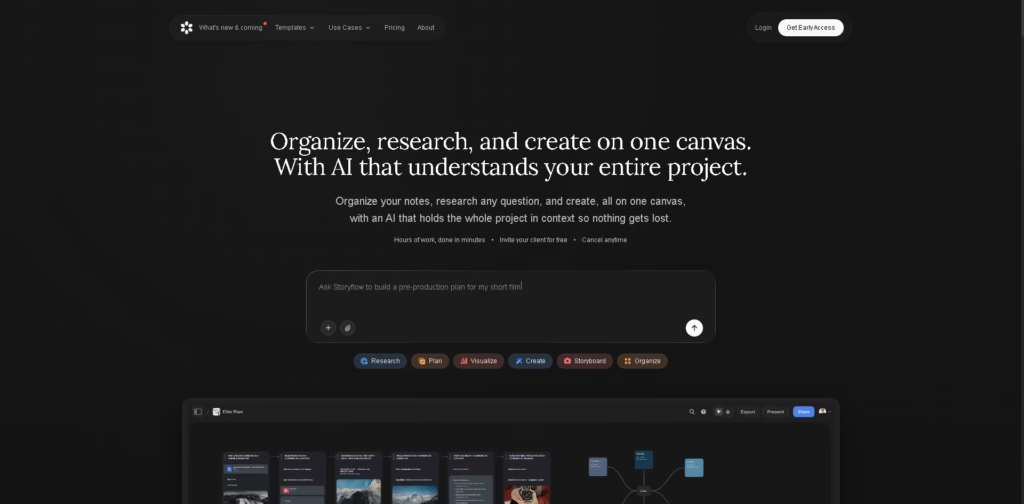
Storyflow is an AI-powered visual workspace for organizing research, notes, creative ideas, and project plans on one canvas. It is designed for filmmakers, designers, marketers, writers, photographers, agencies, founders, researchers, and teams that want to keep project context in one place.
Users can drag images, PDFs, and videos onto a canvas, collect notes and references, and ask Storyflow to research questions or organize information. Its AI can work with the project context to build boards, create tables, generate images, suggest creative tactics, and turn project boards into PDFs.
Quick Verdict
- Best for: Creative professionals managing research, planning, and production projects visually.
- Skip if: You need a traditional document-first workspace or a currently available free plan.
- Key Advantage: Combines an infinite canvas, project-aware AI, creative tactics, research, and collaboration.
- Top Alternative: Milanote
At a Glance
| Feature | Details |
|---|---|
| Category | AI Creative Workspace |
| Pricing Model | Freemium planned, paid early access currently |
| Free Tier | Coming before the end of 2026 |
| Platform | Web browser |
| API | Not specified |
| Primary Strength | AI-powered project organization on a visual canvas |
Pricing & Plans
- Free: $0. Planned before the end of 2026. Includes unlimited objects and shared boards, a one-time AI trial allowance, 20 file uploads, and free collaboration for invited members.
- Plus: $7.99/month when billed annually, $9.99/month monthly. Includes 200+ creative tactics, 6× more AI usage than Free, unlimited file uploads, unlimited objects, and shared boards.
- Pro: $14/month when billed annually, $19/month monthly. Adds AI image generation and 30× more AI usage than Free.
- Max: $39/month when billed annually, $49/month monthly. Adds 60× more AI usage than Free, AI image generation, and team workspace features.
- Collaboration: People invited to a board by a paid member can sign up for free and collaborate.
- Cancellation: The site states that subscriptions can be cancelled anytime.
Note: Prices and plan limits may change. Check the official website for current pricing.
Key Features
- AI organizes scattered notes into structured project boards.
- Research tools gather sources, images, and insights onto the canvas.
- Infinite canvas supports boards, mind maps, kanbans, and storyboards.
- AI maintains project context across conversations and sessions.
- 200+ creative tactics provide structured approaches for creative projects.
- AI image generation creates visuals directly inside project boards.
Best For
- Filmmakers planning stories, shot lists, schedules, and production workflows.
- Creative directors organizing campaign concepts and references.
- Designers building moodboards and visual project plans.
- Marketers developing campaigns, briefs, and content strategies.
- Teams collaborating on creative projects from a shared visual workspace.
Pros & Cons
Pros
- Combines notes, research, planning, references, and AI on one canvas.
- Supports images, PDFs, videos, links, notes, and sketches.
- Includes 200+ creative tactics for structured project planning.
- Real-time collaboration is available across shared boards.
Cons
- The free plan is not yet available for general users.
- AI usage varies significantly by subscription tier.
- API availability is not specified in the provided information.
Alternatives & Comparisons
| Alternative | Best For | Key Difference vs. Storyflow |
|---|---|---|
| Milanote | Visual project planning | More established visual boards and moodboard workflows |
| Notion | Documents and knowledge management | More focused on pages, databases, and structured workspaces |
| Miro | Collaborative visual work | Stronger emphasis on whiteboards and team collaboration |
Storyflow targets creative workflows that combine visual planning, research, AI assistance, and project context.
It is particularly relevant when users want AI to actively structure and develop work directly on a shared canvas.
Frequently Asked Questions
Is Storyflow free?
Not currently for general use. Storyflow is in paid early access, with a Free plan planned before the end of 2026. Invited collaborators can currently join shared boards without paying.
What can Storyflow AI do?
Storyflow AI can organize notes, research questions, extract information from PDFs, build project boards, generate images, suggest creative tactics, and create PDFs from project boards.
Does Storyflow support team collaboration?
Yes. Users can collaborate in real time on shared boards. Invited members can sign up for free and participate in boards created by paid members.
What are Storyflow Tactics?
Tactics are structured creative templates designed to guide different types of creative work. The paid plans include more than 200 tactics, including Hero’s Journey, AIDA, StoryBrand, and Five-Act Structure.
Does Storyflow have AI image generation?
Yes. AI image generation is included in the Pro and Max plans and works directly inside project boards.
ToolsPedia Rating
- Performance & Speed: 4.3/5.0
- Ease of Setup: 4.4/5.0
- Feature Depth: 4.6/5.0
- Value for Price: 4.2/5.0
- ToolsPedia Score: 4.4/5.0
Editorial assessment based on the published feature set and pricing information provided, not hands-on testing.
Final Thoughts
Storyflow brings research, creative planning, visual organization, AI assistance, and collaboration into a single canvas. Its strongest use case is project-based creative work where keeping references, ideas, plans, and AI context together can reduce tool switching. Users can start with the paid early-access plans or wait for the planned Free tier.
















