
What It Does
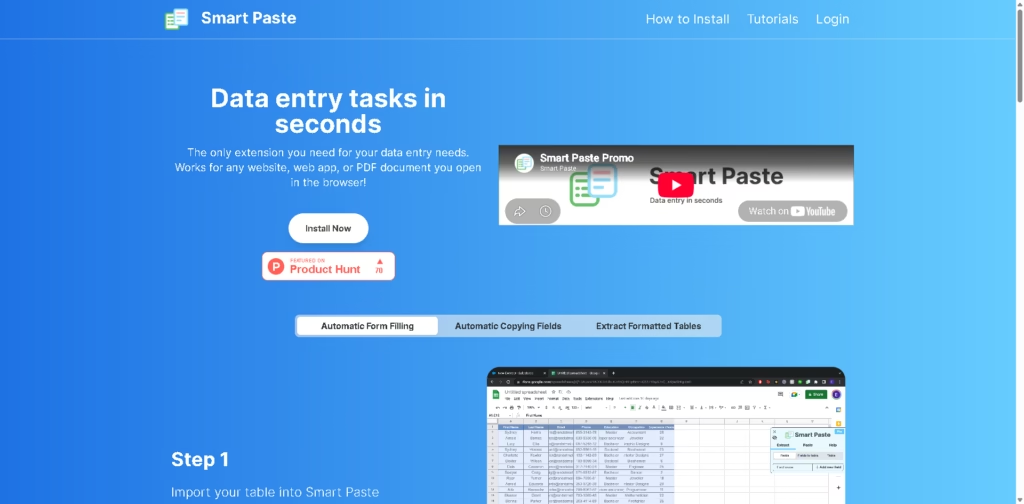
Smart Paste is a browser extension that speeds up repetitive data entry by moving information between websites, PDFs, and spreadsheets. Instead of manually copying individual fields, it lets users extract tables, capture selected webpage fields, and autofill online forms from spreadsheet data.
The extension is aimed at people who regularly work with forms, research data, or tabular information inside a browser. According to the vendor, all processing happens locally on the user’s computer, making it suitable for workflows involving sensitive data. A typical workflow is extracting a table from a PDF, copying it directly into Google Sheets, then using that spreadsheet to autofill an online form.
At a Glance
| Field | Details |
|---|---|
| Category | Browser data entry extension |
| Platform | Chrome extension |
| Works With | Websites and local PDFs |
| Spreadsheet Support | Excel and Google Sheets |
| Free Plan | 50 interactions per week |
| Pro Plan | $3.99/month (beta pricing) |
| Privacy | Local processing on the user’s computer |
Key Features
- Extracts tables from websites and PDFs.
- Copies extracted data directly into spreadsheets.
- Autofills online forms from spreadsheet data.
- Supports input fields, radio buttons, and checkboxes.
- Suggests matching spreadsheet columns automatically.
- Uses hotkeys to speed up repetitive workflows.
Best For
- Copying tables from PDFs into Excel.
- Extracting webpage data into Google Sheets.
- Filling repetitive online forms quickly.
- Reducing manual copy-and-paste errors.
- Processing browser-based data entry tasks.
Pros & Cons
| Pros | Cons |
|---|---|
| Local processing keeps data on-device | Chrome-focused workflow |
| Works with websites and local PDFs | Free plan limits weekly interactions |
| Supports spreadsheet-to-form automation | Collaboration tools are future features |
| Handles multiple form element types | Browser extension required |
The weekly interaction limit on the free plan makes it better suited for occasional users, while heavier data-entry workflows will likely require the Pro plan.
Alternatives & Comparisons
| Alternative | Best For | Key Difference |
|---|---|---|
| UI.Vision RPA | Browser automation | Broader automation beyond data entry |
| AutoFill Forms | Simple form filling | Focuses primarily on stored form data |
| Bardeen | Workflow automation | Connects multiple apps and automations |
| Magical | Text expansion | Faster text insertion rather than table workflows |
Smart Paste fills a niche between browser form-fillers and full automation platforms. Choose it when your work revolves around transferring structured data between webpages, PDFs, and spreadsheets without building complex automations.
Frequently Asked Questions
Does Smart Paste work with PDFs?
Yes. It works with both websites and local PDF documents opened in the browser.
Can Smart Paste copy tables into Excel?
Yes. It can transfer extracted tables into Excel and Google Sheets.
Does my data leave my computer?
According to the vendor, all processing happens locally on your computer.
What does the free plan include?
The free plan includes 50 extract or paste interactions per week.
Can Smart Paste fill checkboxes and radio buttons?
Yes. It supports input fields, radio buttons, and checkboxes.
Overall Rating
| Category | Score |
|---|---|
| Performance | 4.7/5 |
| Ease of Use | 4.8/5 |
| Feature Set | 4.5/5 |
| Workflow Fit | 4.8/5 |
| Overall | 4.7/5 |
Smart Paste stands out as a lightweight productivity extension that removes much of the friction from browser-based data entry while keeping processing on the user’s device.
Final Verdict
- Best for: People transferring data between websites, PDFs, and spreadsheets daily.
- Avoid if: You need full browser automation across multiple applications.
- Biggest strength: Fast local data extraction and form autofill from structured tables.
- Best alternative: UI.Vision RPA for broader browser automation workflows.
















