
What It Does
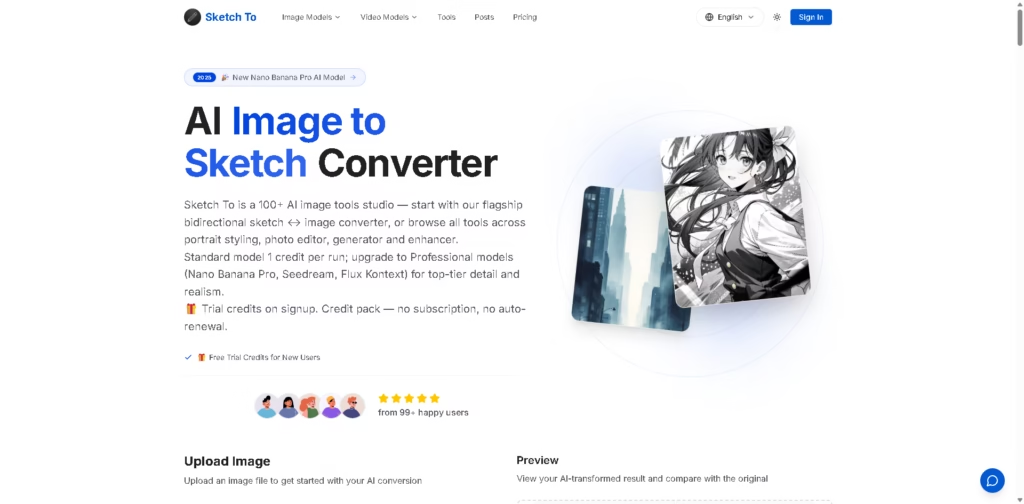
Sketch To is an online AI image studio centered on converting images into sketches and sketches back into images. Its flagship workflow supports image-to-sketch and sketch-to-image conversion, while the wider platform includes more than 100 AI image tools covering portrait styling, photo editing, generation, and enhancement.
The service offers a Standard model for everyday creative work and Professional models for higher-detail outputs and commercial projects.
A typical workflow starts by uploading a JPG, PNG, WEBP, or another supported image, selecting a style such as pencil, charcoal, ink, colored pencil, comic, concept, watercolor, or digital sketch, and choosing an AI model.
The user then generates the result, previews it against the original, and downloads the high-resolution output. Sketch To also supports the reverse workflow, where a sketch is converted into a more realistic image.
Quick Verdict
- Best for: Converting photos and sketches in both directions
- Skip if: You only need basic photo-to-sketch effects
- Key Advantage: Bidirectional sketch and image conversion
- Top Alternative: Fotor
At a Glance
| Feature | Details |
|---|---|
| Category | AI Image Conversion |
| Pricing Model | Freemium / Credit-Based / Subscription |
| Free Tier | Yes, trial credits |
| Platform | Web |
| API | Not specified |
| Primary Strength | Bidirectional sketch-to-image workflows |
| AI Models | Standard, Nano Banana, Nano Banana Pro, Seedream, Flux Kontext |
| Upload Limit | Up to 10MB according to FAQ |
Pricing & Plans
- Trial Credits: New users receive trial credits for the Standard model. The Standard model uses 1 credit per conversion.
- Basic: $95.88/year, equivalent to $7.99/month. Includes 2,400 credits, approximately 1,200 images per year, Standard Generation, image history, standard-quality downloads, and ownership of creations.
- Pro: $191.88/year, equivalent to $15.99/month. Includes 9,600 credits, approximately 4,800 images per year, everything in Basic, plus a commercial license and priority support.
- Professional Models: The site describes Professional models as suitable for commercial and professional projects and also describes credit-based usage for higher-power conversions.
- Credit Packs: The homepage states that credit packs are available without subscription or auto-renewal, although the supplied pricing data does not specify individual pack prices.
Note: Prices and plan limits may change. Check the official website for current pricing.
Key Features
- Converts photographs into pencil, charcoal, ink, watercolor, comic, and other sketch styles.
- Converts sketches into realistic images using professional AI models.
- Supports multiple AI models, including Nano Banana, Seedream, and Flux Kontext.
- Provides image comparison previews before downloading generated results.
- Offers additional AI tools for background removal, upscaling, uncropping, and image editing.
- Generates high-resolution outputs suitable for creative and professional workflows.
Best For
- Turning portraits into pencil or ink artwork for social media
- Converting hand-drawn concepts into realistic visual references
- Creating sketch-based assets for design and illustration projects
- Producing multiple artistic variations from existing photographs
- Testing AI image models for different sketch conversion styles
Pros & Cons
Pros:
- Supports both image-to-sketch and sketch-to-image conversion.
- Offers several predefined sketch styles for different visual treatments.
- Provides trial credits before requiring a paid plan.
- Pro includes a stated commercial license and priority support.
Cons:
- Paid usage is credit-based, making consumption important for frequent users.
- The supplied pricing information does not clearly specify individual credit-pack prices.
- The basic plan is limited to Standard Generation, while advanced professional capabilities require higher-tier usage.
Alternatives & Comparisons
| Alternative | Best For | Key Difference vs. This Tool |
|---|---|---|
| Fotor | Photo-to-sketch and broader image editing | Offers 16+ sketch styles and a broader photo-editing ecosystem |
| Picsart | Quick sketch effects and creative photo editing | Focuses on fast sketch effects within a broader creative editor |
| Canva | Turning sketches into content and finished designs | Combines sketch conversion with templates, editing, collaboration, and publishing |
Fotor is a particularly close alternative because it supports both photo-to-sketch and sketch-to-image workflows, while also offering broader AI photo-editing capabilities.
Choose Sketch To when bidirectional sketch conversion and access to multiple AI image models matter more than having a larger general-purpose design platform.
Frequently Asked Questions
Is Sketch To only an image-to-sketch converter?
No. Sketch To supports both image-to-sketch and sketch-to-image conversion, making it useful for workflows that move between photographs, sketches, and generated imagery.
Does Sketch To offer free use?
Yes. New users receive trial credits for the Standard model. The supplied data does not state a permanent unlimited free tier.
Can Sketch To be used for commercial projects?
Yes, according to the supplied product information. The Pro plan includes a commercial license, and the Professional model is specifically positioned for commercial and professional work.
Which image formats does Sketch To support?
The FAQ lists JPG, PNG, WEBP, and other major image formats. The supplied FAQ states a 10MB upload limit, while the main conversion interface displays a 5MB limit, so users should verify the current limit at upload time.
Is Sketch better than a basic photo-to-sketch tool?
It can be a better fit when the workflow requires both directions of conversion or access to multiple AI models. For simple photo-to-sketch effects, alternatives such as Fotor, Picsart, or Canva may provide a more focused workflow. Fotor offers more than 16 sketch styles, while Picsart provides free sketch effects and Canva combines photo-to-sketch conversion with a broader design editor.
ToolsPedia Rating
- Performance & Speed: 4.2/5.0
- Ease of Setup: 4.5/5.0
- Feature Depth: 4.4/5.0
- Value for Price: 3.8/5.0
- ToolsPedia Score: 4.2/5.0
Final Thoughts
Sketch To is more than a basic photo-to-sketch filter because it combines bidirectional conversion with multiple AI models and a wider collection of image tools.
Its trial credits make it practical to evaluate before paying, while the Pro tier is more relevant to users who need commercial licensing and higher-volume usage.
Users who regularly move between sketches and generated images should try the free credits first, then compare the results and credit consumption with alternatives such as Fotor or Canva.
















