
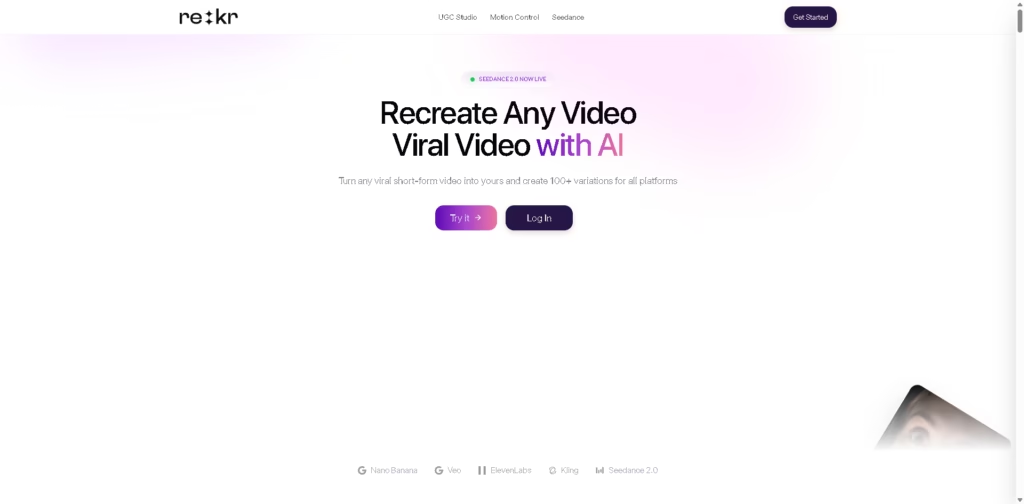
What It Does
Rekreate AI is a short-form video creation platform that analyzes viral social videos and helps users produce new content based on their hooks, pacing, structure, and visual format. It combines trend discovery with AI scripting, video generation, avatars, voiceovers, editing, subtitles, and content planning.
It is aimed primarily at creators and brands producing content for TikTok, Instagram, YouTube Shorts, and other social platforms. A typical workflow is to paste a successful Reel, analyze its structure, generate an adapted script, create the video with an avatar or AI-generated visuals, and prepare it for social publishing.
At a Glance
| Field | Details |
|---|---|
| Category | AI Video Creation & Social Media Content |
| Primary Use | Recreating and adapting viral short-form video formats |
| Supported Platforms | TikTok, Instagram, YouTube Shorts, Threads, LinkedIn, X |
| AI Capabilities | Video analysis, scripts, avatars, voices, video generation, subtitles |
| Video Engine | Seedance 2.0 |
| Language Support | 40+ languages for translation; 29+ languages for avatar voice cloning |
| Content Planning | Built-in content calendar |
| Publishing | Instagram auto-posting |
Key Features
- Analyzes viral videos for hooks, pacing, storytelling, and structure.
- Recreates dance and movement videos using character and facial tracking.
- Generates talking-head videos with AI avatars and cloned voices.
- Produces AI scenes and characters through its Seedance 2.0 video engine.
- Creates scripts, subtitles, voiceovers, and automated video edits.
- Converts YouTube videos into branded carousel content for social platforms.
- Provides content planning through an integrated calendar and Instagram posting.
Best For
- Analyzing successful videos before creating similar content for a specific niche.
- Producing recurring TikToks, Reels, and Shorts without filming every video.
- Turning reference videos into new scripts and branded variations.
- Creating avatar-based or voiceover-led content without traditional recording.
- Repurposing video ideas into short-form videos and social carousel posts.
Pros & Cons
| Pros | Cons |
|---|---|
| Strong focus on analyzing proven short-form formats | Heavy reliance on AI-generated content may require manual review |
| Combines research, scripting, generation, editing, and planning | Recreating viral formats can create originality and rights considerations |
| Supports avatars, voice generation, subtitles, and multiple formats | The broad feature set may be more than users need for simple video editing |
| Supports 40+ languages for translation | Auto-posting is specifically described for Instagram |
| Useful workflow for high-volume short-form production | The provided information does not establish detailed pricing or plan limits |
Alternatives & Comparisons
| Alternative | Best For | Key Difference |
|---|---|---|
| CapCut | General short-form video editing | More established around conventional editing and social templates |
| Canva | Branded social content | Broader design and presentation workflow rather than viral-video recreation |
| InVideo AI | Prompt-based AI video creation | Focuses more on generating videos from text and content prompts |
| HeyGen | AI avatar and talking-head videos | More specialized in avatar-based video production |
Rekreate AI fits the market as a viral-format research and recreation platform combined with AI video production tools. Choose it when analyzing and adapting existing successful formats is central to your workflow; choose alternatives when conventional editing, general design, or dedicated avatar production is the priority.
Frequently Asked Questions
Can Rekreate AI analyze TikTok, Instagram, and YouTube videos?
Yes. The platform says users can provide TikTok, Instagram Reels, or YouTube videos for analysis and recreation.
Does Rekreate AI create videos from text?
Yes. Its Seedance 2.0 section describes generating video scenes, characters, and cinematic content from prompts.
Can Rekreate AI create videos without filming?
Yes. AI avatars and AI voice generation can be used to produce videos without recording traditional talking-head footage.
Does Rekreate AI support multiple languages?
Yes. The vendor states that its translation functionality supports 40+ languages, while its avatar voice-cloning feature supports 29+ languages.
Does Rekreate AI automatically publish content?
The platform includes auto-posting functionality for Instagram and supports formatting for several other social platforms.
Overall Rating
| Category | Score |
|---|---|
| Performance | 8.3/10 |
| Ease of Use | 8.5/10 |
| Feature Set | 9.0/10 |
| Workflow Fit | 8.8/10 |
| Overall | 8.6/10 |
Rekreate AI scores well for creators who want one workflow covering viral-content research, recreation, AI production, and social content planning.
Final Verdict
- Best for: Creators producing frequent short-form videos based on proven viral formats.
- Avoid if you only need a straightforward video editor for conventional manual editing.
- Biggest strength: Combines viral-video analysis with scripting, generation, editing, and content planning.
- Best alternative: CapCut for users prioritizing conventional short-form video editing.
















