
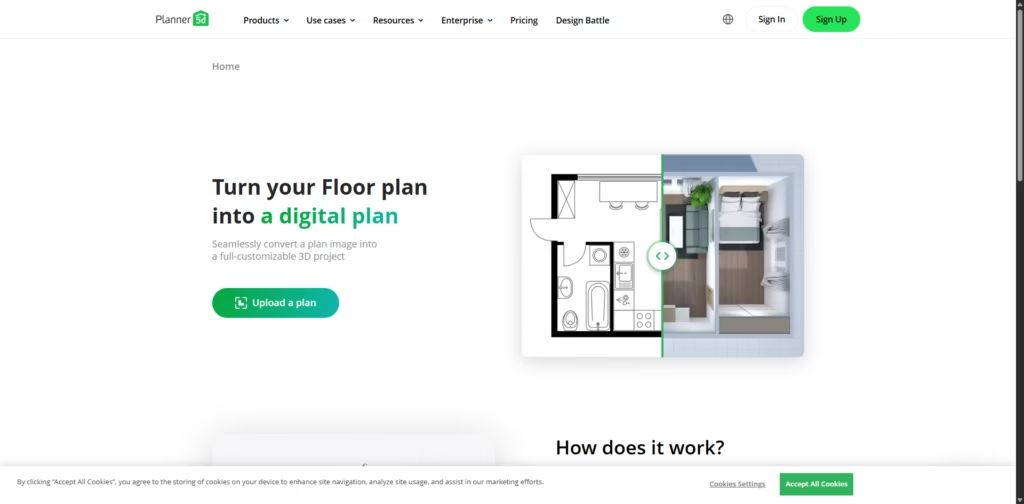
What It Does
Planner 5D is Floor Plan Converter turns a simple 2D floor plan image into a fully editable 3D digital model. You upload a plan, the system recognizes the layout automatically, and you get an interactive 3D project you can explore, customize, and redesign.
Key Features
- Instant 2D-to-3D Conversion
Upload any blueprint-style image and get a full 3D model without manual tracing. - AI Plan Recognition
The system detects walls, rooms, and layout structure automatically—no technical skills needed. - Email Notifications
Once the conversion finishes, you get an alert so you can jump right into editing. - Full 3D Customization
Add furniture, change materials, tweak walls, and view your space from any angle. - Wide File Support
Accepts almost every common plan format: .png, .jpg, .pdf, .bmp, .tiff, .dxf, .dwg, and more. - Cross-Platform Use
Available on Web, iOS, Android, macOS, Windows, and even visionOS.
Who Is Planner 5D For?
- Homeowners & Renovators who want to visualize redesign ideas in 3D before doing real work.
- Interior Designers looking for a fast way to turn client plans into editable scenes.
- Architects & Builders needing quick previews of layouts to share with clients.
- Students & Educators learning about spatial planning and design fundamentals.
- Real Estate Agents who want interactive 3D layouts to help buyers understand properties.
Final Thoughts
Planner 5D is Floor Plan Converter takes the frustration out of turning static drawings into living, editable 3D spaces. It’s fast, accurate, and perfect for anyone who wants to experiment with layouts without touching complicated design programs. If you’re ready to see your floor plan come to life, upload a file and start exploring your space in 3D today.















