
What It Does
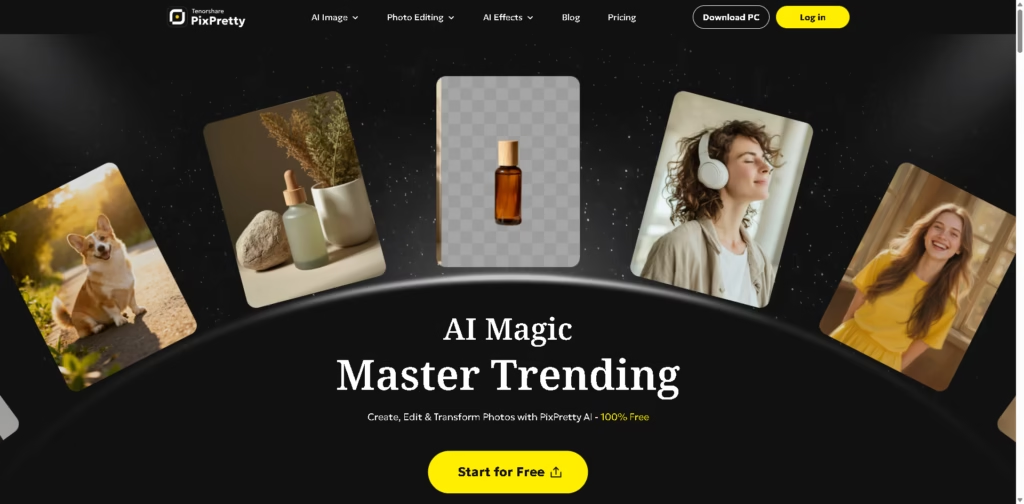
PixPretty is an AI-powered online image editing platform focused on background removal, image generation, batch editing, object removal, resizing, retouching, and AI-powered visual effects. It is designed for e-commerce sellers, marketers, creators, photographers, and other users who need to process individual or multiple images without relying on traditional photo-editing software.
A typical workflow could involve uploading several product photos, using AI Background Remover to isolate the products, resizing the images for different channels, applying background changes, and exporting the finished files. Its batch tools can process multiple images at once, while AI tools such as Object Remover, Image Extender, Clothes Changer, and Portrait Retouching cover additional editing workflows.
Quick Verdict
- Best for: AI-assisted product and batch image editing
- Skip if: You need a fully free workflow without credit limits
- Key Advantage: Broad AI editing and batch-processing toolkit
- Top Alternative: Adobe Photoshop
At a Glance
| Feature | Details |
|---|---|
| Category | AI Photo Editor |
| Pricing Model | Freemium / Credit-Based |
| Free Tier | Yes |
| Platform | Web, PC |
| API | Not specified |
| Primary Strength | AI-powered batch image editing |
| AI Models | Nano Banana 2, Nano Banana, Nano Banana Pro, Qwen-Image-2.0, Qwen-Image-2.0-Pro |
| Batch Processing | Up to 150 images |
Pricing & Plans
- Free – $0: 12 free credits for new users, free background removal, HD downloads with watermark, access to standard tools, ad-free editing, and batch processing for up to 10 images.
- Plus – $9.09/month: 200 credits monthly, up to 2K resolution, watermark-free HD downloads, faster processing, 50+ AI effects, batch processing for up to 50 images, 30-day creation storage, and access to newer models. Annual billing is listed at $109.12 for the first year.
- Pro – $27.99/month: 1,000 credits monthly, up to 4K resolution, watermark-free HD downloads, faster processing, 50+ AI effects, batch processing for up to 150 images, 180-day creation storage, beta/research tools, and early access to new models. Annual billing is listed at $335.92 for the first year.
- Refund: A 30-day money-back policy is advertised.
- Cancellation: Subscriptions can be canceled anytime.
Note: Prices and plan limits may change. Check the official website for current pricing.
Key Features
- Removes complex image backgrounds automatically with AI.
- Processes multiple images simultaneously through batch editing tools.
- Resizes images for e-commerce stores and media channels.
- Generates and transforms images using multiple AI image models.
- Removes unwanted objects and extends image boundaries with AI.
- Applies AI effects including anime, cartoon, sketch, and Polaroid styles.
Best For
- Removing backgrounds from e-commerce product photography
- Processing large batches of product images
- Generating and transforming images with multiple AI models
- Creating social media images with AI effects
- Resizing and converting image collections for different channels
Pros & Cons
Pros:
- Combines image generation, editing, effects, and batch tools in one platform.
- Free users receive 12 credits and access to free background removal.
- Paid plans support batch processing of up to 150 images.
- Pro supports image output up to 4K resolution.
Cons:
- AI generation and advanced features consume credits.
- Free HD downloads include watermarks.
- The free plan limits batch processing to 10 images.
Alternatives & Comparisons
| Alternative | Best For | Key Difference vs. This Tool |
|---|---|---|
| Adobe Photoshop | Advanced professional image editing | Provides a deeper layer-based editing environment and broader manual editing controls. |
| Canva | Fast design and social content creation | Combines image editing with templates, presentations, documents, and broader design workflows. |
| Photoroom | Product photography and background editing | Focuses heavily on product-image workflows, backgrounds, and commercial visual content. |
PixPretty fits between dedicated AI image tools and broader photo-editing platforms by combining AI generation, automated editing, effects, and batch processing.
Choose PixPretty when you need AI-powered image creation and batch editing in the same workflow, particularly for product images and large image collections.
Frequently Asked Questions
Can I use PixPretty for free?
Yes. The Free plan costs $0 and provides 12 credits for new users, free background removal, standard tools, and batch processing for up to 10 images.
How many images can PixPretty process at once?
The Free plan supports batches of up to 10 images, Plus supports up to 50 images, and Pro supports up to 150 images.
Does PixPretty support high-resolution images?
Yes. Plus supports output up to 2K resolution, while Pro supports output up to 4K resolution.
Which AI image models does PixPretty support?
The provided product information lists Nano Banana 2, Nano Banana, Nano Banana Pro, Qwen-Image-2.0, and Qwen-Image-2.0-Pro.
Does PixPretty remove image backgrounds?
Yes. PixPretty provides an AI Background Remover and offers free background removal even on its Free plan.
ToolsPedia Rating
- Performance & Speed: 4.2/5.0
- Ease of Setup: 4.5/5.0
- Feature Depth: 4.5/5.0
- Value for Price: 4.0/5.0
- ToolsPedia Score: 4.3/5.0
Final Thoughts
PixPretty combines AI image generation, background removal, object editing, resizing, batch processing, and creative effects into a single image-editing platform. Its credit-based plans make the Free tier useful for basic editing while the paid plans provide substantially higher processing capacity and resolution. Users with recurring product or batch-editing needs should start with the free plan and evaluate whether its credit allowances match their workflow before upgrading.
















