
What It Does
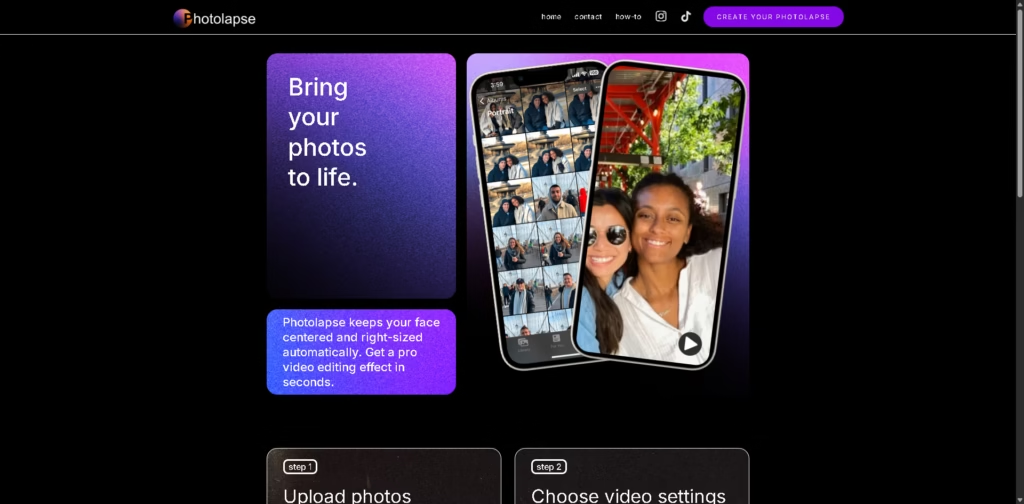
Photolapse AI transforms your photo collection into dynamic face-centered time-lapse videos.
It automatically keeps the subject properly framed and sized, letting you create professional-looking videos in seconds without complicated editing software.
Key Features
- Automatic Face Centering: Keeps your subject perfectly aligned in every frame.
- Supports Multiple Photos: Use up to 100 photos per video, including group shots-the AI isolates your subject.
- Customizable Video Settings: Adjust speed, duration, and repetition for each photo.
- Free Preview: Try your video before downloading.
- Watermark-Free Download: $5.99 unlocks a full video without watermark.
- User-Friendly Workflow: Designed for creators of all skill levels, no advanced editing knowledge required.
Who Is Photolapse AI For?
- Content Creators & Social Media Users: Make quick, engaging flashcut or timelapse videos for TikTok, Instagram, or other platforms.
- Families & Hobbyists: Turn photo collections into memorable videos featuring loved ones.
- Photographers & Storytellers: Produce dynamic time-lapse videos without investing in complex software.
- Event & Marketing Professionals: Create visually striking presentations or promotional videos easily.
Final Thoughts
Photolapse AI is perfect for anyone who wants to turn photos into captivating time-lapse videos quickly and easily.
Its automatic face-centering and intuitive controls make professional video effects accessible to everyone-just upload your photos and let the AI do the magic.















