
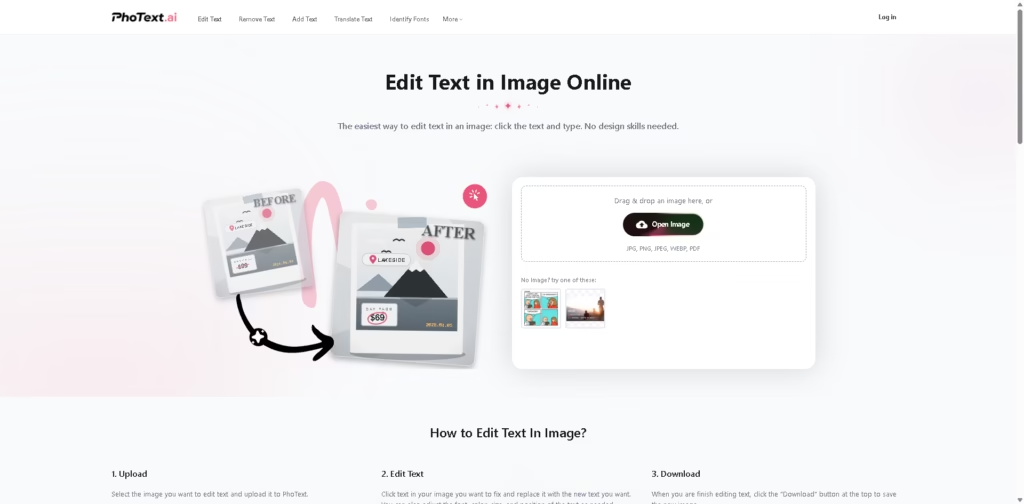
What It Does
PhoText is an online image-editing tool focused on changing text inside existing images without requiring traditional design software. Users can upload JPG, PNG, JPEG, WEBP, or PDF files, select text within an image, replace it, and adjust properties such as font, color, size, and position.
A typical workflow is to upload a poster or image, select the existing text, replace it with new wording, use AI font matching and background restoration to preserve the original appearance, then download the edited image. PhoText also provides OCR, text removal, image-to-text conversion, image translation, PDF editing, and other image utilities.
Quick Verdict
- Best for: Replacing and editing text directly inside images
- Skip if: You need a full professional graphic-design suite
- Key Advantage: AI-powered text replacement and style matching
- Top Alternative: Canva
At a Glance
| Feature | Details |
|---|---|
| Category | AI Image Editing |
| Pricing Model | Freemium |
| Free Tier | Yes |
| Platform | Web, App |
| API | Not specified |
| Primary Strength | Text editing inside images |
| Input Formats | JPG, PNG, JPEG, WEBP, PDF |
| OCR | Yes |
Pricing & Plans
- Basic features: Free.
- Advanced features: The vendor states that a free trial quota is available.
- Commercial use: The vendor states that fonts distributed by the platform and generated content can be used commercially.
- Exact paid plan prices: Not specified in the supplied source.
Note: Prices and plan limits may change. Check the official website for current pricing.
Key Features
- Lets users click and directly replace text within an uploaded image.
- Uses AI to identify and match fonts from source images.
- Restores backgrounds automatically when existing text is modified.
- Matches font characteristics including color, weight, perspective, shadow, and gloss.
- Uses OCR to recognize multilingual and complex image text.
- Supports filters, stickers, word art, and high-resolution image exports.
Best For
- Replacing wording on existing posters and graphics
- Matching replacement text to an image’s original typography
- Removing unwanted text while restoring the underlying background
- Extracting text from images using OCR
- Translating text within images for new versions
Pros & Cons
Pros:
- Supports direct text replacement without requiring traditional design skills.
- AI font matching helps reproduce the appearance of existing typography.
- Background restoration handles textures such as wood and fabric.
- Includes several related OCR, image, and PDF utilities.
Cons:
- Exact paid-plan pricing is not provided in the supplied information.
- API availability is not specified.
- The platform’s commercial-use statement applies to fonts distributed by PhoText and generated content, not necessarily every third-party asset used with the tool.
Alternatives & Comparisons
| Alternative | Best For | Key Difference vs. This Tool |
|---|---|---|
| Canva | General graphic design | Offers a broader design ecosystem, while PhoText focuses specifically on editing text within existing images |
| Adobe Photoshop | Professional image editing | Provides substantially broader manual image-editing capabilities |
| Photopea | Browser-based image editing | Provides a more general-purpose editor with Photoshop-style editing tools |
PhoText occupies a specialized position in image editing by focusing heavily on text recognition, replacement, font matching, and background restoration. Choose it when the main task is changing existing text while preserving the visual style of the original image.
Frequently Asked Questions
What image formats does PhoText support?
The supplied product information lists JPG, PNG, JPEG, WEBP, and PDF as supported upload formats.
Can PhoText identify fonts in an image?
Yes. Its AI Font Matching feature can recognize fonts and provide similar fonts for editing.
Can PhoText remove text from an image?
Yes. The platform provides an Erase Text from Images tool and background restoration features for text removal.
Does PhoText support text in different languages?
Yes. The vendor states that its OCR can recognize text in all languages and handle slanted, curved, small, and mixed-layout text.
Can images edited with PhoText be used commercially?
The vendor states that fonts distributed by the platform and content produced through the platform are free for commercial use.
ToolsPedia Rating
- Performance & Speed: 4.3/5.0
- Ease of Setup: 4.7/5.0
- Feature Depth: 4.4/5.0
- Value for Price: 4.4/5.0
- ToolsPedia Score: 4.5/5.0
Final Thoughts
PhoText is particularly focused on a common image-editing problem: changing existing text while maintaining the original typography and background. Its combination of OCR, AI font matching, background restoration, and conversational image editing makes it more specialized than a general design editor. Try the free features with a representative image to see whether its text replacement quality matches your workflow before considering advanced features.
















