
What It Does
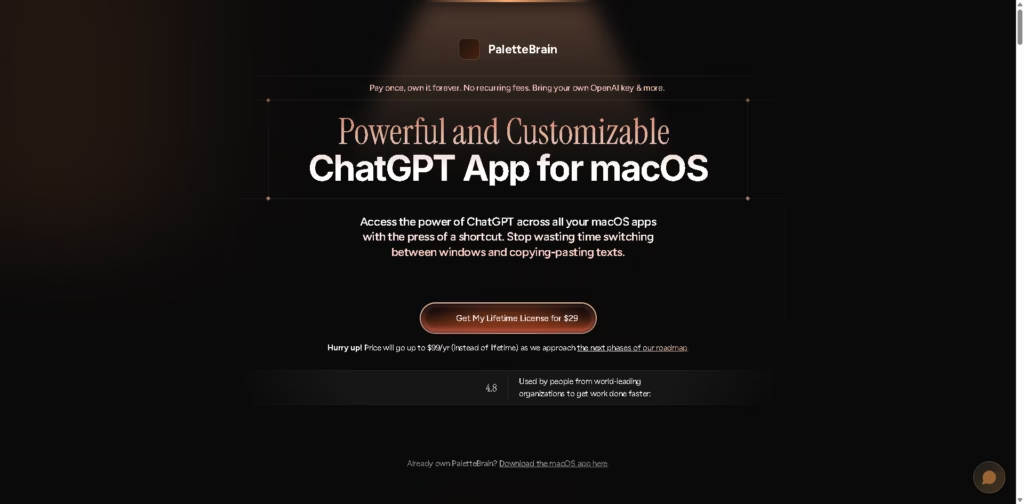
PaletteBrain is a macOS AI productivity app that brings ChatGPT-style assistance directly into other apps and websites. It is designed for users who want to write, code, transform text, and get AI answers without repeatedly switching between windows.
The workflow centers on keyboard shortcuts. Users can highlight text, open the AI command palette, choose a command, send the selected content to an AI model, and paste the response back into the original app. PaletteBrain also supports customizable prompts, model settings, creativity controls, and keyboard shortcuts for frequently used AI commands.
Quick Verdict
Best for: Mac users who frequently use AI for writing, coding, text transformation, and repetitive tasks.
Skip if: You need a Windows, Linux, or browser-first AI productivity tool.
Key Advantage: AI commands can be triggered directly inside macOS apps and websites.
Top Alternative: ChatGPT
At a Glance
| Category | Details |
|---|---|
| Category | AI Productivity Assistant |
| Pricing Model | One-time purchase |
| Free Tier | Not specified |
| Platform | macOS |
| API | Not specified |
| Primary Strength | In-app AI commands and text workflows |
| AI Provider | Bring your own OpenAI key and more |
| License | Lifetime license |
Pricing & Plans
- Lifetime License: PaletteBrain uses a one-time purchase model rather than recurring subscription fees.
- AI Usage: Users can bring their own OpenAI key and other supported AI credentials.
- Exact Price: The supplied source does not specify the current purchase price.
Note: Prices and plan limits may change. Check the official website for current pricing.
Key Features
- Opens an AI command palette using keyboard shortcuts.
- Sends highlighted text directly to AI commands.
- Pastes AI responses back into the original application.
- Supports customizable prompts and model settings.
- Allows keyboard shortcuts for frequently used AI commands.
- Works across macOS apps and websites.
Best For
- Writers transforming or improving text inside existing applications.
- Developers using AI assistance while coding on macOS.
- Professionals automating repetitive text-based tasks.
- Mac users who frequently switch between apps for AI assistance.
- Users who prefer one-time software purchases over subscriptions.
Pros & Cons
Pros
- One-time purchase instead of recurring subscription fees.
- Works directly with other macOS apps and websites.
- Keyboard shortcuts make AI commands accessible without window switching.
- Supports customizable prompts, models, and creativity settings.
Cons
- macOS-only according to the supplied product information.
- Exact purchase price is not specified in the supplied source.
- API availability is not specified.
- Some roadmap features may require an Agent.so membership.
Alternatives & Comparisons
| Tool | Primary Use | Platform |
|---|---|---|
| PaletteBrain | In-app AI commands and productivity workflows | macOS |
| ChatGPT | General AI chat, writing, coding, and analysis | Web and apps |
| Raycast | macOS launcher, commands, and productivity workflows | macOS |
| Claude | AI chat, writing, coding, and document work | Web and apps |
PaletteBrain focuses on embedding AI commands into existing macOS workflows rather than functioning primarily as a standalone chat interface. Users should choose based on whether they need integrated Mac shortcuts and in-app text workflows or a broader standalone AI assistant.
Frequently Asked Questions
Is PaletteBrain available for Windows?
The supplied product page describes PaletteBrain as a macOS app and does not list a Windows version.
Does PaletteBrain require an OpenAI account?
The product page states that users can bring their own OpenAI key and other supported AI credentials.
Can PaletteBrain work inside other applications?
Yes. PaletteBrain is designed to work with macOS apps and websites, allowing users to transform highlighted text and paste AI responses back into the original application.
Can users customize PaletteBrain commands?
Yes. The product information lists customizable prompts, model settings, creativity controls, and keyboard shortcuts.
Does PaletteBrain have a subscription?
The supplied page describes PaletteBrain as a one-time purchase with a lifetime license rather than a recurring subscription.
ToolsPedia Rating
| Rating Area | Score |
|---|---|
| Performance & Speed | 4.4/5.0 |
| Ease of Setup | 4.3/5.0 |
| Feature Depth | 4.2/5.0 |
| Value for Price | 4.4/5.0 |
| ToolsPedia Score | 4.3/5.0 |
Final Thoughts
PaletteBrain is built for macOS users who want AI assistance available directly within their existing applications instead of working in a separate chat window. Its combination of keyboard shortcuts, customizable commands, model controls, and one-time licensing makes it particularly relevant to frequent AI-assisted writing and coding workflows. Users interested in a Mac-focused AI command layer should review the current purchase terms and supported AI providers before buying.
















