
What It Does
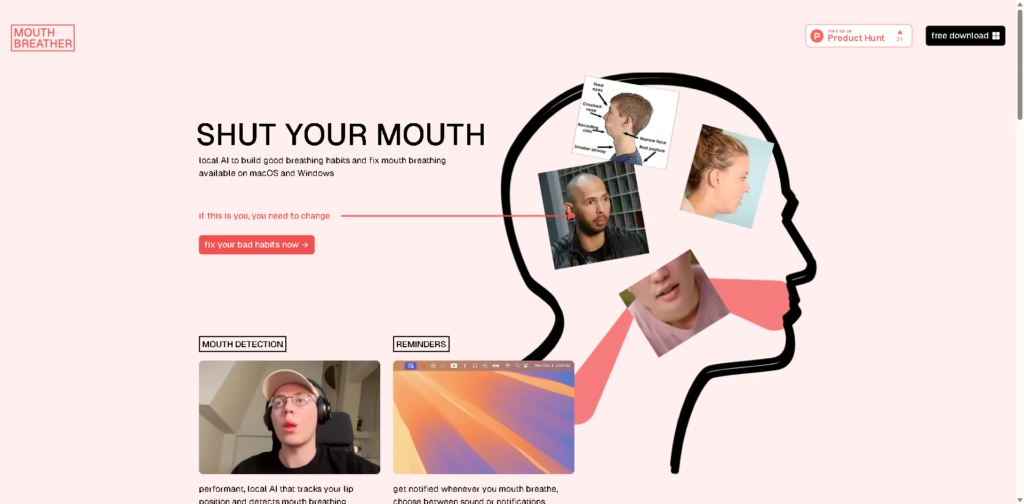
Mouthbreather is a desktop app that uses local AI to detect when a user’s lips are open and provide reminders intended to encourage nasal breathing habits. It runs on macOS and Windows and is designed to operate continuously in the background.
The app focuses on awareness rather than treatment. For example, someone working at a computer can leave Mouthbreather running in the menu bar, receive a sound or notification when mouth opening is detected, and review their mouth-breathing streaks and incident statistics later.
At a Glance
| Field | Details |
|---|---|
| Category | Local AI breathing-habit tracker |
| Platforms | macOS, Windows |
| AI Processing | Local/on-device |
| Detection | Lip position and mouth opening |
| Alerts | Sound or notifications |
| Offline Use | Supported |
| Tracking | Streaks, incidents, and statistics |
| Price | Free |
Key Features
- Uses local AI to monitor lip position and detect mouth opening.
- Sends sound or notification reminders when mouth breathing is detected.
- Runs unobtrusively in the background from the menu bar.
- Works offline without sending detection data away from the device.
- Tracks mouth-breathing incidents and streaks over time.
Best For
- Building awareness of mouth-opening habits while working at a computer.
- Receiving real-time reminders to keep the mouth closed.
- Monitoring changes in mouth-breathing frequency over time.
- Using breathing-habit software without sending detection data to cloud services.
- Trying a free desktop tool before considering other habit-tracking approaches.
Pros & Cons
| Pros | Cons |
|---|---|
| Free to download and use. | It focuses on detection and reminders rather than diagnosing the underlying cause. |
| AI processing runs locally on the device. | The supplied information does not specify detailed hardware requirements. |
| Supports both macOS and Windows. | Detection accuracy may vary depending on camera conditions and user setup. |
| Provides real-time reminders and historical statistics. | It is not a substitute for professional evaluation of persistent breathing problems. |
| Can operate offline. | Desktop-only availability limits use outside the computer environment. |
Alternatives & Comparisons
| Alternative | Best For | Key Difference |
|---|---|---|
| Apple Health | General health and wellness tracking | Broader health tracking rather than computer-based mouth detection |
| Breathwrk | Guided breathing exercises | Focuses on structured breathing exercises instead of mouth detection |
| Oura | Sleep and broader health tracking | Wearable-based monitoring rather than webcam-based detection |
| OpenBCI | Advanced physiological experimentation | Hardware-based physiological sensing rather than habit reminders |
Mouthbreather occupies a narrow niche as a free, computer-based tool for increasing awareness of mouth-opening behavior. Choose it when real-time desktop reminders and local processing are more important than comprehensive health or sleep tracking.
Frequently Asked Questions
Does Mouthbreather work offline?
Yes. The vendor states that its AI model runs on the user’s device and that the app can be used offline.
Does Mouthbreather send camera data to the cloud?
According to the vendor, no data leaves the machine because the AI model runs locally.
Is Mouthbreather available for Windows?
Yes. The software is advertised as available for both Windows and macOS.
Can Mouthbreather diagnose mouth-breathing problems?
It should not be treated as a medical diagnostic tool. Its described function is detecting lip position and providing behavioral reminders.
Is Mouthbreather completely free?
The vendor states that the application is free. Its developer says it is funded through software work for other businesses rather than through Mouthbreather subscriptions.
Overall Rating
| Category | Score |
|---|---|
| Performance | 8.0/10 |
| Ease of Use | 8.8/10 |
| Feature Set | 7.4/10 |
| Workflow Fit | 8.6/10 |
| Overall | 8.2/10 |
Mouthbreather is a focused and privacy-oriented option for desktop users who want simple real-time awareness of mouth-opening habits.
Final Verdict
- Best for: Desktop users wanting free, real-time reminders to build better breathing habits.
- Avoid if: You need medical diagnosis, treatment, or comprehensive respiratory monitoring.
- Biggest strength: Local AI detection works without sending data away from the user’s computer.
- Best alternative: Breathwrk for users who want structured breathing exercises instead.
















