
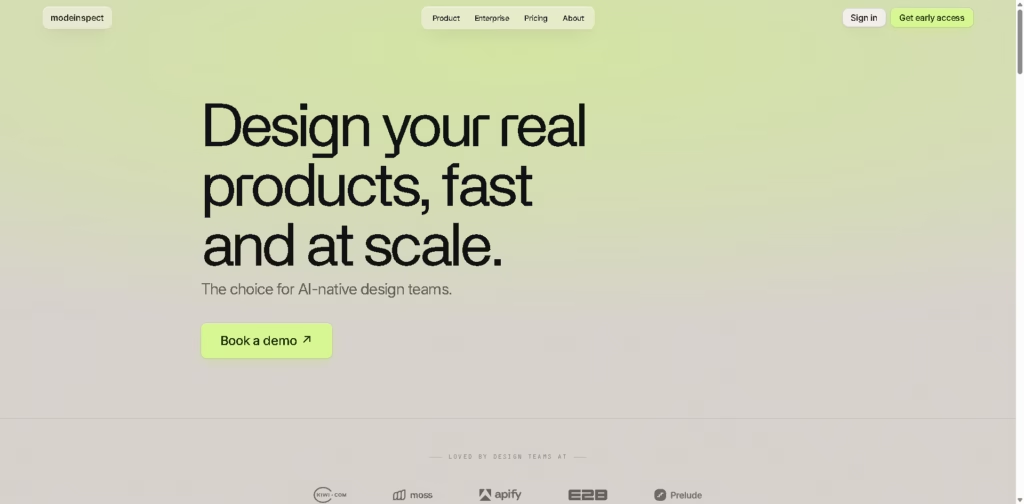
What It Does
Modeinspect is a code-connected visual design platform for designers, developers, and design engineers who want to design production UI directly inside an existing codebase. Instead of creating a separate mockup and handing specifications to engineering, Modeinspect places real components, design tokens, live data, responsive breakpoints, and application states on a visual canvas.
A typical workflow starts by connecting a repository and pulling an existing product screen or component onto the canvas. A designer can then adjust layout, styling, copy, states, or responsive behavior, use AI to explore variations, and send the resulting changes to engineering as a scoped, type-safe pull request.
Quick Verdict
- Best for: Designing and shipping UI changes directly from an existing codebase
- Skip if: You need a standalone design tool without a connected codebase
- Key Advantage: Real product components stay connected to code
- Top Alternative: Anima
At a Glance
| Feature | Details |
|---|---|
| Category | AI design-to-code / UI design |
| Pricing Model | Freemium |
| Free Tier | Yes |
| Platform | Web |
| API | Not specified |
| Primary Strength | Design directly against production code |
| AI Models | Latest AI models; specific models not specified |
| Enterprise Features | SSO/SAML, SCIM, SOC 2 Type II |
Pricing & Plans
- Hobby: $0/month. Includes the full canvas connected to a codebase, unlimited connected repositories, and monthly agent limits for personal projects. No credit card required.
- Pro: $20/month. Adds extended agent limits, merge-ready PRs, live-product design QA, and priority support. Billed monthly and cancellable at any time.
- Teams & enterprises: Custom pricing. Includes Pro features for teams plus seat and usage-based pricing, SSO/SAML, SCIM, SOC 2 Type II, centralized billing, and a dedicated contact.
- Free-plan terms: The Hobby plan is available without a credit card and has monthly agent limits.
Note: Prices and plan limits may change. Check the official website for current pricing.
Key Features
- Pulls real product components onto an editable visual canvas.
- Applies existing design tokens, components, and styling conventions.
- Supports mobile, tablet, and desktop layouts with live reflow.
- Designs hover, focus, error, loading, empty, and success states.
- Uses AI to explore variants, restyle sections, and adjust copy.
- Converts canvas changes into scoped, type-safe code changes.
Best For
- Prototyping interfaces with real components and live product data
- Performing design QA against the live application
- Exploring UI variations without creating separate mockups
- Shipping visual product changes through merge-ready pull requests
- Testing responsive layouts across multiple breakpoints
Pros & Cons
Pros:
- Keeps design work connected to the actual component library and codebase.
- Supports real data and application states rather than static mockups.
- Generates scoped, type-safe changes intended for engineering review.
- Combines prototyping, design QA, and code delivery in one workflow.
Cons:
- The workflow is centered on connecting a repository rather than designing independently.
- Hobby users are subject to monthly agent limits.
- Teams and enterprise customers must request custom pricing.
Alternatives & Comparisons
| Alternative | Best For | Key Difference vs. This Tool |
| Figma | Collaborative UI design and prototyping | Figma centers on a dedicated design canvas, while Modeinspect starts directly from the product codebase. Figma also offers Dev Mode, Code Connect, and developer workflows. |
| Anima | Converting Figma designs into code | Anima primarily brings Figma designs into code, supporting React, Vue, HTML, CSS, and Tailwind workflows. Modeinspect inspects designs directly on the existing application codebase. |
| Figma Dev Mode | Design-to-development handoff | Figma Dev Mode focuses on inspecting designs, code snippets, design changes, and developer handoff, while Modeinspect is designed to make changes directly in the product code. |
Modeinspect occupies the design-to-code space by treating the existing product codebase as the design environment rather than a separate implementation target.
Choose Modeinspect when your priority is iterating on real product UI and moving those changes toward a merge-ready PR without a conventional design-to-engineering handoff.
Frequently Asked Questions
Does Modeinspect replace Figma?
Not necessarily. Modeinspect is designed around editing UI in an existing codebase, while Figma remains a broader design, prototyping, and collaboration environment with its own developer features.
Does Modeinspect work with existing design systems?
Yes. Modeinspect states that it reads and uses existing components, design tokens, styling systems, and project conventions when making changes.
Can Modeinspect handle responsive designs?
Yes. The platform is designed so canvas changes become changes in the underlying product code, with the resulting work presented as scoped and type-safe changes.
Can Modeinspect create code from designs?
Yes. Its canvas supports mobile, tablet, and desktop breakpoints and shows layouts reflowing across those breakpoints.
Is Modeinspect suitable for design QA?
Yes. Design QA is one of its stated workflows, including comparing the canvas with the live product and correcting visual drift.
ToolsPedia Rating
- Performance & Speed: 3.5/5.0
- Ease of Setup: 3.5/5.0
- Feature Depth: 4.5/5.0
- Value for Price: 4.5/5.0
- ToolsPedia Score: 4.0/5.0
These scores are editorial assessments based on the documented workflow and feature set, not hands-on performance testing.
Final Thoughts
Modeinspect is most differentiated when a team already has a functioning product, established components, and a code-based design system. Its strongest proposition is reducing the distance between visual iteration and implementation by keeping both activities in the same code-connected workflow.
For individual designers or developers, the $0 Hobby plan provides a practical way to evaluate the workflow without a credit card. Teams considering broader adoption should compare it with Figma and Anima based on whether they prioritize codebase-native design or a traditional design-to-code workflow.
















