
What It Does
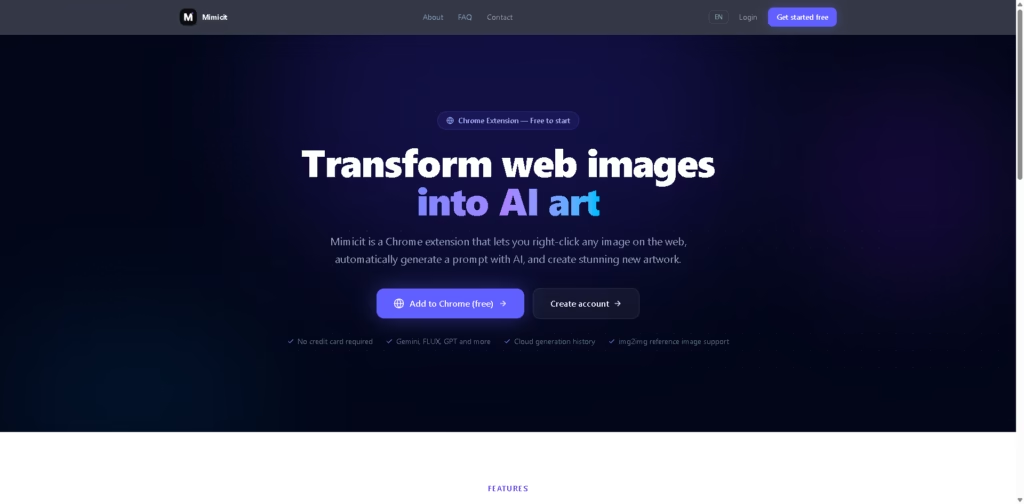
Mimicit is a Chrome extension for turning images found on the web into new AI-generated artwork. It lets users right-click an image, send it to it, generate an AI prompt from the image, and create a new image using supported generation models.
The workflow runs through the browser. Users install the extension, right-click a web image, choose “Generate with Mimicit,” review or refine the automatically generated prompt, and create new images using models such as Imagen, FLUX, and GPT. It also supports image-to-image generation with reference images and keeps generation history in the cloud.
Quick Verdict
- Best for: Creating AI artwork from images found directly on webpages.
- Skip if: You need a standalone image editor rather than a browser-based generation workflow.
- Key Advantage: Converts web images into editable AI prompts with a right-click workflow.
- Top Alternative: Adobe Firefly
At a Glance
| Field | Details |
|---|---|
| Category | AI Image Generator, Chrome Extension |
| Pricing Model | Free to start |
| Free Tier | Yes |
| Platform | Chrome Extension |
| API | Not specified |
| Primary Strength | Turning web images into AI-generated artwork |
Key Features
- Right-click any web image to load it into Mimicit.
- Automatically generates AI prompts from reference images.
- Edit, translate, and refine generated prompts.
- Generate images using Imagen, FLUX, GPT, and other models.
- Supports image-to-image generation with reference images.
- Stores generation history in the cloud.
Best For
- Creating variations of images discovered while browsing.
- Turning visual references into AI-generated artwork.
- Generating prompts from existing web images.
- Experimenting with multiple AI image-generation models.
- Users who prefer a Chrome-based creative workflow.
Pros & Cons
Pros
- Simple right-click workflow for capturing web images.
- Automatically creates prompts from reference images.
- Supports multiple image-generation models.
- Includes image-to-image reference support.
- Free to start without requiring a credit card.
Cons
- Requires Chrome for the extension workflow.
- Specific paid plans, credit limits, and generation costs are not provided.
- API availability is not specified.
Alternatives & Comparisons
| Alternative | Best For | Key Difference vs. Mimicit |
|---|---|---|
| Adobe Firefly | Generative image creation and editing | Provides a broader standalone creative platform. |
| Canva | Design and AI-assisted content creation | Combines AI tools with a larger design and publishing workspace. |
| Microsoft Designer | Quick AI-assisted visual creation | Focuses on broader design workflows rather than browser-image capture. |
Mimicit is focused specifically on turning existing web images into prompts and new AI artwork through Chrome. Choose it when a right-click reference-image workflow is more useful than a broader image-editing or design platform.
Frequently Asked Questions
Is Mimicit free?
Mimicit is free to start, and its website states that no credit card is required. Specific free usage limits are not provided in the supplied information.
Which AI models does Mimicit support?
The site lists Gemini for prompt generation and models including Imagen, FLUX, and GPT for image generation. It also states that additional models are supported.
Can Mimicit generate images from web images?
Yes. Users can right-click an image on a webpage and send it directly to Mimicit for prompt generation and image creation.
Does Mimicit support image-to-image generation?
Yes. Mimicit supports img2img generation using reference images.
Does Mimicit require screenshots?
No. The extension captures a web image directly through the browser, so users do not need to take screenshots or copy and paste images.
ToolsPedia Rating
| Category | Score |
|---|---|
| Performance & Speed | 4.4/5 |
| Ease of Setup | 4.8/5 |
| Feature Depth | 4.2/5 |
| Value for Price | 4.3/5 |
| ToolsPedia Score | 4.4/5 |
Final Thoughts
Mimicit offers a focused way to transform web-based visual references into new AI artwork without manually downloading or uploading images. Its strongest use case is quick browser-based experimentation with AI prompts, multiple generation models, and reference images. Users looking for more advanced editing or broader design capabilities may need a more comprehensive creative platform.
















