
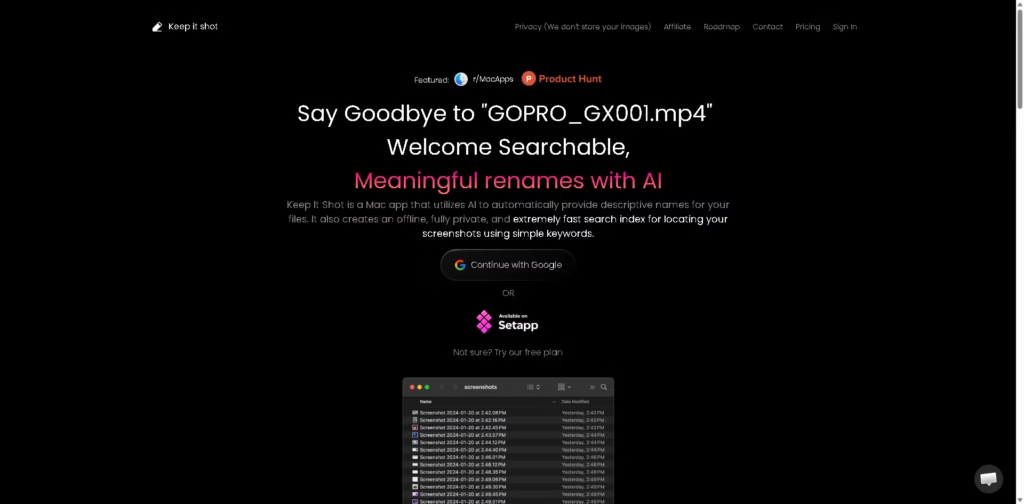
What It Does
Keep It Shot is a macOS app that uses AI to automatically rename images and other files with descriptive names. It also creates an offline search index for finding screenshots with keywords, making it useful for users who accumulate large numbers of screenshots and media files.
A typical workflow is to add screenshots or documents to Keep It Shot, let the app generate descriptive filenames, and then use keyword-based search to locate previously indexed screenshots. The service also supports renaming PDFs, Excel, and Word files, while video renaming consumes more credits.
Quick Verdict
- Best for: Organizing and searching large collections of screenshots on Mac
- Skip if: You need a Windows, iOS, or Android version
- Key Advantage: AI renaming plus private offline search
- Top Alternative: Hazel
At a Glance
| Feature | Details |
|---|---|
| Category | AI File Management |
| Pricing Model | Freemium / Paid |
| Free Tier | Yes |
| Platform | macOS |
| API | Not specified |
| Primary Strength | AI-powered file renaming and search |
| Privacy | Offline search index; vendor says images are not stored |
Pricing & Plans
- Basic: Free, 15 credits/month. Image, PDF/Excel/Word, and video renaming included within the applicable credit costs.
- Individual: $8/month, 300 credits/month. Includes the same supported renaming types.
- Product Manager/Designers: $24/month, 2,000 credits/month. Includes image, PDF/Excel/Word, and video renaming.
- One-time payment: $19 for 500 credits. The plan supports image renaming, PDF/Excel/Word renaming, and video renaming.
- Setapp: Available through Setapp’s $14.99/month subscription plus tax, according to the vendor page.
- Credit usage: 1 credit renames one image or document. Video renaming uses 5 credits per video.
- Additional credits: Available by contacting the vendor.
Note: Prices and plan limits may change. Check the official website for current pricing.
Key Features
- Automatically generates descriptive names for image files using AI.
- Renames PDFs, Excel files, and Word documents using credits.
- Renames videos at a higher credit cost.
- Creates an offline search index for screenshots.
- Finds indexed screenshots using simple keyword searches.
- Supports a privacy-focused workflow without storing uploaded images.
Best For
- Organizing large collections of screenshots on macOS
- Automatically generating meaningful names for image files
- Renaming batches of mixed media and document files
- Searching previously indexed screenshots by keywords
- Managing media files without relying on cloud image storage
Pros & Cons
Pros:
- Combines AI file renaming with screenshot search.
- Provides a free plan with 15 monthly credits.
- Offers both monthly subscriptions and a one-time credit option.
- Uses an offline search index for screenshot discovery.
Cons:
- The application is limited to macOS.
- Video renaming consumes five credits per video.
- Q&A on indexed files is listed as coming soon rather than currently available.
Alternatives & Comparisons
| Alternative | Best For | Key Difference vs. This Tool |
|---|---|---|
| Hazel | Automated Mac file organization | Focuses on rule-based file automation rather than AI-generated names |
| Eagle | Organizing visual assets | Provides broader visual asset management and library features |
| DropIt | Automated file sorting | Uses configurable rules to move and organize files |
Keep It Shot sits between an AI renaming utility and a private screenshot search tool, with its strongest focus on Mac-based media organization. Choose it when AI-generated filenames and keyword search for screenshots are more relevant to your workflow than broader rule-based file automation.
Frequently Asked Questions
Is Keep It Shot available for Windows?
The vendor describes Keep It Shot as a Mac app and provides a macOS download. Windows support is not specified.
How does Keep It Shot charge for video renaming?
Video renaming costs 5 credits per video, compared with 1 credit for each image or supported document rename.
Does Keep It Shot store uploaded images?
The vendor states that it does not store users’ images and describes its screenshot search index as offline.
Can Keep It Shot rename PDFs and Office documents?
Yes. The listed supported document types include PDF, Excel, and Word files.
Does Keep It Shot have a free plan?
Yes. The Basic plan provides 15 credits per month at no monthly cost.
ToolsPedia Rating
- Performance & Speed: 4.0/5.0
- Ease of Setup: 4.0/5.0
- Feature Depth: 3.8/5.0
- Value for Price: 4.1/5.0
- ToolsPedia Score: 4.0/5.0
Final Thoughts
Keep It Shot is designed for Mac users who want AI-generated filenames alongside a private, searchable screenshot index. Its credit system supports several file types, while the free plan gives users a way to evaluate the basic workflow before paying. Start with the free 15-credit plan if you regularly manage screenshots on macOS, then consider a paid plan if the monthly credit allowance fits your file volume.
















