
What It Does
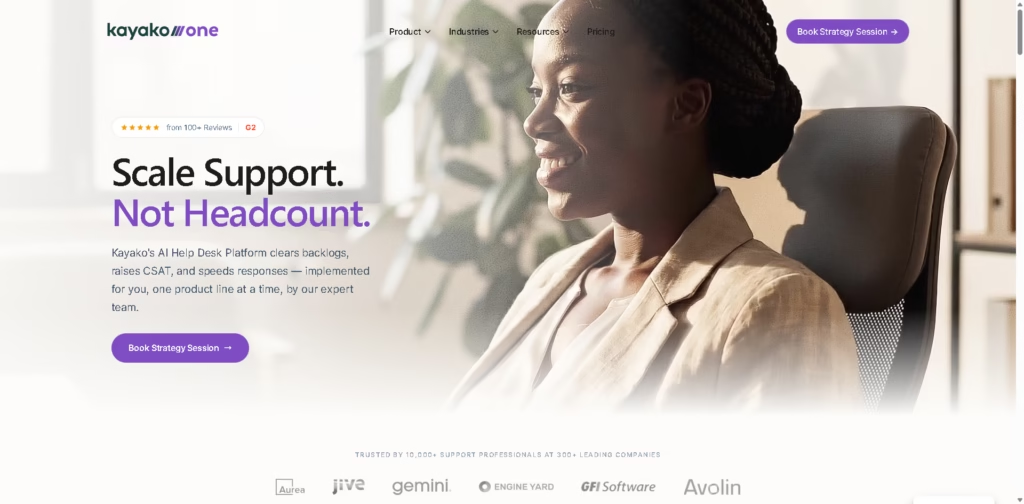
Kayako is an AI-powered customer support and help desk platform designed to reduce manual ticket handling and automate customer service resolution. It combines an omnichannel inbox, ticketing, knowledge base, workflow automation, analytics, SLA management, and Kay, its AI support agent. Kay can also work with existing help desks such as Zendesk, Freshdesk, Intercom, and Salesforce.
A typical workflow starts when a customer contacts support through email, chat, or voice. Kay classifies and prioritizes the request, uses available customer and knowledge-base context to draft or provide an answer, and can take actions such as processing refunds, updating orders, creating accounts, or sending return labels before closing the resolved ticket.
Quick Verdict
- Best for: Automating customer support tickets that require answers and actions
- Skip if: You need a simple help desk without AI implementation services
- Key Advantage: AI agent can take actions, not just draft replies
- Top Alternative: Zendesk
At a Glance
| Feature | Details |
|---|---|
| Category | AI Customer Support / Help Desk |
| Pricing Model | Usage-Based |
| Free Tier | Not specified |
| Platform | Web |
| API | Yes |
| Primary Strength | End-to-end AI ticket resolution |
| AI Agent Pricing | $1 per resolved ticket |
| Key Integrations | Zendesk, Salesforce, Shopify, Stripe, Slack, HubSpot, Twilio |
Pricing & Plans
- Kay AI: $1 per resolved ticket.
- Resolution billing: Customers are charged only when Kay fully resolves an issue.
- Escalations: Human escalations are not charged.
- Partial resolutions: Partial resolutions are not charged.
- Kayako One: Full help desk platform with Kay AI included at $1 per resolution.
- Setup: The vendor states there are no setup fees.
- Seat fees: The vendor states there are no seat fees for Kay’s resolution-based pricing.
Note: Prices and plan limits may change. Check the official website for current pricing.
Key Features
- AI triage automatically classifies, prioritizes, enriches, and routes support tickets.
- Kay drafts responses and handles repetitive customer support cases automatically.
- AI agent can process refunds, update orders, create accounts, and send return labels.
- Omnichannel inbox combines email, chat, social, and voice support.
- Knowledge base provides semantic search and source material for AI responses.
- Analytics tracks resolution time, first-contact resolution, cost per ticket, and SLA health.
Best For
- Automating repetitive customer support tickets
- Processing refunds and order-related requests automatically
- Routing complex tickets to the appropriate support team
- Providing AI support across existing help desk systems
- Tracking resolution time and support costs
Pros & Cons
Pros:
- Kay can perform actions instead of only generating customer responses.
- $1-per-resolved-ticket pricing ties AI costs to completed resolutions.
- Kay can operate with existing Zendesk, Freshdesk, Intercom, or Salesforce setups.
- White-glove implementation includes configuration, training, and ongoing tuning.
Cons:
- Pricing is usage-based rather than a conventional fixed subscription.
- The $1 charge applies only to qualifying fully resolved tickets, so overall costs depend on ticket volume and resolution rates.
- Detailed limits for some integrations and API capabilities are not specified in the provided material.
Alternatives & Comparisons
| Alternative | Best For | Key Difference vs. This Tool |
|---|---|---|
| Zendesk | Comprehensive customer service operations | Provides a broad help desk ecosystem with extensive ticketing, reporting, and integrations |
| Freshdesk | Omnichannel customer support | Combines ticketing, automation, knowledge base, and customer service channels |
| Intercom | Conversational customer support | Focuses heavily on messaging, chat-based support, and customer engagement |
Kayako sits in the customer support software market with a strong emphasis on AI-assisted and AI-driven ticket resolution.
Choose it when automated actions and resolution-based AI pricing are more relevant to your support workflow than a conventional help desk model.
Frequently Asked Questions
How much does Kayako AI cost?
Kay states that its AI agent costs $1 per resolved ticket. Escalations and partial resolutions do not incur the resolution charge.
What can Kay’s AI agent actually do?
Kay can triage tickets, draft replies, create users, issue refunds, update data, send return labels, update orders, and close qualifying cases.
Can Kay work with an existing help desk?
Yes. The vendor says Kay can work with Zendesk, Freshdesk, Intercom, Salesforce, or Kayako’s own help desk.
Does Kayako have an API?
Yes. Kayako provides API connectivity, and Kay is designed to work with systems that expose APIs. The vendor specifically states that Kay can use a system’s API to take actions.
What is Kayako One?
Kayako One is the company’s full help desk platform, including a unified inbox, ticketing, knowledge base, live chat widget, automation rules, reporting, analytics, Kay AI, and white-glove onboarding.
ToolsPedia Rating
- Performance & Speed: 4.3/5.0
- Ease of Setup: 4.1/5.0
- Feature Depth: 4.5/5.0
- Value for Price: 4.1/5.0
- ToolsPedia Score: 4.3/5.0
Rating note: Scores are based on the documented feature set, pricing model, and implementation approach in the supplied vendor material. They do not represent hands-on testing.
Final Thoughts
Kayako combines a full help desk with an AI agent that can answer questions and perform operational actions such as refunds, account updates, and order changes. Its $1-per-resolved-ticket model also differs from conventional seat-based help desk pricing. Teams considering Kayako should request a strategy session and confirm how their ticket volume, integrations, and qualifying resolutions would translate into actual costs.
















