
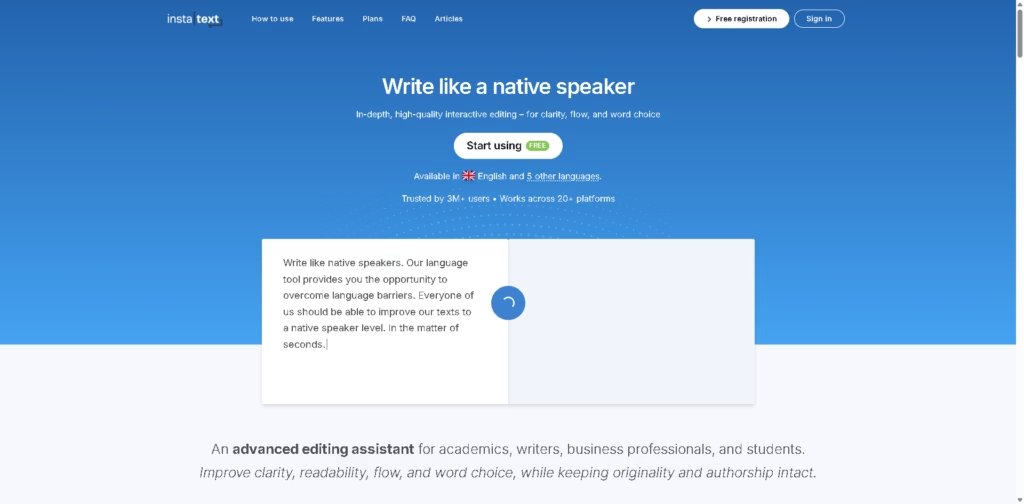
What It Does
InstaText is an AI-powered editing assistant designed to improve clarity, readability, flow, and word choice while preserving the user’s original authorship and content. It targets academics, writers, business professionals, and students who want to refine their English writing without having to rewrite their work.
A typical workflow is to write an email, research paper, business document, or social post in a supported platform, activate InstaText through its browser extension or integration, review its suggested edits, and accept or reject individual changes. The tool supports direct editing in platforms including Google Docs, Gmail, WhatsApp, Slack, Overleaf, Word, and other listed applications.
Quick Verdict
- Best for: Improving clarity and naturalness across academic and professional writing
- Skip if: You need a tool primarily focused on generating new content
- Key Advantage: Context-aware editing with user-controlled suggestions
- Top Alternative: Grammarly
At a Glance
| Feature | Details |
|---|---|
| Category | AI Writing & Editing |
| Pricing Model | Paid / Free Trial |
| Free Tier | Free Trial Only |
| Platform | Web, Browser Extension, Microsoft Word |
| API | Not specified |
| Primary Strength | Context-aware writing refinement |
| Languages | English and 5 other languages |
| Integrations | 20+ platforms |
InstaText states that it is available in English and five other languages and works across more than 20 platforms.
Key Features
- Improves clarity, flow, readability, and word choice beyond basic grammar correction.
- Shows every suggested change for users to accept or reject individually.
- Edits directly inside supported platforms without requiring copy and paste.
- Supports Microsoft Word with Track Changes for reviewing suggested improvements.
- Personal dictionary retains professional terminology and preferred multi-word expressions.
- Adjusts English dialect and formality settings to match writing preferences.
The editing controls, Word integration, personal dictionary, and language settings are documented on the product page.
Best For
- Refining academic papers before journal or conference submission.
- Improving professional emails and business communication.
- Editing English documents while preserving the author’s original voice.
- Revising text directly inside Google Docs, Word, or Overleaf.
- Maintaining consistent terminology through a personal writing dictionary.
Pros & Cons
Pros:
- Provides visible, optional edits instead of automatically applying changes.
- Works inside a broad range of writing and communication platforms.
- Supports academic workflows through Word, Google Docs, and Overleaf.
- Personal dictionary helps retain preferred terminology and writing style.
Cons:
- The provided source does not specify detailed pricing or plan limits.
- Support is limited to English and five other stated languages.
- API availability is not specified.
Alternatives & Comparisons
| Alternative | Best For | Key Difference vs. This Tool |
|---|---|---|
| Grammarly | General grammar and AI-assisted writing | Broader emphasis on grammar, writing assistance, and AI features |
| ProWritingAid | Detailed writing analysis | Provides more extensive writing reports and editing analysis |
| LanguageTool | Multilingual grammar checking | Offers broader language-focused grammar and spelling support |
InstaText fits the AI writing-editing market with a strong emphasis on contextual refinement rather than content generation.
Choose InstaText when preserving your original wording, reviewing each suggested change, and editing directly inside existing workflows are priorities.
Frequently Asked Questions
Does InstaText rewrite my entire text automatically?
No. InstaText states that every suggestion is visible and optional, allowing users to accept or reject individual changes.
Can InstaText be used inside Microsoft Word?
Yes. InstaText is available as a Word add-in for both the online and classic versions, with support for Word’s Track Changes feature.
Which platforms does InstaText support?
The source lists platforms and services including Google Docs, Gmail, WhatsApp, Slack, Discord, Overleaf, Outlook Web, LinkedIn, Salesforce, HubSpot, Jira, Confluence, Zendesk, Notion, WordPress, GitHub, GitLab, Google Keep, and others.
Can InstaText preserve specific terminology?
Yes. InstaText is available as a Word add-in for both the online and classic versions, with support for Word’s Track Changes feature.
Which platforms does InstaText support?
The source lists platforms and services including Google Docs, Gmail, WhatsApp, Slack, Discord, Overleaf, Outlook Web, LinkedIn, Salesforce, HubSpot, Jira, Confluence, Zendesk, Notion, WordPress, GitHub, GitLab, Google Keep, and others.
Can InstaText preserve specific terminology?
Yes. Its Personal Dictionary allows users to save words and multi-word combinations that match their professional language or personal style.
Can I control the English style?
Yes. Language Settings allow users to select US or UK English and adjust formality between formal and informal writing.
ToolsPedia Rating
These ratings are based on the documented feature set in the provided source, not hands-on testing.
- Performance & Speed: 4.0/5.0
- Ease of Setup: 4.5/5.0
- Feature Depth: 4.3/5.0
- Value for Price: 3.5/5.0
- ToolsPedia Score: 4.1/5.0
Final Thoughts
InstaText is focused on improving existing writing rather than generating large amounts of new content, making its visible suggestions and authorship-preserving approach particularly relevant to academic and professional workflows. Its extensive platform support also reduces the need to move text between separate editing applications.
Users who regularly refine academic papers, business communication, or professional English should start with the available free registration and evaluate whether its editing suggestions fit their workflow.
















