
What It Does
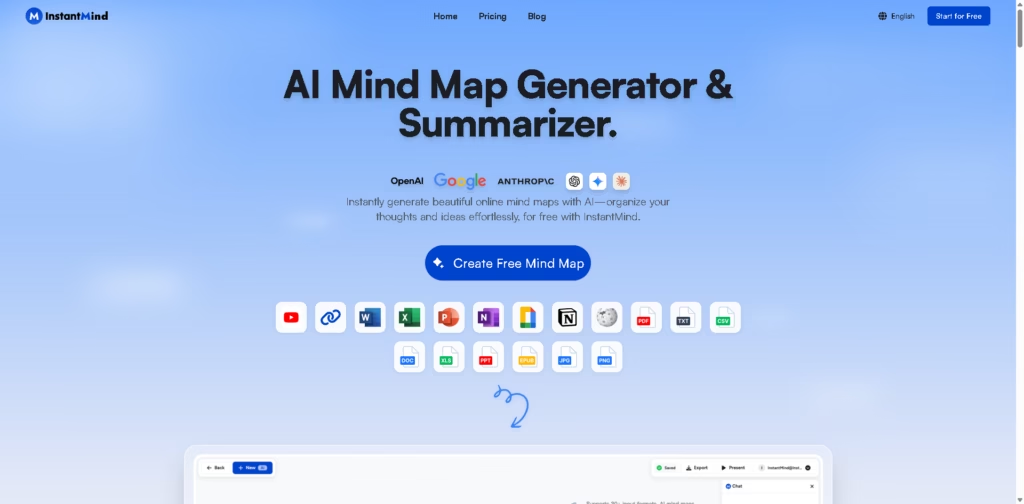
InstantMind is an AI-powered mind mapping and summarization platform that turns documents, videos, web pages, and text into editable visual mind maps. It combines AI-assisted summarization with interactive mind maps, making it useful for organizing information rather than simply generating static diagrams.
InstantMind targets students, researchers, professionals, and content creators who regularly process large amounts of information. A typical workflow is uploading a PDF, generating a structured mind map within seconds, asking follow-up questions through the AI chat, and exporting the final map as a PDF or SVG.
At a Glance
| Field | Details |
|---|---|
| Category | AI mind mapping and summarization |
| Primary Purpose | Convert documents and content into editable mind maps |
| Supported Inputs | 30+ formats including PDF, Word, Excel, PowerPoint, images, YouTube, and web pages |
| Export Formats | PNG, PDF, SVG, Markdown |
| AI Chat | Yes |
| Free Plan | Yes |
| Platforms | Web-based with mobile-friendly access |
| Primary Strength | Multi-format content-to-mind-map workflow |
Key Features
- Generates mind maps from documents, videos, and web pages.
- Supports over 30 input file formats.
- Chats with uploaded documents and mind maps.
- Expands mind map nodes with AI-generated content.
- Offers multiple layouts, including fishbone, timeline, and org chart.
- Exports mind maps in several sharing formats.
Best For
- Summarizing research papers into visual study notes.
- Turning YouTube videos into structured mind maps.
- Organizing meeting notes into actionable outlines.
- Creating presentation-ready mind maps quickly.
- Planning projects from multiple document sources.
Pros & Cons
| Pros | Cons |
|---|---|
| Wide range of supported input formats | Advanced AI features require paid plans |
| AI chat works with uploaded content | Free storage and AI credits are limited |
| Multiple export options | Browser-based experience may not suit offline workflows |
| Several mind map layouts beyond classic trees | Larger file summaries have size limits on lower plans |
Alternatives & Comparisons
| Alternative | Best For | Key Difference |
|---|---|---|
| TreeMind | Rich collaborative mind mapping | More template-heavy and collaboration-focused |
| XMind | Traditional mind mapping | Strong desktop experience with less AI emphasis |
| Miro AI | Team brainstorming | Whiteboard-first instead of mind map-first |
| Whimsical | Mixed visual documentation | Combines flowcharts and wireframes with lighter AI |
InstantMind fits best as an AI-first knowledge organization tool rather than a traditional mind mapping application. It is most compelling when users need both summarization and interactive exploration of uploaded content.
Frequently Asked Questions
Can InstantMind create mind maps from PDFs?
Yes. PDFs can be uploaded and converted into editable mind maps.
Does InstantMind work with YouTube videos?
Yes. The platform supports generating mind maps from YouTube content.
Can I chat with uploaded documents?
Yes. The AI chat answers questions using the uploaded documents and mind maps as context.
Is there a free plan?
Yes. The free plan includes AI credits, a basic AI model, and the full-featured mind map editor with some usage limits.
Can I export my mind maps?
Yes. Exports include PNG, PDF, SVG, Markdown, and the platform’s native format.
Overall Rating
| Category | Score |
|---|---|
| Performance | 4.7/5 |
| Ease of Use | 4.9/5 |
| Feature Set | 4.8/5 |
| Workflow Fit | 4.8/5 |
| Overall | 4.8/5 |
InstantMind earns a high score by combining AI summarization, interactive mind maps, and document-based Q&A into a single workflow that reduces manual organization work.
Final Verdict
- Best for turning documents, videos, and research into interactive mind maps.
- Avoid if you primarily need offline desktop mind mapping.
- The biggest strength is combining AI summarization with contextual document chat.
- The best alternative is TreeMind for collaboration-heavy mind mapping workflows.
















