
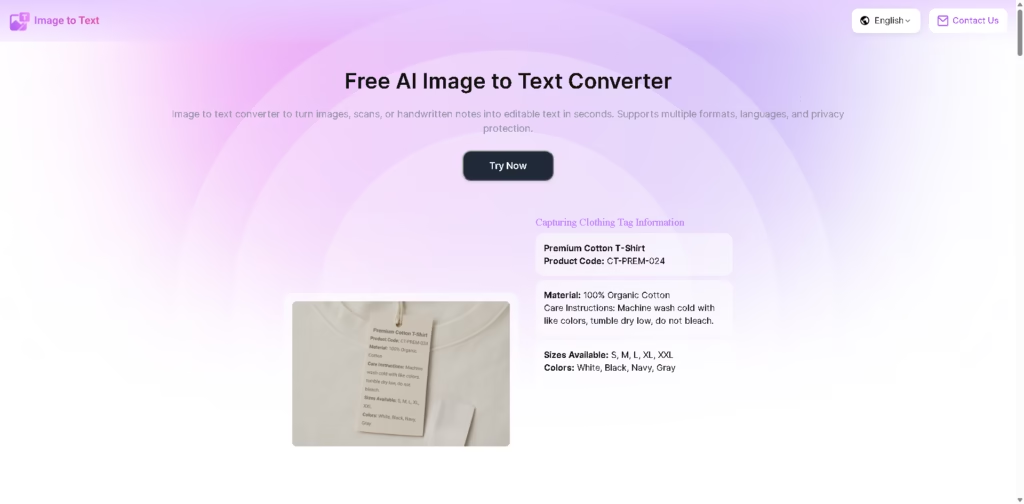
What It Does
Image to Text is a free online OCR tool that converts images, scans, screenshots, and handwritten notes into editable text. It is designed for students, researchers, office workers, lawyers, content creators, and others who need to digitize text without typing it manually.
A typical workflow starts by uploading one or multiple images in supported formats such as JPG, PNG, JFIF, HEIC, or TIFF. The tool uses AI-powered text recognition to extract printed or handwritten content, preserve document structure and formatting, and produce text that can be saved and reused.
Quick Verdict
- Best for: Extracting text from screenshots, scans, and handwritten notes
- Skip if: You need advanced document editing or dedicated OCR software
- Key Advantage: Free batch OCR with handwriting recognition
- Top Alternative: Google Lens
At a Glance
| Feature | Details |
|---|---|
| Category | AI OCR / Image to Text |
| Pricing Model | Free |
| Free Tier | Yes |
| Platform | Web |
| API | Not specified |
| Primary Strength | Free AI-powered OCR |
| Recognition Types | Printed and handwritten text |
| Supported Formats | JPG, JPEG, PNG, JFIF, HEIC, TIFF |
Why It Works for Different Image Types
The tool handles more than standard scanned documents. It supports screenshots, social media images, classroom materials, contracts, receipts, and handwritten notes.
Its layout-preservation feature is intended to retain document structure and formatting during extraction. Noise and blur tolerance are also provided for images where the source text is not perfectly clear.
Pricing & Plans
- Free: The vendor states that the tool is 100% free, with no registration or subscription required.
- Usage: The vendor states that there are no usage limits.
- Batch processing: Multiple images can be uploaded and processed at once.
Note: Prices and plan limits may change. Check the official website for current pricing.
Key Features
- Extracts editable text from screenshots, scans, and photographs.
- Recognizes handwritten notes and classroom records.
- Preserves document structure and formatting during extraction.
- Processes multiple images through batch conversion.
- Supports multilingual text recognition, including Chinese, English, and Japanese.
- Handles common image formats including JPG, PNG, JFIF, HEIC, and TIFF.
Best For
- Converting handwritten classroom notes into editable text.
- Extracting contract clauses from document images.
- Digitizing screenshots from social media and messaging apps.
- Converting scanned documents into searchable digital text.
- Processing multiple images for large-scale text extraction.
Pros & Cons
Pros:
- Completely free according to the vendor.
- No registration or subscription is required.
- Supports handwritten text recognition.
- Provides batch image processing and multilingual recognition.
Cons:
- API availability is not specified.
- The supplied information does not specify advanced document export options.
- Accuracy specifications or measurable OCR benchmarks are not provided.
Alternatives & Comparisons
| Alternative | Best For | Key Difference vs. This Tool |
|---|---|---|
| Google Lens | Extracting and interacting with text from images | Combines OCR with broader visual search and recognition functions |
| Adobe Acrobat OCR | Digitizing PDF documents | More focused on PDF workflows and document editing |
| OCR.Space | API-based OCR workflows | Provides an OCR API for developer-oriented integrations |
Image to Text fits the online OCR market as a free browser-based tool focused on quick extraction from images, including handwritten content. Choose it when you need free, no-registration OCR with batch processing and multiple language support rather than a broader document-management platform.
Frequently Asked Questions
Is Image to Text completely free?
Yes. The vendor states that the service is 100% free, with no registration or subscription required.
Can Image to Text recognize handwriting?
Yes. The tool specifically provides AI-powered handwriting recognition for handwritten notes and classroom records.
Which image formats are supported?
The interface lists JPG, PNG, JFIF, and HEIC, while the feature information also lists JPEG and TIFF.
Can it process multiple images?
Yes. The tool specifically provides AI-powered handwriting recognition for handwritten notes and classroom records.
Which image formats are supported?
The interface lists JPG, PNG, JFIF, and HEIC, while the feature information also lists JPEG and TIFF.
Can it process multiple images?
Yes. The vendor describes batch conversion that allows users to upload multiple images at once.
Does Image to Text support multiple languages?
Yes. The vendor states that it supports multiple languages, including Chinese, English, and Japanese.
ToolsPedia Rating
- Performance & Speed: 4.3/5.0
- Ease of Setup: 4.8/5.0
- Feature Depth: 4.0/5.0
- Value for Price: 5.0/5.0
- ToolsPedia Score: 4.5/5.0
Rating note: These scores are based on the documented capabilities supplied by the vendor, not hands-on testing.
Final Thoughts
Image to Text covers the core OCR workflow well for users who need to turn images and handwriting into editable text without paying or creating an account. Its combination of batch processing, multilingual recognition, handwriting support, and format compatibility makes it suitable for everyday study, office, and document-digitization tasks. Try it with a representative image set to check whether its extraction quality matches your specific documents.
















