
What It Does
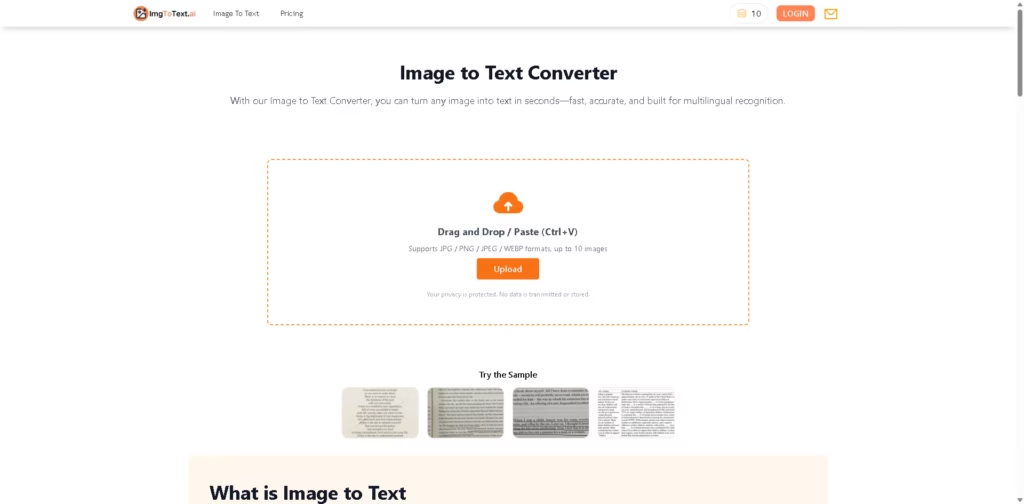
Image to Text Converter is an AI-powered OCR tool that extracts editable text from images, screenshots, scanned documents, and handwritten notes. It supports multiple languages and accepts JPG, JPEG, PNG, and WEBP images without requiring an account.
The workflow is straightforward: upload, drag and drop, or paste up to 10 images, then start the extraction process. The tool processes images using OCR, shows progress, and lets users copy or download the extracted text. The source states that uploaded images are not stored or shared.
Quick Verdict
Best for: Students, professionals, creators, and teams that need quick online OCR.
Skip if: You need advanced document-processing features beyond image-to-text extraction.
Key Advantage: Multilingual OCR with batch processing and a daily free quota.
Top Alternative: Google Lens
At a Glance
| Field | Details |
|---|---|
| Category | AI OCR / Image to Text |
| Pricing Model | Free quota + one-time credit purchases |
| Free Tier | Yes, daily quota |
| Platform | Web |
| API | Not specified |
| Primary Strength | Multilingual image-to-text extraction |
Pricing & Plans
Image to Text uses a one-time credit model rather than a monthly subscription. A daily free quota is also available.
- 600 Credits: $9.99, discounted from $12.99
- 1,400 Credits: $19.99, discounted from $29.99
- 4,000 Credits: $49.99, discounted from $89.99
- 8,500 Credits: $99.99, discounted from $189.99
Each image-to-text conversion costs 5 credits per image. The source states that free users can process up to 50 images per day without logging in and up to 200 images per day when logged in.
The tool supports one-time purchases, so purchased credits do not require a recurring subscription.
Note: Prices and plan limits may change. Check the official website for current pricing.
Key Features
- AI-powered OCR extracts editable text from images.
- Supports multilingual text recognition.
- Processes up to 10 images at once.
- Accepts JPG, JPEG, PNG, and WEBP formats.
- Allows text to be copied or downloaded after extraction.
- Requires no registration for basic use.
Best For
- Students converting lecture slides and scanned study materials.
- Professionals digitizing contracts, invoices, and research documents.
- Content creators extracting captions, quotes, and code snippets.
- Legal and finance teams digitizing scanned forms.
- Users needing multilingual OCR without installing software.
Pros & Cons
Pros
- Supports multiple languages.
- Batch processing handles up to 10 images.
- No-registration usage is available.
- Offers a daily free quota.
- Uses a one-time credit purchasing model.
Cons
- API availability is not specified.
- Advanced document-processing capabilities are not described.
- Credit usage applies to image-to-text conversions.
Alternatives & Comparisons
| Alternative | Best For | Key Difference vs. Image to Text |
|---|---|---|
| Google Lens | General visual search and OCR | Combines text extraction with broader visual recognition features |
| Adobe Acrobat OCR | PDF and document workflows | More focused on document and PDF processing |
| Microsoft OneNote | Notes and document capture | OCR is integrated into a broader note-taking workflow |
Image to Text focuses specifically on accessible online OCR with multilingual recognition, batch processing, and a daily free quota. Choose it when your workflow mainly involves extracting text from image files rather than managing full document workflows.
Frequently Asked Questions
Is Image to Text Converter free?
Yes. The source states that the tool provides a daily free quota, with additional credits available through one-time purchases.
Do I need to create an account?
No. The tool can be used without registration, and the source states that users without a login can process up to 50 images per day.
Which image formats are supported?
The converter supports JPG, JPEG, PNG, and WEBP files.
Can I process multiple images?
Yes. Users can upload or paste up to 10 images at once for batch processing.
Does it support multiple languages?
Yes. The tool provides multilingual OCR and automatically detects the language in uploaded images.
ToolsPedia Rating
| Dimension | Score |
|---|---|
| Performance & Speed | 4.5/5 |
| Ease of Setup | 4.8/5 |
| Feature Depth | 3.8/5 |
| Value for Price | 4.4/5 |
| ToolsPedia Score | 4.4/5 |
Final Thoughts
Image to Text Converter is a straightforward web OCR tool for turning image-based text into editable content. Its combination of multilingual recognition, batch processing, no-registration access, and daily free usage makes it suitable for routine OCR tasks. Users with more complex PDF or document-management requirements may need a broader document-processing platform.
















