
What It Does
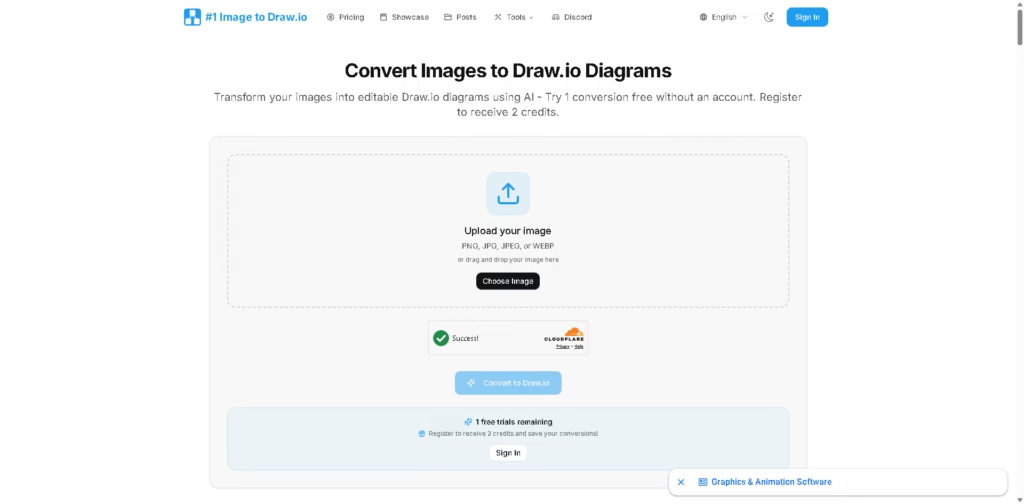
Image to Draw.io is an AI-powered tool that converts diagram images into editable Draw.io (.drawio) files. Instead of recreating flowcharts, architecture diagrams, or whiteboard sketches manually, it attempts to preserve shapes, text, connectors, and layout so users can continue editing in Draw.io.
IImage to Draw.io is designed for engineers, technical writers, students, and teams that work with diagrams but only have a PNG, JPG, or screenshot available. A typical workflow is uploading a whiteboard photo, waiting about a minute for conversion, then opening the editable result directly in the Draw.io editor.
At a Glance
| Field | Details |
|---|---|
| Category | AI diagram conversion |
| Primary Purpose | Convert images into editable Draw.io diagrams |
| Input Formats | PNG, JPG, JPEG, WEBP |
| Output | Editable .drawio files |
| Editor | Built-in Draw.io editor |
| Free Access | 1 free conversion without an account |
| Pricing Model | Credits or monthly subscription |
| Primary Strength | Recover editable diagrams from static images |
Key Features
- Converts screenshots into editable Draw.io diagrams.
- Recognizes shapes, text, and connectors with AI.
- Supports whiteboard photos and hand-drawn sketches.
- Opens converted diagrams in a built-in Draw.io editor.
- Exports editable Draw.io files for future editing.
- Uses a credit-based pay-per-conversion model.
Best For
- Recovering lost Draw.io source files from image exports.
- Turning whiteboard photos into editable diagrams.
- Updating legacy documentation without redrawing diagrams.
- Customizing architecture diagrams from screenshots.
- Converting process flowcharts into reusable templates.
Pros & Cons
| Pros | Cons |
|---|---|
| One free conversion without registration | Accuracy depends on image quality |
| Editable Draw.io output instead of static images | Credit-based pricing for continued use |
| Built-in editor speeds post-conversion edits | Complex diagrams may require manual corrections |
| Supports common image formats | Limited to Draw.io-focused workflows |
Alternatives & Comparisons
| Alternative | Best For | Key Difference |
|---|---|---|
| RapidChart | AI-generated diagrams | Creates diagrams from prompts rather than image conversion |
| ChartDB | Database ER diagrams | Focused on database visualization instead of image recovery |
| PaperBanana | Academic figures | Built for research illustrations rather than Draw.io editing |
| CodeToFlow | Code visualization | Converts source code into flowcharts instead of converting images |
Image to Draw.io occupies a specialized niche focused on recovering editable diagrams from existing images. It makes the most sense when recreating a diagram manually would take significantly longer than cleaning up an AI conversion.
Frequently Asked Questions
Can Image to Draw.io convert whiteboard photos?
Yes. The tool supports whiteboard photos and attempts to recreate them as editable Draw.io diagrams.
Does it work with screenshots?
Yes. Screenshots of flowcharts, architecture diagrams, and similar visuals are supported.
Do I need an Image to Draw.io account?
No. Converted files can be edited in Draw.io without requiring the converter afterward.
Are converted files editable?
Yes. The goal is to produce editable Draw.io files rather than flattened images.
Does it support PDF diagrams?
The product also offers a PDF-to-Draw.io conversion tool, although the primary workflow focuses on image uploads.
Overall Rating
| Category | Score |
|---|---|
| Performance | 4.5/5 |
| Ease of Use | 4.8/5 |
| Feature Set | 4.4/5 |
| Workflow Fit | 4.7/5 |
| Overall | 4.6/5 |
Image to Draw.io stands out for converting static diagrams into editable Draw.io files, though results naturally vary with diagram complexity and image quality.
Final Verdict
- Best for recovering editable Draw.io files from screenshots, exports, and whiteboard photos.
- Avoid if you primarily need AI-generated diagrams instead of image conversion.
- The biggest strength is preserving editable shapes, text, and connections after conversion.
- The best alternative is RapidChart when creating diagrams from text prompts.
















