
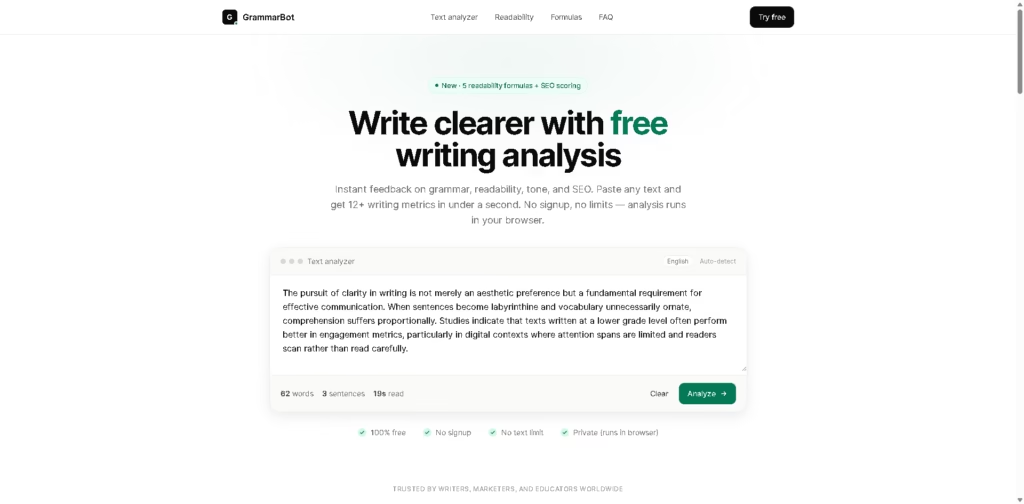
What It Does
GrammarBot is a free, browser-based writing analyzer that evaluates text for grammar, readability, tone, vocabulary, SEO, and writing statistics. Instead of focusing only on grammar correction, it combines multiple analysis engines to give writers a broader picture of how clear and effective their content is.
The tool supports five readability formulas: Flesch Reading Ease, Flesch-Kincaid, SMOG, Coleman-Liau, and Dale-Chall, and provides SEO metrics such as keyword density, content length, and semantic completeness. It can analyze up to 50,000 characters per analysis and reportedly completes analysis in under a second.
At a Glance
| Field | Details |
|---|---|
| Category | Writing analysis & grammar checker |
| Price | Free |
| Signup Required | No |
| Text Limit | Up to 50,000 characters per analysis |
| Analysis Time | Typically under 800ms |
| Privacy | Runs locally in the browser |
| Writing Metrics | 12+ |
| Readability Formulas | 5 |
| SEO Analysis | Yes |
| API | Not currently listed |
Key Features
- Grammar & spelling: Detects errors, awkward phrasing, and style issues using the LanguageTool open-source engine.
- Readability analysis: Calculates five readability scores and interprets grade-level difficulty.
- Tone & sentiment: Identifies whether writing is academic, professional, casual, and more.
- SEO scoring: Analyzes keyword density, content length, semantic completeness, and readability.
- Vocabulary analysis shows unique words, lexical diversity, complex words, longest sentences, and frequently used phrases.
- Reading & speaking time: Estimates how long content takes to read or speak.
- Browser-based processing: Text is analyzed locally rather than being sent to a remote server, according to the supplied information.
Best For
- Writers and authors who want quick editing feedback.
- SEO marketers analyzing readability and keyword usage.
- Students and teachers are checking academic reading levels.
- Professionals improving emails, reports, and proposals.
- ESL learners are looking to understand writing complexity.
- Editors and publishers performing quick content audits.
Pros & Cons
| Pros | Cons |
|---|---|
| Completely free according to the supplied information | Primarily focused on English writing |
| No signup required | No dedicated API or browser extension is listed |
| No stated overall usage limit | SEO scoring appears less comprehensive than dedicated SEO platforms |
| Five readability formulas in one tool | Advanced AI rewriting features are not the focus |
| Runs directly in the browser | Some users may prefer a full writing assistant with automatic rewriting |
| Supports SEO, tone, grammar, and vocabulary analysis | Less suitable for extensive document-management workflows |
Alternatives & Comparisons
| Alternative | Best For | Key Difference |
|---|---|---|
| Grammarly | General writing assistance | More focused on real-time correction and rewriting |
| Hemingway Editor | Readability | More specialized in simplifying difficult writing |
| ProWritingAid | Long-form editing | Offers deeper writing reports and editing tools |
| QuillBot | AI rewriting | Stronger emphasis on paraphrasing and rewriting |
GrammarBot’s main advantage is breadth without a paywall. Rather than specializing exclusively in grammar or readability, it brings several useful writing metrics together in one browser-based tool.
Frequently Asked Questions
Is GrammarBot really free?
According to the supplied information, yes. GrammarBot is presented as free with no sign-up requirement, no paywall, and no stated usage limit.
How much text can GrammarBot analyze?
The tool supports up to 50,000 characters per analysis.
Which readability formulas does it support?
GrammarBot supports Flesch Reading Ease, Flesch-Kincaid, SMOG, Coleman-Liau, and Dale-Chall.
Does GrammarBot check SEO?
Yes. Its SEO analysis includes keyword density, content length, semantic completeness, and readability scoring.
Does GrammarBot store my text?
The supplied information states that analysis runs in the browser and that text does not leave the browser, which is a significant privacy advantage for sensitive drafts.
Does GrammarBot replace Grammarly?
Not completely. GrammarBot is better positioned as a free multi-metric writing analyzer, while Grammarly offers a broader ecosystem around real-time writing assistance, rewriting, and integrations.
Overall Rating
| Category | Score |
|---|---|
| Ease of Use | 9.5/10 |
| Features | 9/10 |
| Readability Analysis | 9.5/10 |
| SEO Analysis | 8.5/10 |
| Privacy | 9.5/10 |
| Value for Money | 10/10 |
| Overall | 9.2/10 |
GrammarBot is a free writing analyzer for grammar, readability, tone, vocabulary, and SEO. See its features, benefits, limitations, and alternatives.
Final Verdict
- Best for: Writers, students, editors, teachers, and SEO professionals who want fast, free writing analysis.
- Avoid if: You need advanced AI rewriting, extensive integrations, or a full document-writing workspace.
- Biggest strength: Combines grammar, readability, tone, vocabulary, statistics, and SEO analysis in one free browser tool.
- Best alternative: Hemingway Editor for users primarily interested in readability; Grammarly for broader AI writing assistance.
















