
What It Does
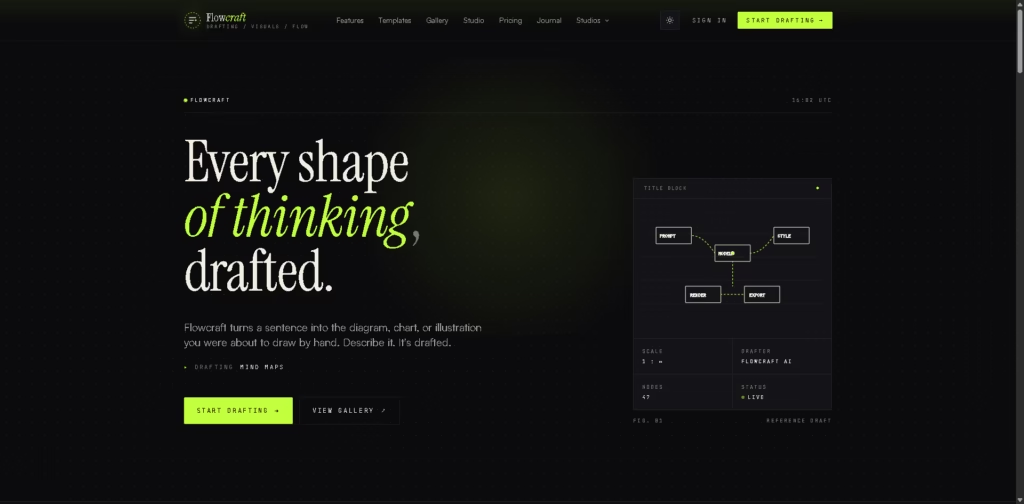
FlowCraft is an AI-powered visual drafting platform that converts natural language into editable diagrams, charts, and illustrations. Instead of manually arranging shapes, users describe an idea or paste existing content, and the platform generates a visual draft that can be refined and exported.
FlowCraft is designed for engineers, educators, analysts, founders, and anyone who communicates visually. A typical workflow is describing a system architecture, selecting a visual style such as technical or hand-drawn, adjusting the generated draft, and exporting it as a PNG, SVG, or PDF.
At a Glance
| Field | Details |
|---|---|
| Category | AI diagram and visual drafting |
| Primary Purpose | Generate editable diagrams from natural language |
| Diagram Types | Flowcharts, mind maps, sequence diagrams, knowledge graphs, illustrations, infographics |
| Export Formats | PNG, SVG, PDF |
| Free Tier | Yes |
| Visual Styles | Editorial, technical, hand-drawn, corporate |
| Developer Tool | VS Code extension available |
| Primary Strength | Fast text-to-diagram workflow |
Key Features
- Generates multiple diagram types from text prompts.
- Supports editable flowcharts, mind maps, and sequence diagrams.
- Offers multiple visual styles for different presentation needs.
- Converts data into infographic-style visuals.
- Refines generated drafts before export.
- Provides PNG, SVG, and PDF exports on the free tier.
Best For
- Explaining technical systems visually.
- Mapping business and operational workflows.
- Creating stakeholder presentation graphics.
- Designing user journeys and wireframes.
- Producing quick visual documentation from written ideas.
Pros & Cons
| Pros | Cons |
|---|---|
| Multiple diagram formats in one platform | Collaboration features are not prominently described |
| Free exports in common formats | Advanced pricing details require viewing the pricing page |
| Style presets reduce manual formatting | Less emphasis on enterprise governance than specialized tools |
| VS Code extension supports developer workflows | Editing capabilities beyond basic refinement are not extensively documented |
Alternatives & Comparisons
| Alternative | Best For | Key Difference |
|---|---|---|
| RapidChart | UML and architecture diagrams | Stronger focus on technical UML workflows |
| Draft1.ai | Technical documentation | Combines document generation with diagrams |
| Whimsical | Team collaboration | Whiteboard-first collaborative workspace |
| Miro AI | Interactive workshops | Better suited for collaborative whiteboarding |
FlowCraft fits between creative diagram generators and technical visualization tools by emphasizing speed and aesthetic consistency. It is a strong option when users want polished visuals without manually building diagrams from scratch.
Frequently Asked Questions
Can FlowCraft create multiple diagram types?
Yes. It supports flowcharts, mind maps, sequence diagrams, knowledge graphs, illustrations, and infographics.
Is there a free version?
Yes. The platform includes a free tier with PNG, SVG, and PDF exports.
Can I choose different visual styles?
Yes. Users can select styles such as editorial, technical, hand-drawn, and corporate.
Does it work for technical documentation?
Yes. It can generate system architecture, process maps, and onboarding visuals from text.
Is there a VS Code extension?
Yes. FlowCraft provides a VS Code extension for developer workflows.
Overall Rating
| Category | Score |
|---|---|
| Performance | 4.8/5 |
| Ease of Use | 4.9/5 |
| Feature Set | 4.7/5 |
| Workflow Fit | 4.8/5 |
| Overall | 4.8/5 |
FlowCraft stands out for turning written ideas into polished diagrams within seconds, making it particularly effective for rapid documentation and presentation workflows.
Final Verdict
- Best for creating polished diagrams quickly from natural language prompts.
- Avoid if you need enterprise governance or complex collaborative whiteboarding.
- The biggest strength is combining multiple diagram formats with fast AI drafting.
- The best alternative is Draft1.ai for documentation-heavy workflows.
















