
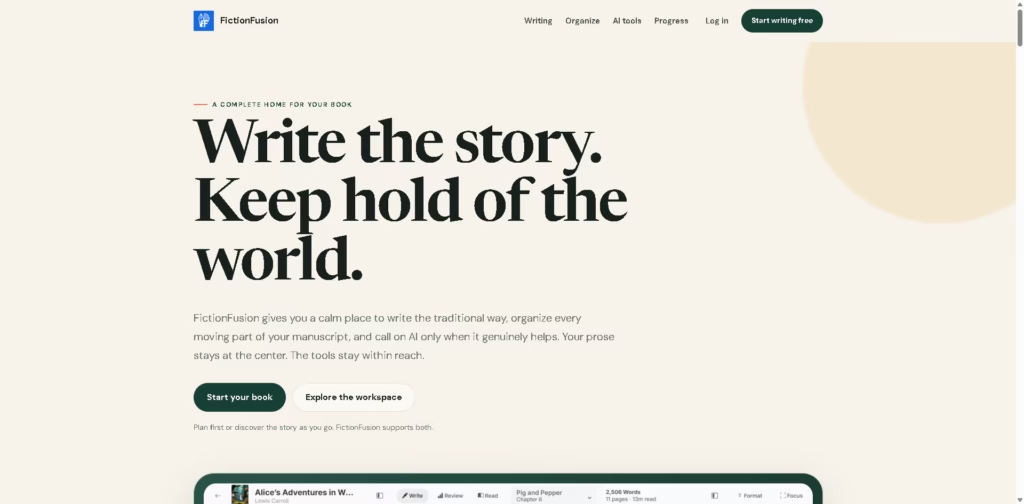
What It Does
FictionFusion is a long-form book-writing workspace that combines manuscript editing, project organization, story-bible tools, progress tracking, and optional AI assistance. It is designed for writers who want chapters, characters, locations, lore, notes, and manuscript statistics connected within one project.
The main distinction is that AI is presented as an optional part of the workflow rather than the primary writing interface. For example, a novelist can import a DOCX draft, organize its chapters, build Codex entries for characters and locations, use AI to explore a stalled scene, review chapter-length patterns, and export the finished manuscript as DOCX or EPUB.
At a Glance
| Field | Details |
|---|---|
| Category | Book writing and manuscript management |
| Primary Use | Long-form fiction writing and organization |
| AI Assistance | Scene generation, rephrasing, outlining, story questions |
| Story Management | Codex for characters, locations, events, objects, groups, and lore |
| Import | DOCX manuscripts |
| Export | DOCX and EPUB |
| Progress Tools | Word count, chapter lengths, character distribution, writing activity |
| AI Controls | Model selection, generation length, creativity, usage and cost history |
Key Features
- Chapter-based manuscript editor with reordering, splitting, and merging.
- Codex organizes characters, locations, events, objects, groups, and world-building details.
- AI generates scene beats, alternative passages, outlines, and prose.
- AI can rephrase selected passages with adjustable instructions and target length.
- Manuscript dashboards track chapter lengths, character distribution, word count, and writing activity.
- DOCX import helps bring existing manuscripts into the workspace.
- DOCX and EPUB export support preparing completed books.
Best For
- Drafting novels chapter by chapter without maintaining multiple documents.
- Building and referencing a structured story bible during long-form writing.
- Exploring alternative scenes when the draft reaches a creative block.
- Checking chapter-length and character-distribution patterns during revision.
- Turning an early premise into an editable outline and Codex foundation.
Pros & Cons
| Pros | Cons |
|---|---|
| Combines manuscript writing and story-world organization. | AI capabilities depend on the available models and the usage system. |
| Codex references can remain alongside the manuscript. | Its feature depth may be more than needed for simple writing projects. |
| AI remains optional rather than required for drafting. | No integrations with external writing or publishing services are specified. |
| Provides manuscript-level and chapter-level progress information. | Collaboration features are not clearly documented in the provided information. |
| Supports both DOCX and EPUB export. | The provided information does not establish desktop or mobile app availability. |
Alternatives & Comparisons
| Alternative | Best For | Key Difference |
|---|---|---|
| Scrivener | Complex long-form writing projects | More established project-based writing environment |
| Novelcrafter | AI-assisted novel development | More explicitly centered on AI-supported fiction workflows |
| Sudowrite | AI-assisted creative writing | AI generation is more central to its writing experience |
| Google Docs | Simple collaborative manuscript editing | General-purpose document editing rather than story-specific organization |
FictionFusion fits between traditional manuscript software and AI-assisted fiction platforms by combining both approaches in one workspace. Choose it when integrated Codex management, manuscript statistics, optional AI, and book export matter more than general document editing.
Frequently Asked Questions
Is FictionFusion mainly an AI writing tool?
No. Its editor can be used without AI, while AI functions provide optional assistance with outlining, scene development, rephrasing, and story exploration.
Can FictionFusion import an existing manuscript?
Yes. The provided product information specifically describes importing DOCX manuscripts and reviewing how their chapters are divided.
Can FictionFusion export a completed book?
Yes. FictionFusion supports exporting manuscripts as DOCX or EPUB and provides table-of-contents and front/end-matter options.
Does FictionFusion support story-bible management?
Yes. Its Codex can organize characters, locations, events, objects, groups, history, and other lore, with references surfaced within chapters.
Does FictionFusion integrate with other writing services?
No external integrations are specified in the provided product information, so users should not assume compatibility with particular third-party services.
Overall Rating
| Category | Score |
|---|---|
| Performance | 8.0/10 |
| Ease of Use | 8.5/10 |
| Feature Set | 8.7/10 |
| Workflow Fit | 9.0/10 |
| Overall | 8.6/10 |
FictionFusion is strongest as an integrated fiction-writing workspace for writers who want manuscript organization, story references, revision insights, and optional AI in one environment.
Final Verdict
- Best for: Fiction writers who want manuscript drafting, story-bible management, progress tracking, and optional AI together.
- Avoid if you only need a basic document editor or require established third-party integrations.
- Biggest strength: Its Codex connects story-world information directly with the long-form manuscript workflow.
- Best alternative: Novelcrafter is worth considering when AI-assisted novel development is the primary priority.
















