
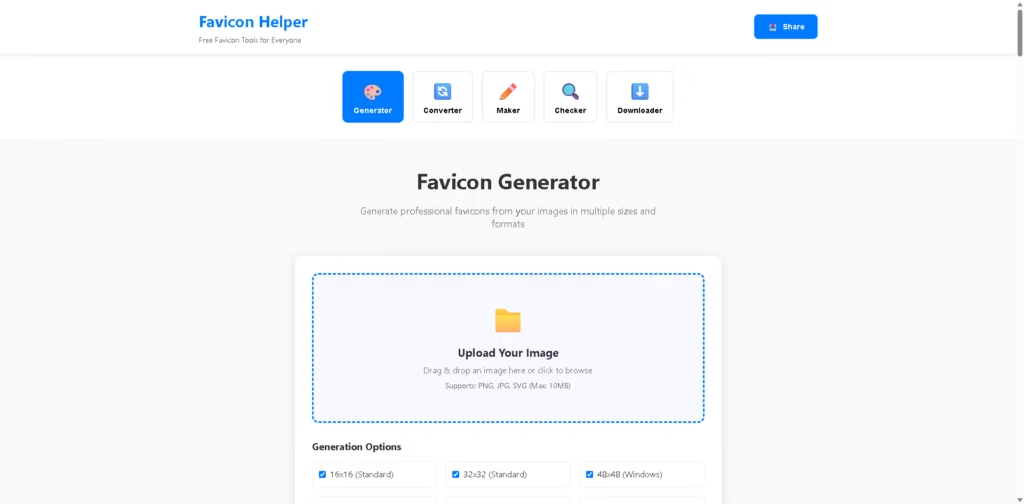
What It Does
Favicon Helper is a free all-in-one favicon toolkit that helps website owners, developers, and designers create, convert, check, download, and manage favicons. Instead of relying on multiple tools, it brings everything into one place, making it easy to generate professional favicon files for websites, web apps, and mobile devices.
Whether you’re creating a favicon from an image, designing one from text, checking an existing website’s favicon setup, or converting between formats, Favicon Helper simplifies the entire process without requiring registration or payment.
Key Features
- Favicon Generator
- Create favicon packages from PNG, JPG, SVG, and GIF images with multiple required sizes.
- Favicon Maker
- Design text-based favicons using initials, customizable fonts, colors, and shapes.
- Favicon Converter
- Convert favicon files between ICO, PNG, SVG, WEBP, and other supported formats.
- Favicon Checker
- Scan websites to verify favicon implementation and identify missing or incorrect configurations.
- Favicon Downloader
- Download favicons from existing websites for reference or analysis.
- Multiple Size Generation
- Generate popular favicon sizes including 16×16, 32×32, 48×48, 180×180, 192×192, and 512×512.
- Supports Modern Formats
- Works with ICO, PNG, SVG, JPG, GIF, WEBP, and other common image formats.
- HTML Implementation Guide
- Provides HTML code snippets to help users add favicons correctly to their websites.
- Privacy-Focused Processing
- Most image processing happens locally in the browser for improved privacy.
- No Registration Required
- Start using every tool immediately without creating an account.
- Completely Free
- All favicon tools are available at no cost without watermarks or premium restrictions.
- Mobile-Friendly Interface
- Works smoothly across desktop, tablet, and mobile browsers.
- Browser Compatibility
- Helps generate favicon files suitable for desktop browsers, mobile devices, Progressive Web Apps (PWAs), and Apple Touch Icons.
- Fast Processing
- Generates favicon packages within seconds.
- Developer-Friendly
- Includes guidance for proper favicon implementation and best practices.
Who Is Favicon Helper For?
- Web Developers
- Generate complete favicon packages and HTML implementation code quickly.
- UI/UX Designers
- Convert logos into crisp favicon assets for websites and applications.
- Small Business Owners
- Create professional favicons without graphic design experience.
- Freelancers
- Produce favicon files for multiple client websites efficiently.
- Digital Agencies
- Streamline favicon creation and website audits for client projects.
- E-commerce Store Owners
- Improve brand recognition across browser tabs and mobile devices.
- Bloggers
- Add a recognizable favicon to make blogs easier to identify.
- Content Creators
- Design branded icons for personal websites and portfolios.
- Startup Teams
- Create favicon assets for new products without purchasing additional software.
- Students & Beginners
- Learn favicon standards while using beginner-friendly tools.
Final Thoughts
Favicon Helper delivers an impressive collection of favicon tools in a single, free platform. From creating favicon packages and converting file formats to checking website implementations and downloading existing favicons, it covers nearly every common favicon-related task.
Its support for multiple formats, modern favicon sizes, browser compatibility guidance, and privacy-friendly processing make it a practical choice for developers, designers, businesses, and beginners alike.
If you’re looking for a straightforward way to create and manage website favicons without installing software or paying subscription fees, Favicon Helper is well worth trying.
















