
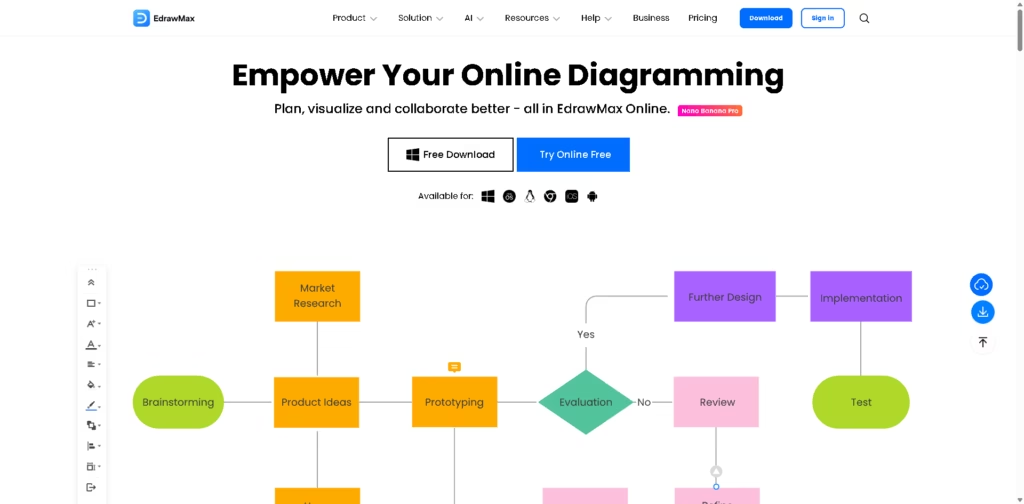
What It Does
EdrawMax Online is an online diagramming and visual collaboration platform for creating flowcharts, mind maps, Gantt charts, floor plans, circuit diagrams, network diagrams, and more. It supports more than 210 diagram types, 1,500+ built-in templates, 26,000+ symbols, AI-powered tools, cloud collaboration, and broad file compatibility.
Users can start with a template, customize the diagram with drag-and-drop tools, use AI to generate or analyze visual content, collaborate with teammates on the same canvas, and export or share the finished work. The platform supports workflows across business, education, engineering, IT, marketing, research, and design.
Quick Verdict
- Best for: Professionals and teams creating detailed diagrams, technical visuals, project plans, and collaborative visual documents.
- Skip if: You only need basic diagrams with minimal customization.
- Key Advantage: Combines 210+ diagram types, extensive templates and symbols, AI tools, and online collaboration.
- Top Alternative: Microsoft Visio
At a Glance
| Feature | Details |
|---|---|
| Category | Online Diagramming & Visual Collaboration |
| Pricing Model | Subscription and perpetual plans |
| Free Tier | Yes, limited free access |
| Platform | Web, Windows, macOS, Linux, iOS, Android |
| API | Not specified |
| Primary Strength | Comprehensive diagramming with AI and collaboration |
| Diagram Types | 210+ |
| Symbols | 26,000+ |
Pricing & Plans
- Free Trial: Limited access, including 5 free Visio imports, 5 free CAD imports, first 2 built-in templates, maximum 2 pages, 500 AI tokens, and limited diagram features.
- Semi-Annual Plan: US$69 for the listed subscription period.
- Annual Plan: US$99, with automatic renewal and cancellation available at any time. Includes 1-year access on 3 PCs and 3 mobile devices, EdrawMax Online access, all features, and 1GB cloud storage.
- Perpetual Plan: US$198 one-time payment. Includes lifetime use of EdrawMax V15 desktop, 3-year mobile and online access, all features, and 3-year 10GB cloud storage.
- Perpetual Bundle Plan: US$245 one-time payment for the listed 2-in-1 or 3-in-1 bundle options. The 3-in-1 bundle includes EdrawMax, EdrawMind, and EdrawProj, with 3-year mobile and online access and 20GB cloud storage.
- EdrawMax AI Assets: Available as an additional purchase. The supplied pricing page lists a 7-day trial followed by US$15.90/month when applicable.
- Money-back guarantee: A 30-day money-back guarantee is stated for eligible refunds.
Note: Prices and plan limits may change. Check the official website for current pricing.
Key Features
- Create 210+ diagram types including flowcharts, circuit diagrams, and floor plans.
- Use 1,500+ built-in templates and 26,000+ symbols for visual projects.
- Generate and analyze diagrams, presentations, drawings, and charts with AI.
- Collaborate with teammates on a shared cloud-based canvas.
- Import Visio, SVG, and CAD files for supported workflows.
- Create, play, and export presentations directly from diagrams.
Best For
- IT teams visualizing network infrastructure and technical processes.
- Project managers creating Gantt charts, timelines, and project plans.
- Engineers developing technical and process diagrams.
- Researchers organizing complex information into visual diagrams.
- Marketing and design teams creating visual plans and communication materials.
Pros & Cons
Pros
- Supports more than 210 diagram types.
- Large library of 1,500+ built-in templates and 26,000+ symbols.
- Includes AI features for diagramming, analysis, OCR, writing, and presentations.
- Supports real-time collaboration through an online workspace.
Cons
- Free access has significant page, shape, template, and AI-token limits.
- AI Assets require an additional purchase.
- Some advanced capabilities require a paid plan.
Alternatives & Comparisons
| Alternative | Best For | Key Difference vs. EdrawMax Online |
|---|---|---|
| Microsoft Visio | Professional business diagramming | Strong integration with Microsoft’s productivity ecosystem |
| Lucidchart | Cloud-based collaborative diagramming | More focused on browser-based collaborative diagram workflows |
| Creately | Visual workspaces and diagrams | Combines diagramming with broader visual workspace features |
EdrawMax Online is designed for users who need extensive diagram types, templates, symbols, AI features, and collaboration in one platform.
It is particularly suitable when technical diagrams and diverse visual formats are part of the same workflow.
Frequently Asked Questions
What is EdrawMax Online?
EdrawMax Online is a web-based diagramming and visual collaboration platform supporting more than 210 types of diagrams.
Does EdrawMax Online have a free plan?
Yes. Free access includes 500 AI tokens and limited diagramming features, including a maximum of two pages and limited templates.
Does EdrawMax support Visio files?
Yes. The platform supports Visio import, with the number of free trials and unlimited access depending on the plan.
Does EdrawMax include AI features?
Yes. Its AI feature set includes AI Diagramming, AI PPT, AI Drawing, AI Symbol, AI Analysis, AI Copywriting, AI OCR, and AI Sticker.
Can teams collaborate in EdrawMax Online?
Yes. EdrawMax Online provides a cloud-based workspace where teams can work together on the same page and collaborate on visual projects.
ToolsPedia Rating
- Performance & Speed: 4.3/5.0
- Ease of Setup: 4.3/5.0
- Feature Depth: 4.8/5.0
- Value for Price: 4.4/5.0
- ToolsPedia Score: 4.5/5.0
Editorial assessment based on the published feature set, pricing, and plan information provided. This rating does not represent hands-on testing.
Final Thoughts
EdrawMax Online provides a broad diagramming environment with extensive templates, symbols, AI capabilities, cloud collaboration, and support for professional visual workflows. Its combination of traditional diagramming tools and newer AI functions makes it suitable for users who regularly create complex visual documents. The free access can be used to explore the platform before choosing a paid subscription or perpetual plan.
















